[MAJOR UPDATE]
With the lessons learned from the Floating Journal Calendar
Today I also updated my Date Picker library
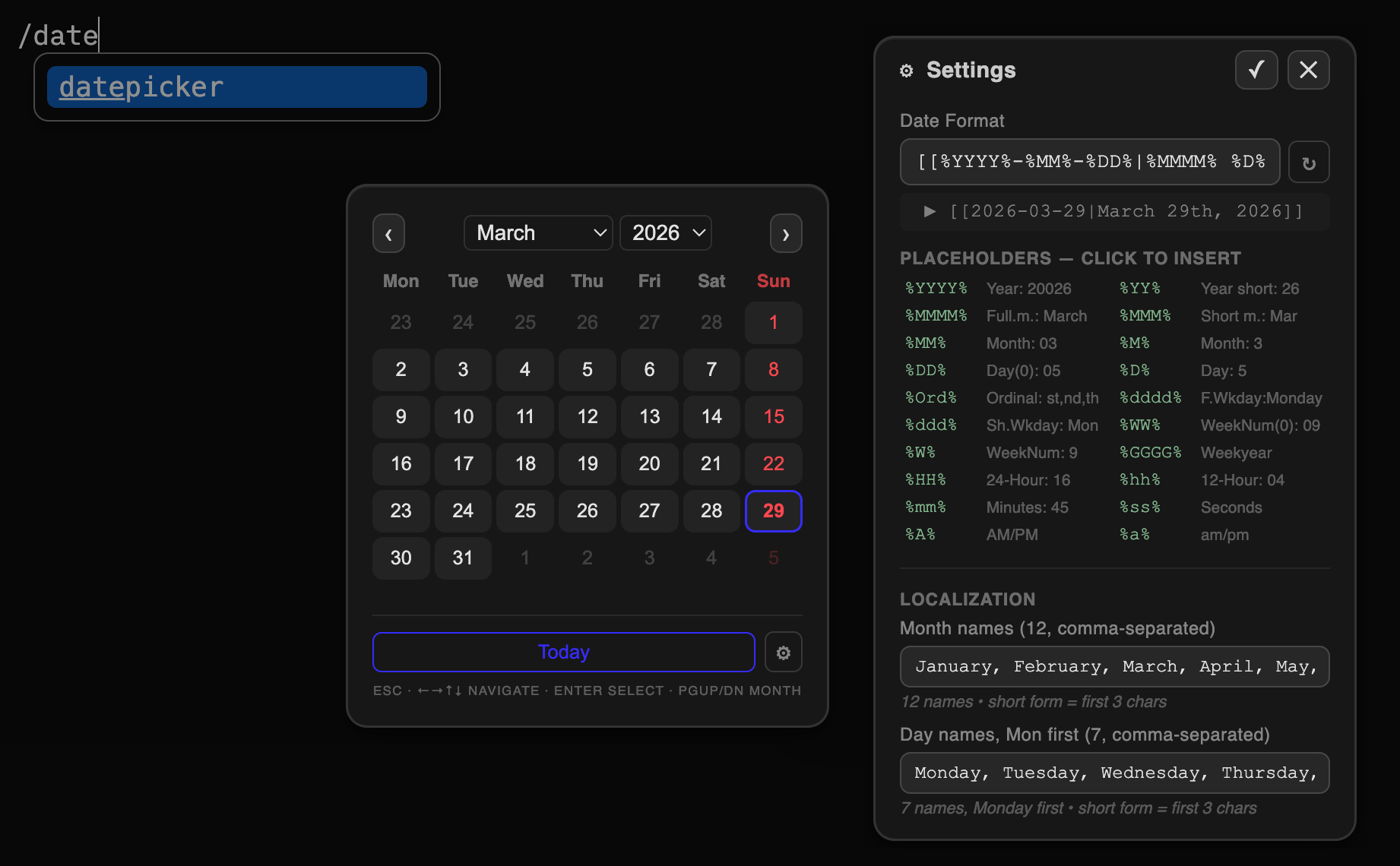
New features
Keyboard Navigation
| Key | Action |
|---|---|
← / → |
Move one day back / forward |
↑ / ↓ |
Move one week back / forward |
Page Up / Page Down |
Jump to previous / next month |
Enter |
Confirm and insert the focused date |
Escape |
Close picker (or cancel settings without saving) |
Added Settings Panel
Click the  gear button (bottom-right of the calendar) to flip the card to the settings view.
| Control | Description |
|---|---|
| Date Format input | Free-text field; use any combination of literal characters and placeholders |
| ↺ Reset button | Resets the format field to the default ([[%YYYY%-%MM%-%DD%]]) |
| Placeholder list | Click any token to insert it at the current cursor position in the format field |
| Live preview | Shows how today’s date looks with the current format string |
| Month names input | Comma-separated list of 12 full month names (January → December) |
| Day names input | Comma-separated list of 7 full day names, Monday first (e.g. Monday, Tuesday, … Sunday) |
✓ Apply (Enter) |
Save all settings to localStorage and return to the calendar |
✕ Cancel (Escape) |
Discard changes and return to the calendar |
You can now also add aliased Date wikilinks like:
[[2024-01-05|January 5th, 2024]][[Journal/2026/03-March/2026-03-26_Thu|March 26th, 2026]]
etc.