I’m currently not pursuing further development of this concept. You’re more than welcome to improve the existing code or even take over the idea entirely. I do have several ideas in mind, but unfortunately not enough time to bring them to life right now. I shared it in the hope this can be useful to someone who’s excited to build on it.
Very interesting! Logseq has a very nifty feature called “date picker”. When you type a slash-command and want to insert a date, a small calendar pops up, and you can use the keyboard to quickly pick a date, which gets inserted.
It’s shown in this video.
When inserting a “scheduled date” or “deadline date” for tasks, when referring to a journal and such, this is indispensible.
I wonder if what’s being discussed in this thread could be used for this purpose. The calendar widget would have to allow a selection and return it.
I don’t know if this has been discussed before.
I think a date picker would be quite achievable to build, someone just needs to make it first.
That’s what I love about SilverBullet: it might not have every feature built in, but it’s highly extensible by both users and the community. If you can dream up a feature, it’s almost certain that it can be done. The real questions are who is willing to build it, and how many users will actually use it once it’s available.
I’m very much finding this to the the core strength of SB, and the main reason I started on it!
Agree. With respect to the date picker I’d suggested, Logseq has answered that last part for us: it’s a heavily used feature in Logseq and a core part of the workflow for anyone who uses it, especially for task management.
i have’t used logseq, and also don’t know the diffrences.
i can undertsand where a simple date picker can be useful.
if i have time i might take a look at at it and try to implement it if it doesn`t take too much to do it.
Just to point out that it is impossible to move the panel on the title banner (unlike the Document explorer). The same goes for the Floating Journal Calendar. Thanks.
Correct. That’s intended.
Floating Windows should not cover the title-bar. I added a 65px “safe zone”.
In Explorer I didn’t added it yet.
[Major Update]
-
it uses
UnifiedFloating.js(the same as the Document Explorer uses) so it doesn’t creates copies of the same file over and over and the Style is uniform with the DocExPop-Outfeature -
Now you can
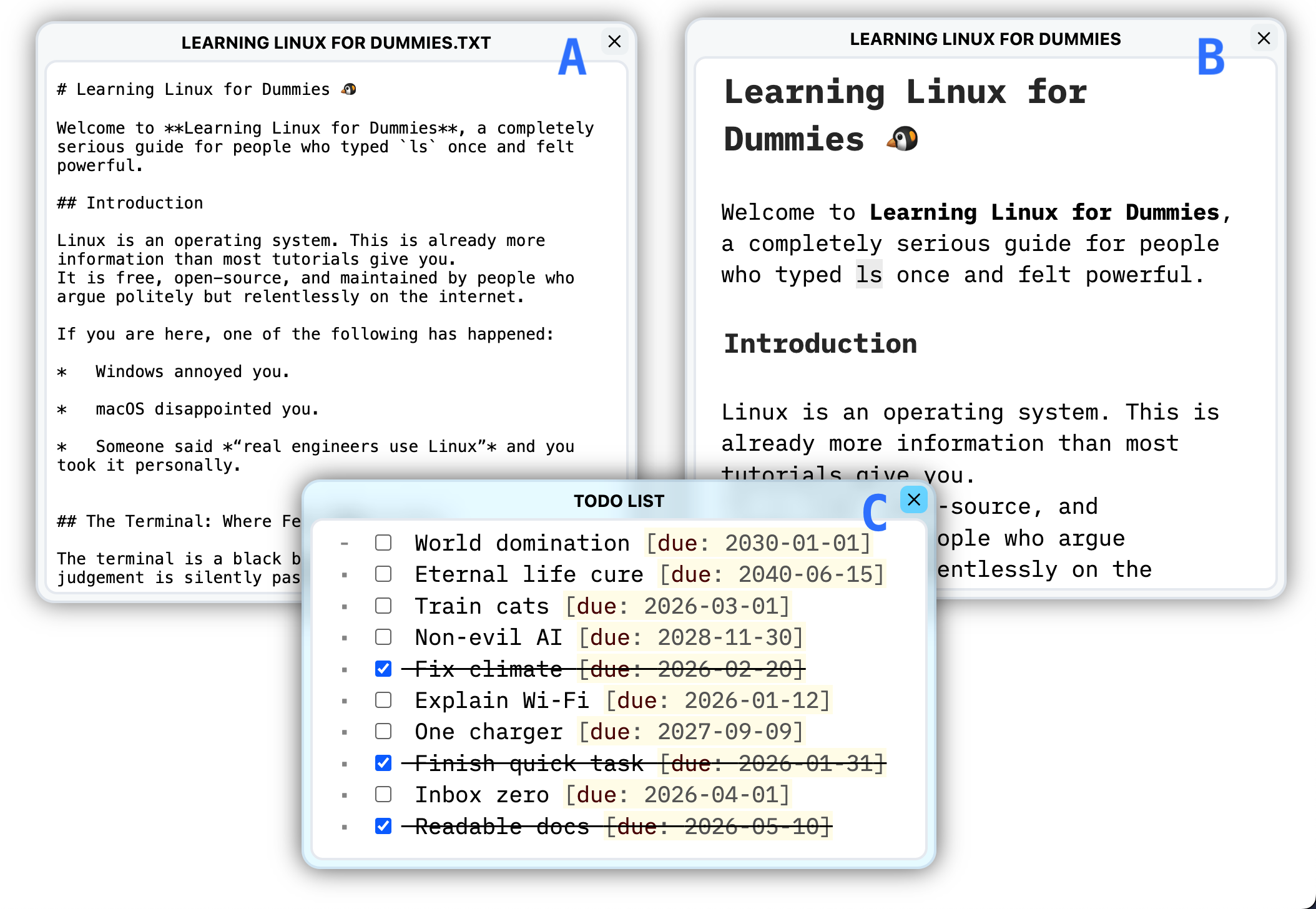
Ctrl-Alt-Click(Cmd-Alt-Click) any WikiLink , MarkdownLink or RawLink in any page to open it in a floating window.
-
or
Ctrl-Alt-Enter(Cmd-Alt-Enter) if you prefer the Keyboard option


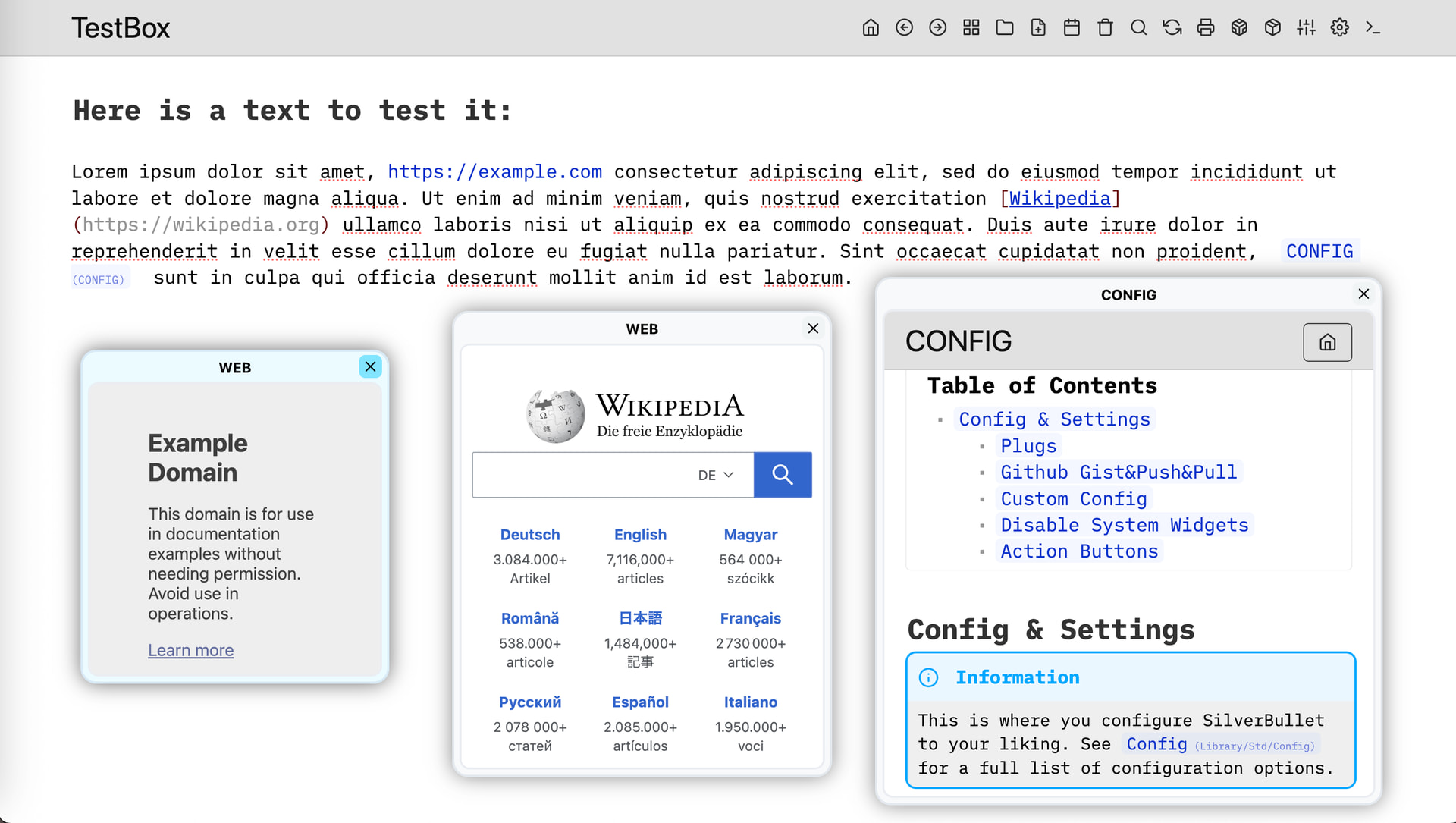
@bau, @marcoswur, @mjf - you might like this update 
I know that this is not @Mr.Red’s objective, but I am reformulating an idea because I see that @ChenZhu-Xie appreciates this work: the Document Explorer could as well be a Tag Explorer or a History Explorer, etc… and allow the navigation tools to be centralized.
Personally, I find that Floating SidePanel/Widgets opens up great perspectives.
Thanks @Mr.Red !
A small step for SB, a giant leap toward all-in-one.
SB now has almost reached parity with LogSeq and Obsidian ('s hover-over-link preview) — many thanks!
- One minor issue:
[[Language/Input Method|test]]does not resolve correctly; a trivial parsing fix should suffice.
Now I can open YouTube link directly inside SB and take notes alongside SB (Mommy and Catty no longer have to worry about my studies )
I tried to tinker around with the FastNav of @anthillsocial
But I didn’t had time to iron out the bugs. in this current form is unusable.
The pages doesn’t open, the floating window is sandboxed, so nothing can come out of it. So I left it be.
Here is a screenshot with my test. but I won’t pursue this path anymore, because it’s too much work to figure out the bugs.
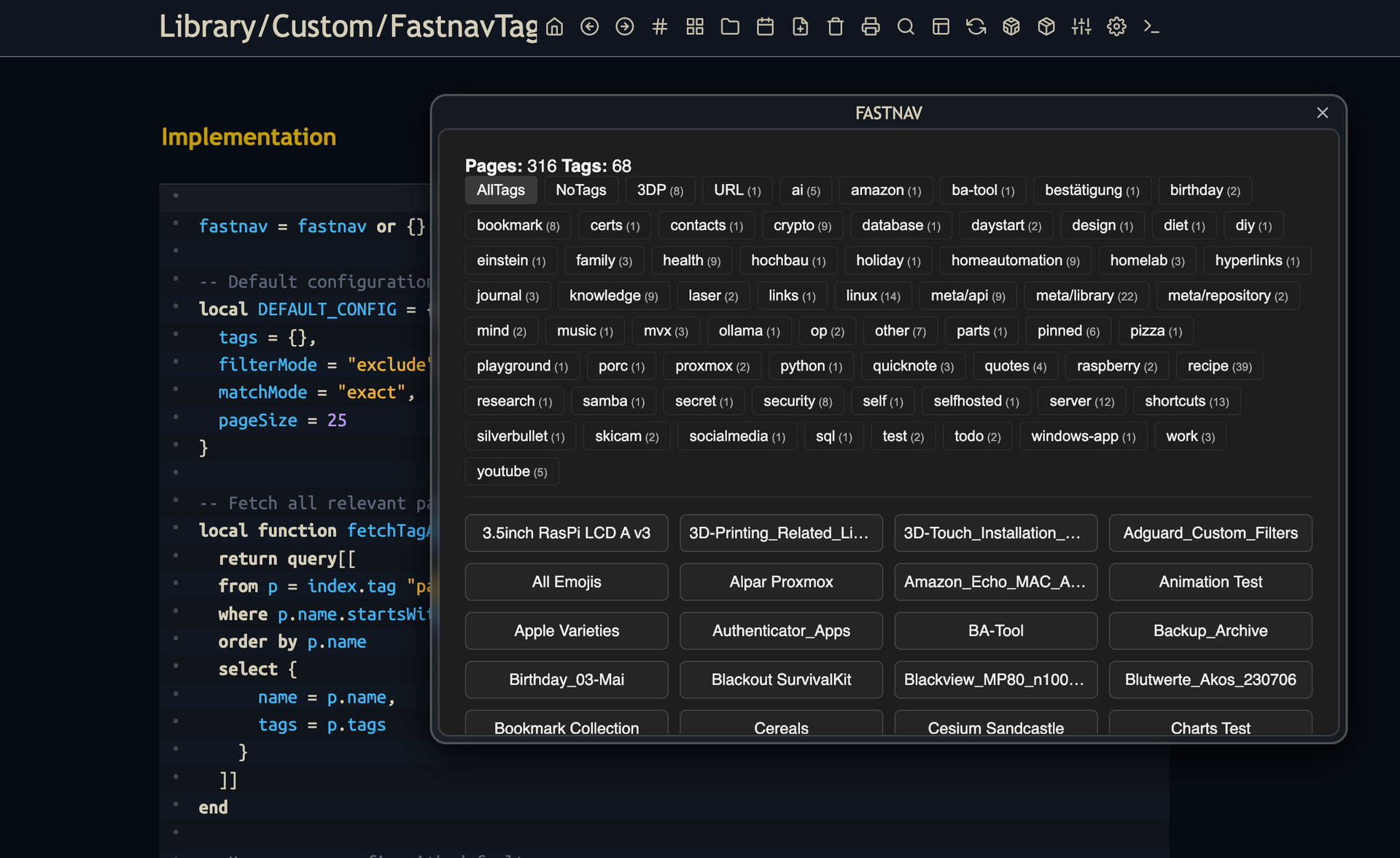
But it’s definitely possible, and with my new UnifiedFloating.js library makes it very easy to implement any Floating Widget or window (see Examples in my library).
The link parsing logic has been updated to correctly strip aliases from piped Wiki links, ensuring the preview resolves to the intended path.
[EDIT] also added [[Page#Heading]] to the parsing logic.
The updated parsing logic now handles both heading anchors and piped aliases within Wiki links. This ensures that links like [[Page#Section|Alias]] resolve correctly to the specified section, bringing the Page-Preview experience even closer to the standard set by Logseq or Obsidian.
If you find that your or other users start using even more esoteric link formats, do let me know; I shall be here to tidy up the regex once more.
Very good…
One question…
Would it be possible to open a page, but without opening a new instance of SB?
Example…
I have a list of tasks that came from a query. The task has the ref link.
Today, to change the task, I click on the ref link, and the page that has the task loads. I change it, for example the due date, and then I have to navigate back.
If you could open the task in the floating window by Ctrl-Alt-Clicking the ref link, you would avoid unnecessary navigation.
Note…
If this is possible (see just the simple page), it can serve as a hover preview.
Technically aynthing is possible but personally i can’t do it myself. my time & skills are not enough.
But If you or anyone else can do it, you are welcome to submit a PR.
we’re not quite there yet, youtube and many other websites like google, github, etc doesn’t support opening links in an iframe without creating specific embed HTML tags for it. this is a lot of work. and i need help with it, if you or someone else could implement it and PR it, would be awesome. thanks.
Easiest would be: If we still open & load the page in Silverbullet in the Pop-Out window but we hide Silverbullet’s #sb-top Header in the iframe? it will still load the whole Silverbullet in the iframe, but you will see only the #sb-main.
Would this work for you and everyone else? You can still edit the Page, Check tasks, etc. but you won’t see the Top Title/Tool bar.
Would be this a good-enough Workaround? here it would look and easily implemented:
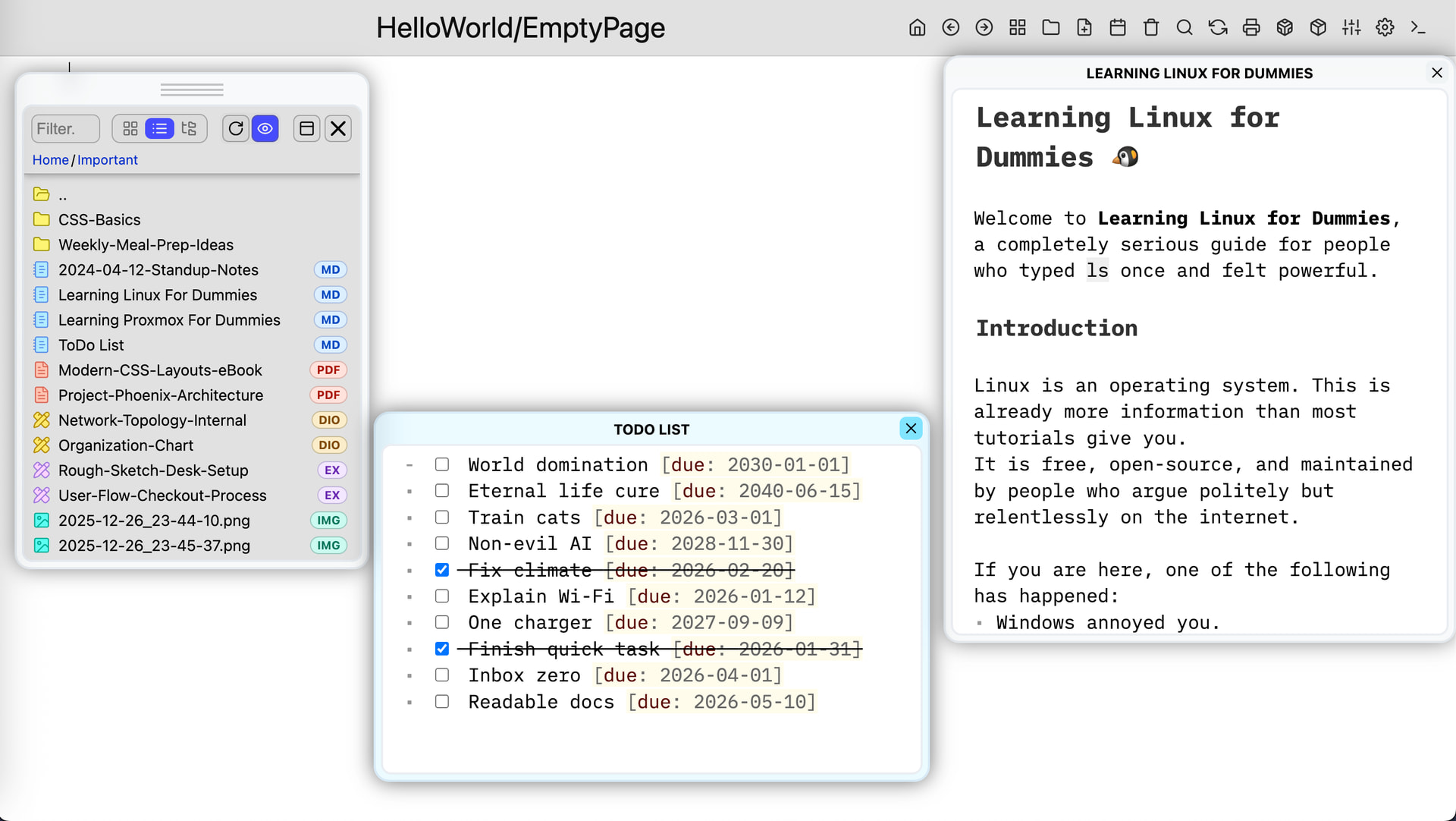
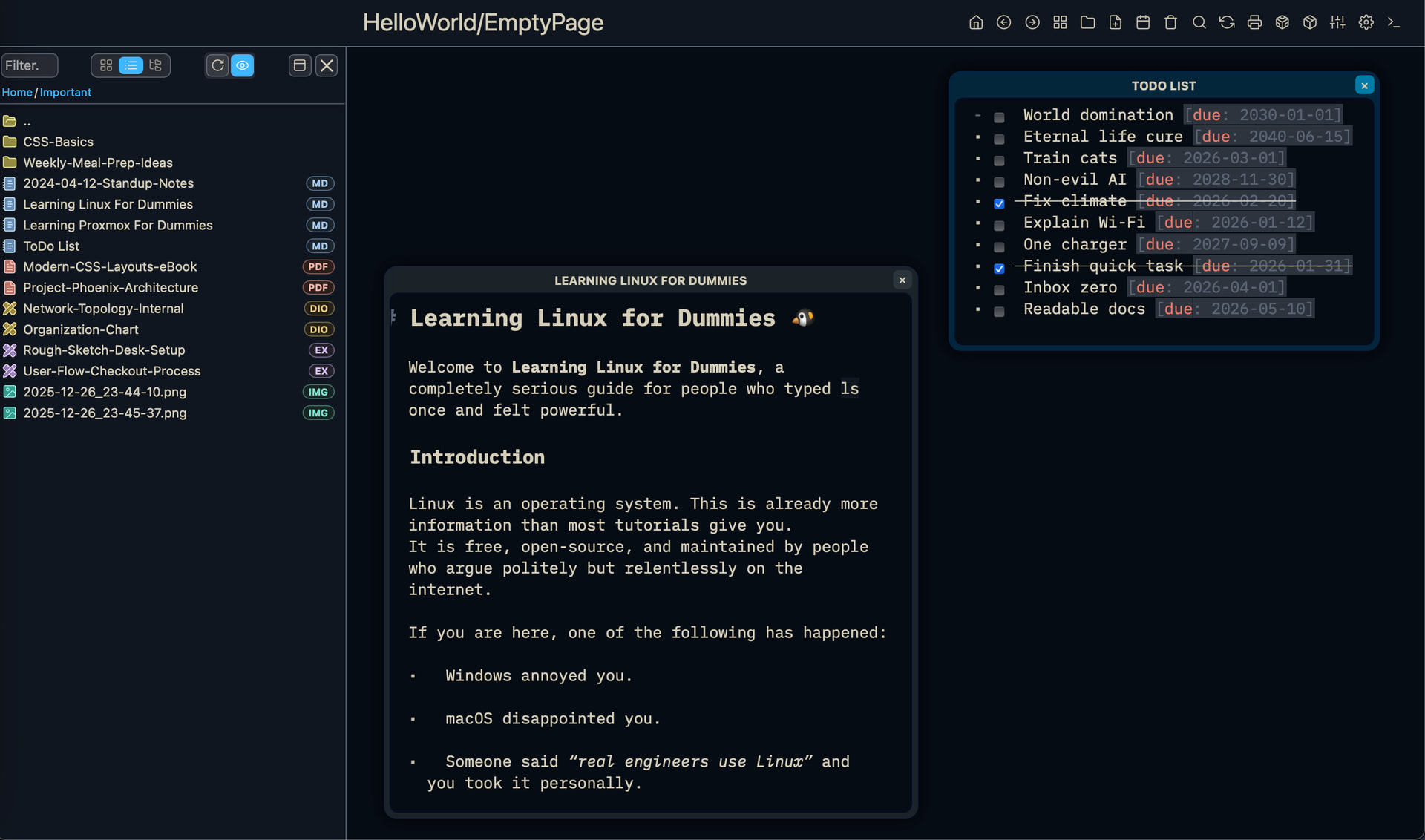
Ok, it’s an aesthetic option.
What I noticed is that it takes time to open the window, as it has to process all the SB components and functions. Not just the page.
When you open the side panel, it renders only the page. When you open a virtual page, only one page opens.
If it was just a floating iframe, it would be fine…
Thinking about it… it would be like plotting the page in the side panel and then switching to floating window…
For me it opens pretty much instantly (definitely less than 1 sec).
So i don’t know what you mean by “takes time”. Are we talking 500m? 1 second? 5 seconds?
What do you mean by plotting the page? what is the purpose? what exactly are you after? what do you want with this “Preview”
- Do you want it to be Editable?
- Interact with the page?
- Check uncheck Tasks?
or just a simple preview of the page without any Formatting, just plain Markdown? without the rendering of the lua queries, of the tables, without image embeds just Raw Markdown nothing else?
because if you want any of the above feature you need to render the HTML, and that’s pretty time consuming as well. if you just want
A - Load the markdown as a preview as a raw text file?
B - Load the markdown page as simple HTML without any Custom Formating and no Queries, Object, Task, SIlverbullet WIdget support.
C - Load everything including Tasks, Lua Queries etc.
A - very easy to implement
B - medium (but it wont support Queries,Tasks & other SIlverbullet stuff)
C - if you also want to preview Queries and Render and Interact with Tasks the only option is to Load Silverbullet inside the iframe.
Thank you for your attention and feedback…

Let’s think about it and test it more…
In Obsidian, there was the possibility of viewing and editing in a small window that opened when you hovered the mouse over the link. Like on Wikipedia… That would be a dream!
But I know there are technical limitations of the platform and the cleaner scope of SB.
Here, a proof of concept in the extension of the path opened by @Mr.Red .
This is just an example. I dream of centralizing all navigation functions in the EXPLORER: document, tags, history, tasks, etc. What do you think?