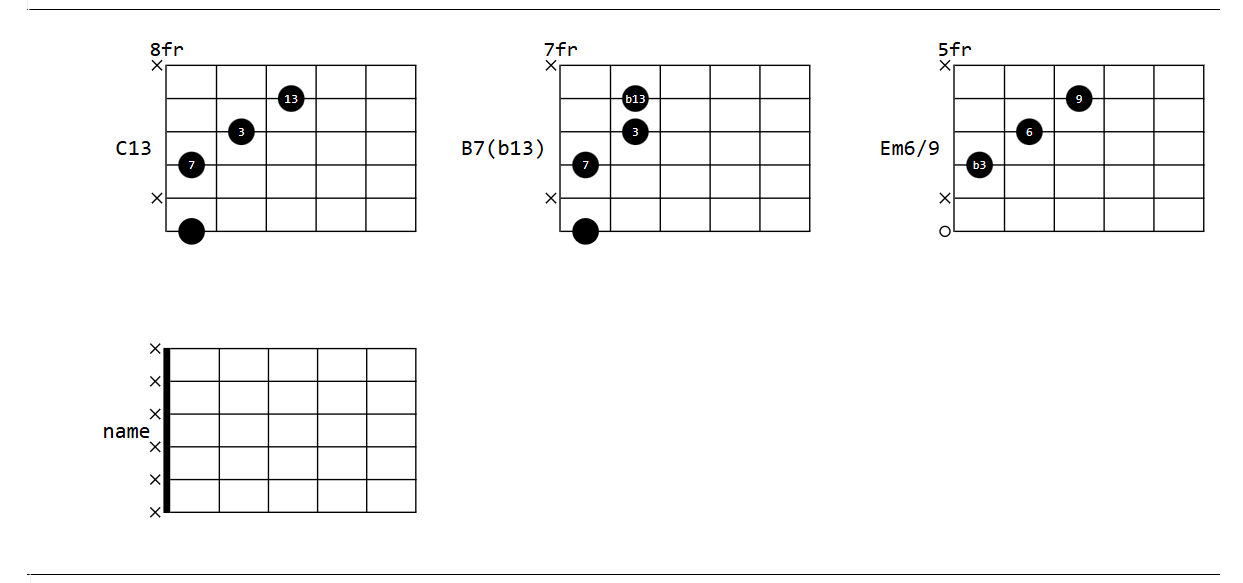
A hacky attempt to render guitar chord fingerings via SVGuitar JS library.
space-lua:
local sv = js.import('https://cdn.jsdelivr.net/npm/[email protected]/+esm')

function chord(fingers, title, shift, frets)
  local canvas = dom.div {
    id = "chord-" .. os.time() .. "-" .. math.random(),
    style = "width: 380px; border: solid black; border-width: 1px 0px 1px 0px;"
  }

  local count = 0
  local rendered = false

  local function padRight(str, char, len)
    local needed = len - #str
    if needed > 0 then
      return str .. string.rep(char, needed)
    else
      return str
    end
  end

  local function tryToRender()
    if count >= 10 then
      return
    end

    count = count + 1

    local target = js.window.document.getElementById(canvas.id)
    if not target then
      js.window.setTimeout(tryToRender, 100)
      return
    end

    if rendered then
      return
    end

    rendered = true
    q = js.new(sv.SVGuitarChord, target, config)
    q.chord({
      fingers=fingers,
      barres={{}},
      title=padRight(title, " ", 10),
      position=shift or 1
    })
    q.configure({
      orientation='horizontal',
      fingerSize=0.8,
      emptyStringIndicatorSize=0.3,
      fingerTextSize=18,
      frets=frets or 5,
      fretLabelFontSize=30,
      fontFamily='monospace',
      titleFontSize=32,
      fixedDiagramPosition=True,
      backgroundColor='white'})
    q.draw()
  end

  js.window.setTimeout(tryToRender, 100)
  return widget.new {
    html = canvas
  }
end
inline expression:
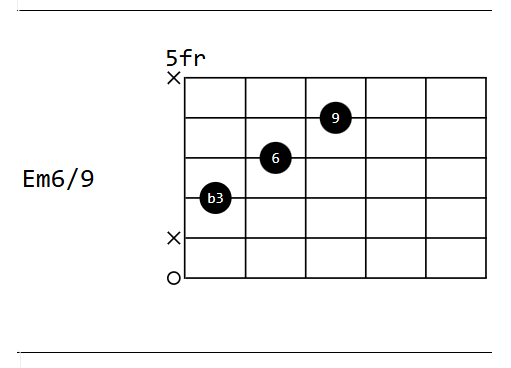
${chord({
  {1, 'x'},
  {2,3, '9'},
  {3,2, '6'},
  {4,1, 'b3'},
  {5, 'x'},
  {6,0}
}, 'Em6/9', 5)}
result:
Is there a better way to create a DOM container that the js constructor would see immediately? There would be multiple charts per page. Can someone make them render inline?