[Updated : CHANGE-LOG)
-
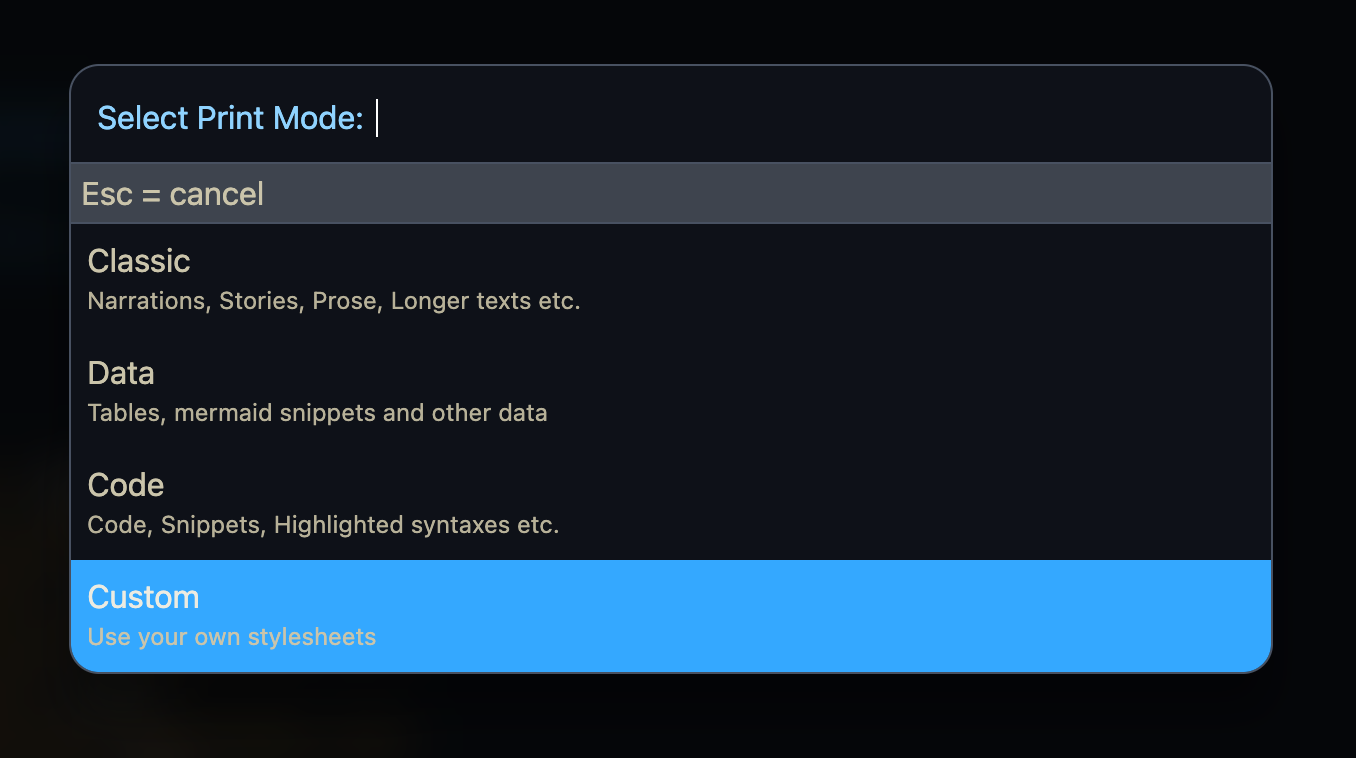
Added Menu to chose from:
Classic,Code,Data,CustomCSS
-
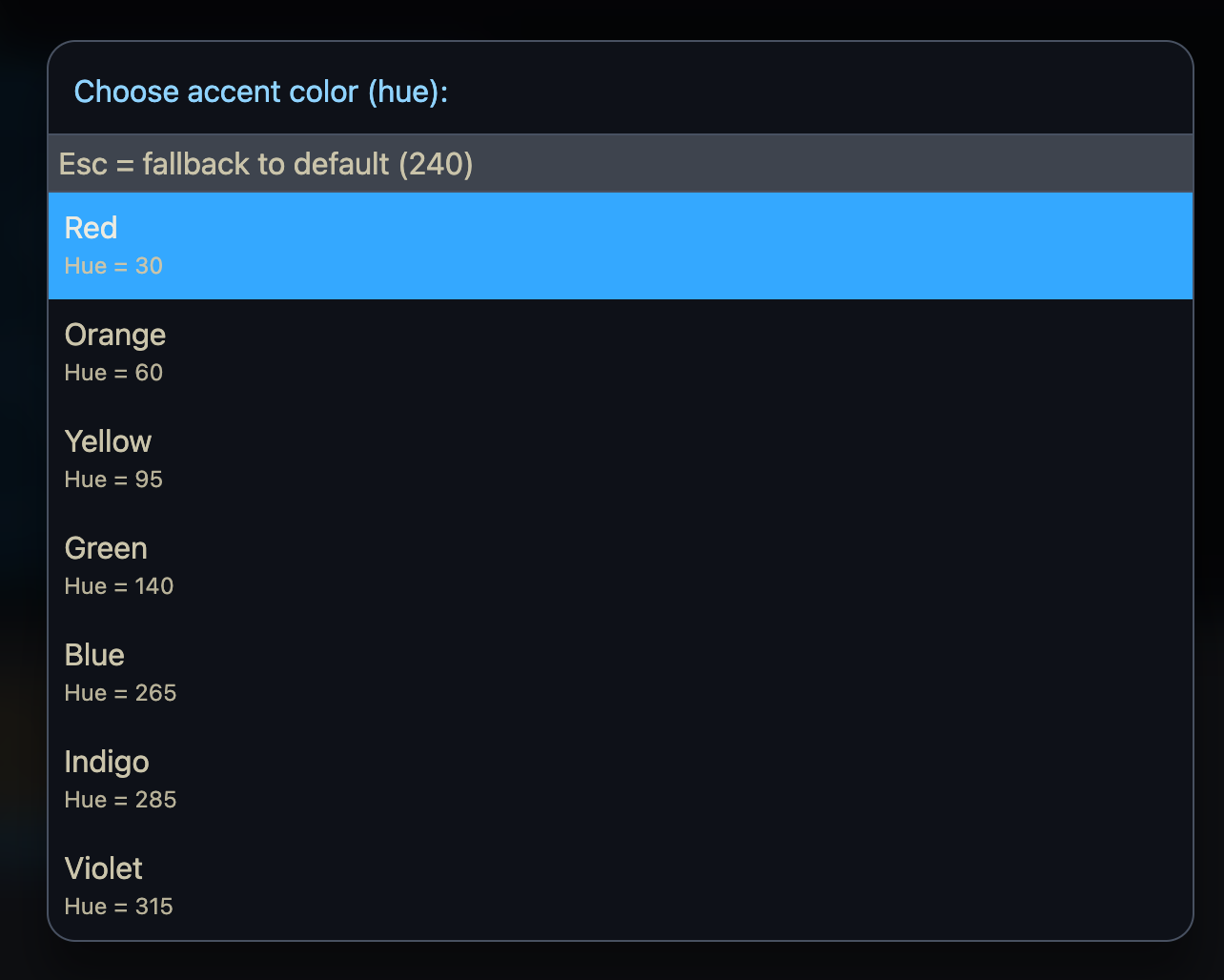
Added Color Selector - if you want fixed color you configure it using config.set
-
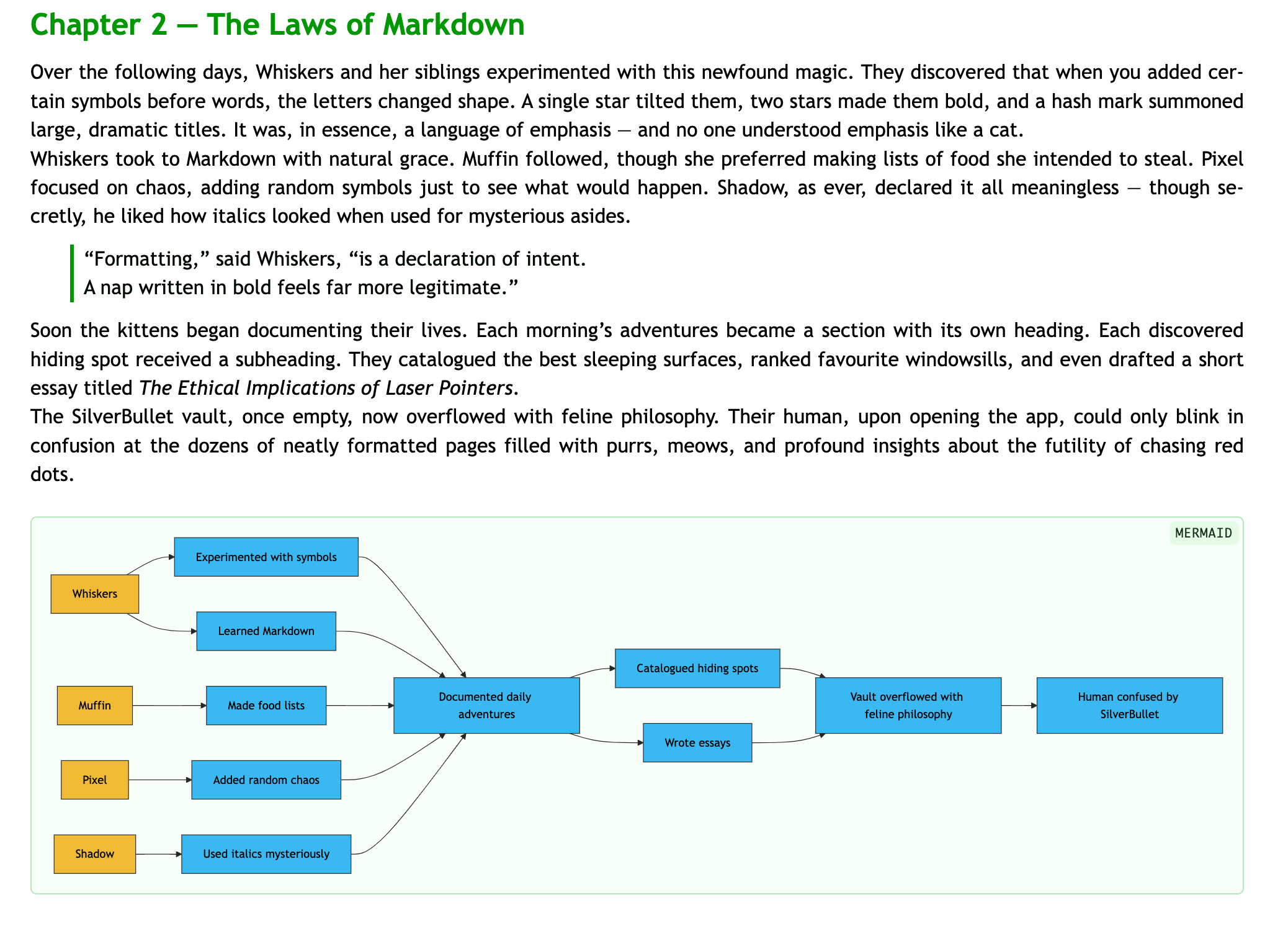
Datamode will now also render mermaid diagrams
i just implemented mermaid directly(it was simpler this way), and i will look into services and how services could help extending the functionality in future realeases. the issue ist that the generated HTML is not always directly compatible with certain selectors what .js extensions expect. so the DOM also must be altered.
For example the markdown → html renderer generates following codeblock:
<pre data-lang="mermaid">...</pre>
<pre data-lang="space-lua">...</pre>
The mermaid.js expects any element with class: “mermaid” so following are expected:
<pre class="mermaid">...</pre>
or
<div class="mermaid">...</div>
or
<code class="mermaid">...</code>
and the highlight.js expects:
<pre><code class="language-lua">...</code></pre>
So for each different “feature” the generated DOM must pe changed to fit the certain .js extension, and it’s not as simply as importing a .js into the html.
And to be more “fun” the generated html converts newlines into <br>, spaces into etc. so because the different .js extensions expects a certain formatting too, and that also must be dealt with using inline <script>s
If anyone has any idea on how to deal with this in a more simpler way i’m open for suggestions.
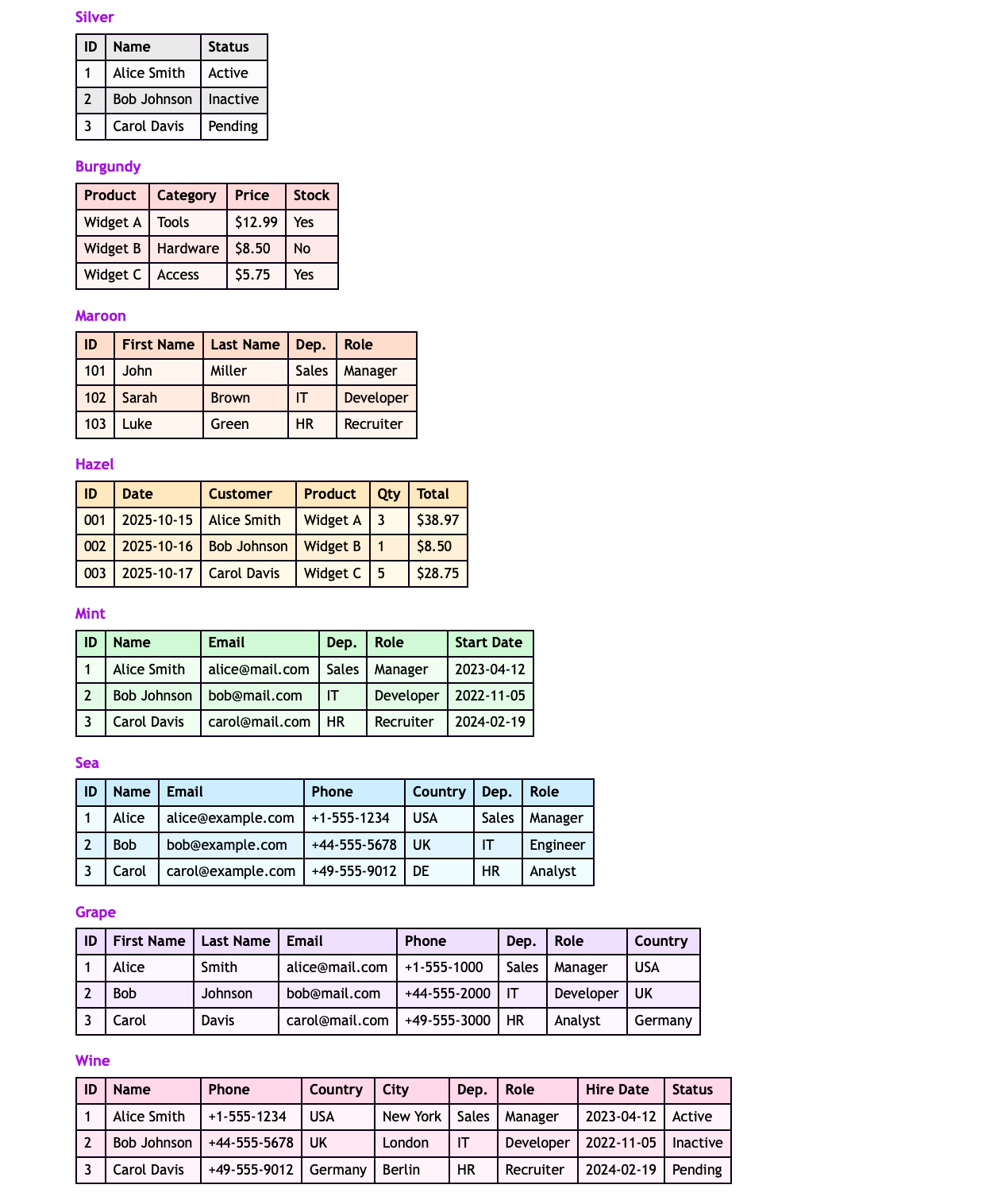
Added support for the coloured tables (using the same color tags like in: Custom Color Table Library
The greyscale one should have lighter dark background, a little, for the even rows. The heading row is ok.
I really like your work! It’s awesome. But for printing, I’d prefer something more paper- or book-like with emphasis on typography features of CSS in the first place (hard and challenging task, I know). But again, I do like your work, it’s not critique! 

It’s still work in progress. I’m still learning & watching YouTube videos about typography & styling. And applying slowly what I’ve learned. I know it’s not a negative critique. I take it as a constructive criticism & feedback. I better have criticism than no feedback at all. For more paper & book like style there is the “Classic” mode. And the best part is anyone can customize and use their own style/css. But I try to give as much of a complete solution as I can. Daily tweaking and upgrading it until I’m happy with the result too.
Hello @Mr.Red !
Thanks a lot !
That’s a pretty nice improvement !
All of this makes far easier to share extract/output.
[Updated classic.css]
@mjf you meant something like this?
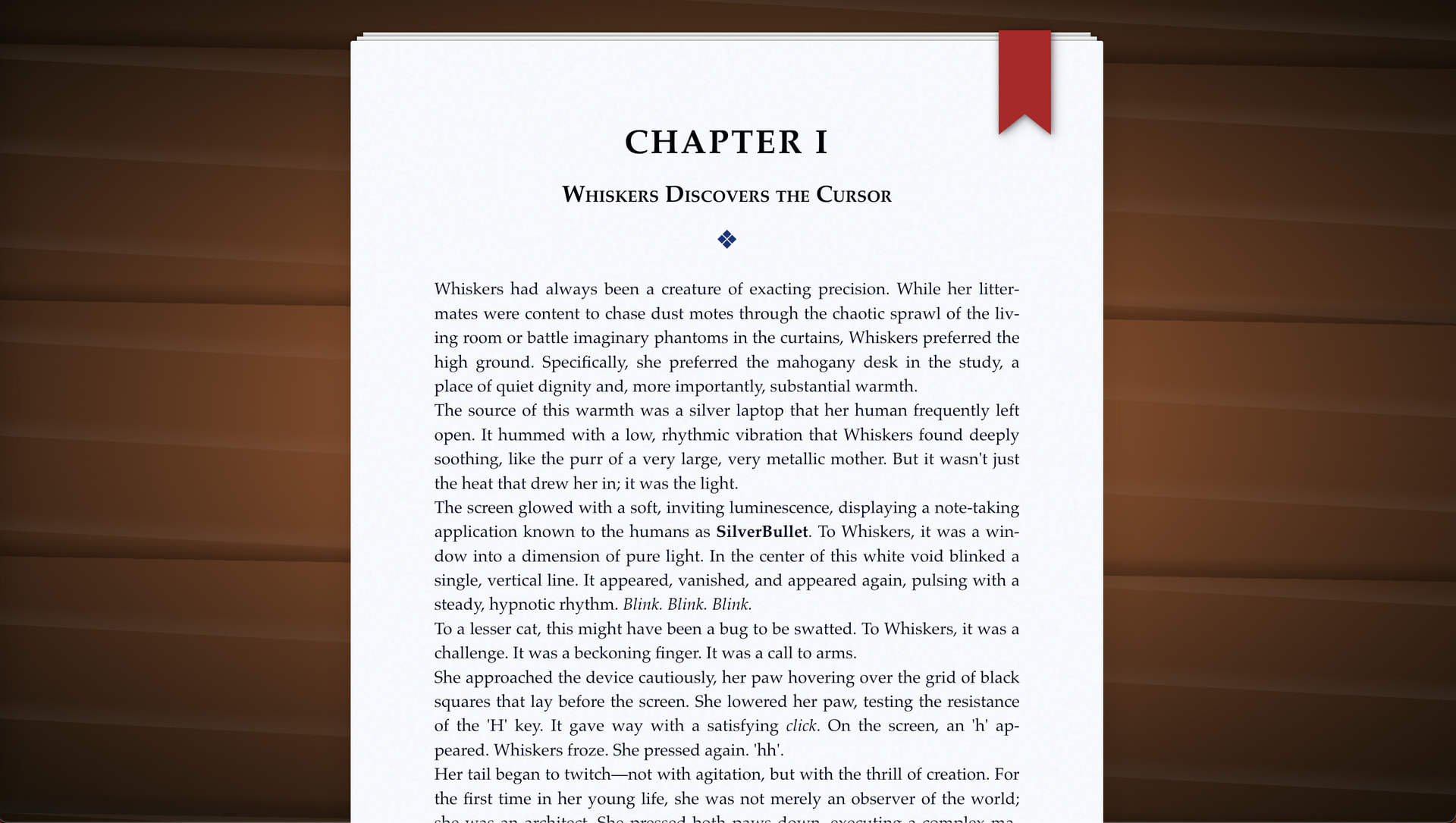
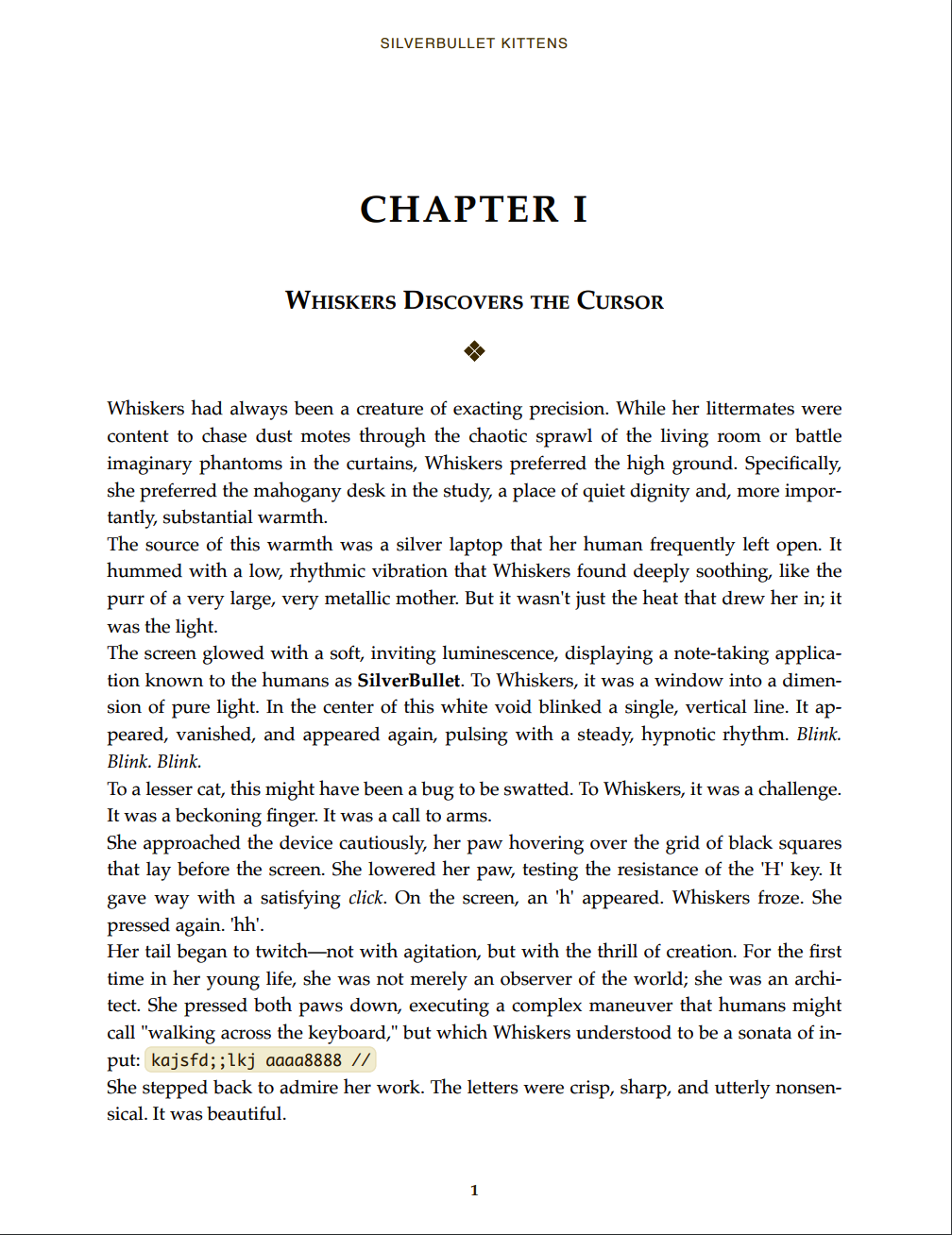
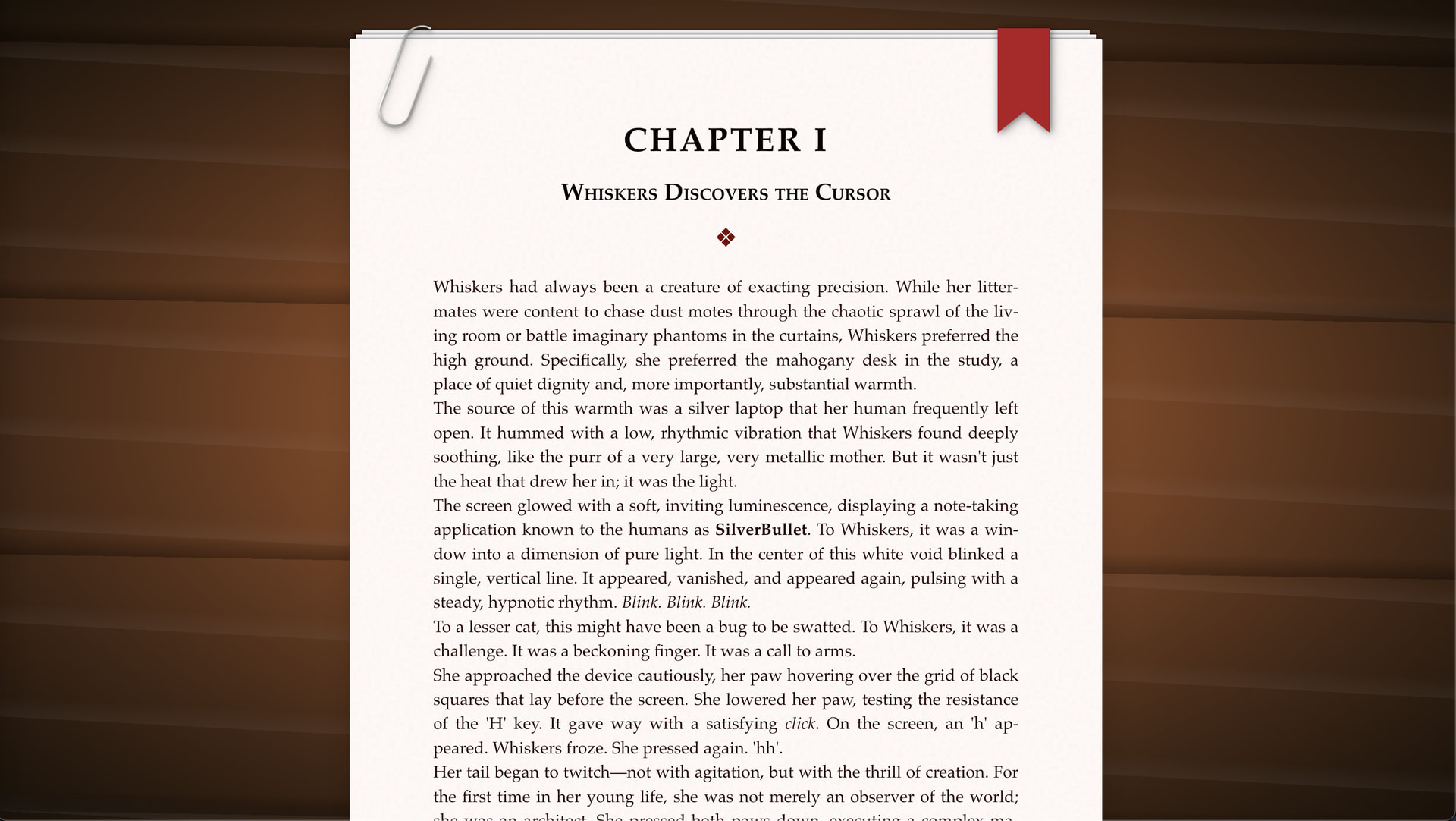
added some skeomorphism to the PrintPreview.html to look like some printed pages on a wooden desk, with a bookmark ribbon:
but the printed page still will look like a normal printed page:
Looking forward to installing this on next release. Looks really good.
Very late to the party, but oh wow this is very cool. Almost too stylish to fit SilverBullet (which is generally quite uncool, visually  ).
).
Once it’s done, happy to include this in the Std repository so people can easily install it. I would like to request that you hook it into Export so that it becomes one of the export options (seems suitable, no?) in addition to the clipboard ones. Should be easy enough to do.
I’d also like to invite you, @Mr.Red to issue a PR to apply some of the fancy styling you apply to tables and other part of the UI (as seen on screenshots) to the SilverBullet main repository silverbullet/client/styles at main · silverbulletmd/silverbullet · GitHub
I think this can evolve into a nice visual refresh we can all appreciate.
The more I spend time with it, and the more I try to optimize it, the more unfinished it feels. And when I try to clean things up and optimize the lua & css the more complicated the code gets.
I want to finish at least the three main modes: Classic, Data & Code and an extra for Custom CSS. After that I’ll be happy to add it to the Std Libs. I’ll also hook it as Export: PrintPreview in the next update, it makes sense.
I’ll think about how to integrate these small improvements into the main CSS without breaking anything else. I’ve never created a PR before, and I’ve also never compiled SB from scratch. I don’t even know what deno is, so this will be a first for me. But I’ll definitely look into it and try to get my feet wet before taking the plunge.
With SpaceStyle and Libraries it’s easy to switch between different visuals, but once something goes into the core CSS it feels set in stone. I don’t think my CSS snippets are ready for that yet.
I need to refine all of them a bit more before they’re ready for the core CSS. I’ll definitely consider it, but first I need to learn how to make a proper PR without breaking anything.  I might take a look at that this weekend.
I am sure there are better guides for creating a development environment but here is mine.
Alpine Linux may not be your cup of tea but it is so small it is perfect as a virtual machine or container.
i guess i’ll spin up a new LXC container in my proxmox to create a virgin dev environment for silverbullet. thanks for the guide, i will check it out when i’m ready to takt the plunge 
Hi,
I was trying this plug (actually, I am checking out silverbullet), but upon use I got the following error:
Blockquote
Error: Failed to fetch dynamically imported module:
https://ip.addr/.fs/Library/Mr-xRed/UnifiedAdvancedPanelControl.js
Any ideas what I might have done wrong?
whoopsie...
my bad.
try to update the library, and try again.
The reason of the error was, in the old version the Print Preview opened in a Floating window. but without the UnifiedAdvancedPanelControl library that does't work.
I fixed it by opening the PrintPreview window in a new separate tab, so it should be fixed and working now.
Huge thanks for PrintPreview. Now, I can easily share my docs to coworker and friends with ease!
 christmas lights?

 ?
? ?
?