There is a problem with index.md on ai.silverbullet.md:
Macro Syntax Error
Line 39 in Markdown file: unexpected char ‘"’ at 1416
{{ include_file("Commands) }}
Thank’s !
There is a problem with index.md on ai.silverbullet.md:
Macro Syntax Error
Line 39 in Markdown file: unexpected char ‘"’ at 1416
{{ include_file("Commands) }}
Thank’s !
Mistral configuration (with SB locally in Firefox under W11) :
useProxy is required with the false valueThanks !
For openrouter:
    textModels = {
      {
        requireAuth= true,
        useProxy=false,
        name = "gemma",
        modelName = "google/gemma-3-27b-it:free",
        provider = "openai",
        baseUrl = "https://openrouter.ai/api/v1",
        secretName = "OPENROUTER_API_KEY"
      }
Bug @justyns
spacelua.interpolate(${JSON.stringify(M)}, ${JSON.stringify(ye)})
=>
spacelua.interpolate("---\ntags: meta/template/aiPrompt\naiprompt:\n  description: Generate company profile\n  slashCommand: aiCompany\n---\n/ai\n", {"page":{"name":"work/AICompany","size":117,"contentType":"text/markdown","created":"2025-12-20T18:23:43.022","lastModified":"2025-12-20T19:04:04.740","perm":"rw","ref":"work/AICompany","tag":"page","tags":[]},"currentLineNumber":7,"lineStartPos":113,"lineEndPos":113,"currentPageText":"---\ntags: meta/template/aiPrompt\naiprompt:\n  description: Generate company profile\n  slashCommand: aiCompany\n---\n\n"})}
ye must be converted to lua object
spacelua.interpolate(js.tolua(${JSON.stringify(M)}), js.tolua(${JSON.stringify(ye)}))
what do you think?
@malys and @bau - what version of silverbullet are you running? I’m thinking I should have defaulted useProxy to false for now, but useProxy=true will only work (when auth is involved) on the latest silverbullet edge after PR #1721
You’re right, I had to add something similar to convert stuff back and forth from lua. I might be able to just rewrite that command into lua, I’ll take a look
@justyns
I just tested the Edge version whithout the useProxy parameter and all is ok.
Thanks!
@justyns I use stable SB version
@justyns Do you want to migrate your plugin in full space-lua?
I was considering it, but for now my goal is to keep the core of the plug in typescript and only rewrite parts of it in space-lua.
Another big release! 0.6.0 has a lot of stuff I’ve wanted to add for a long time.
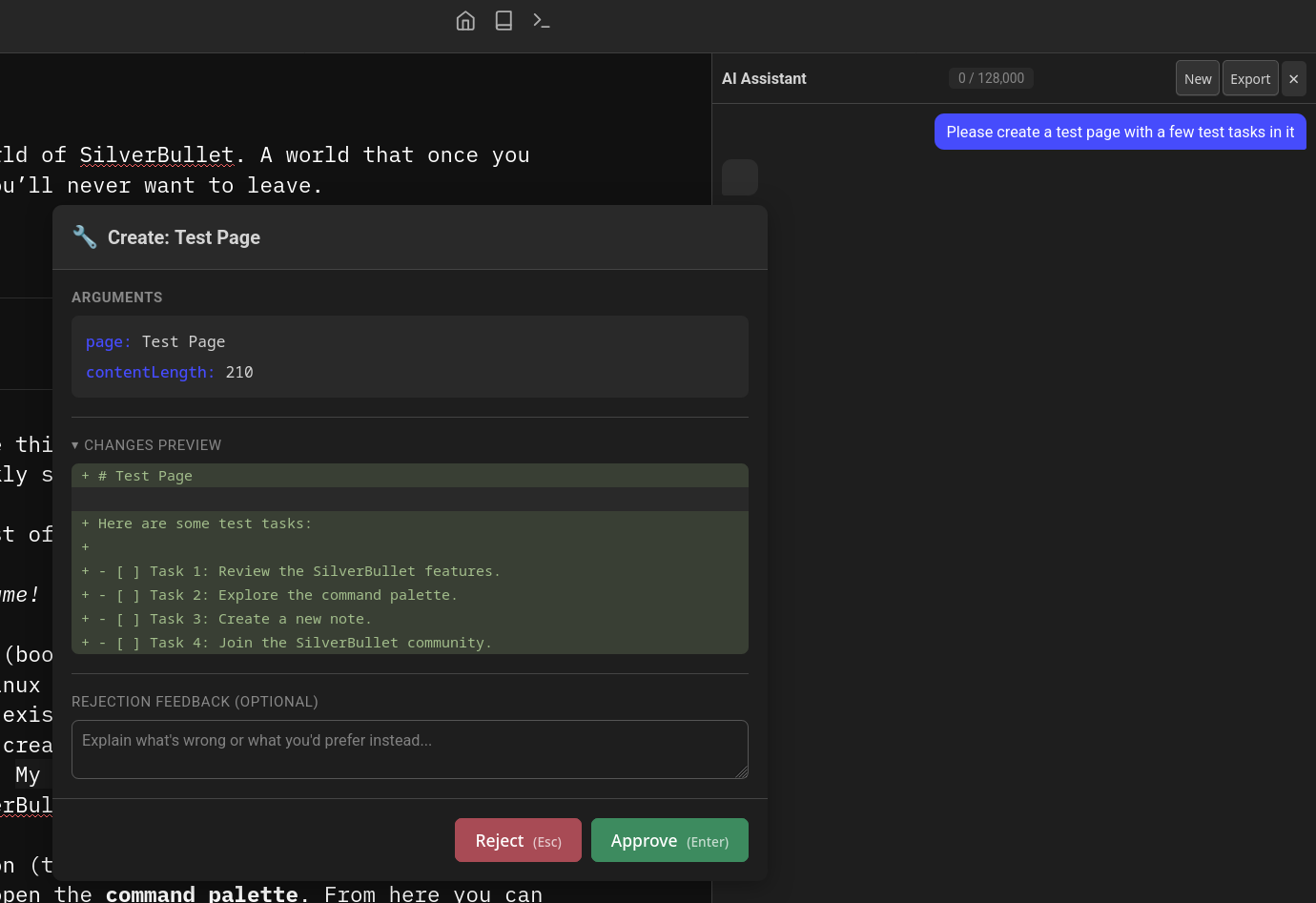
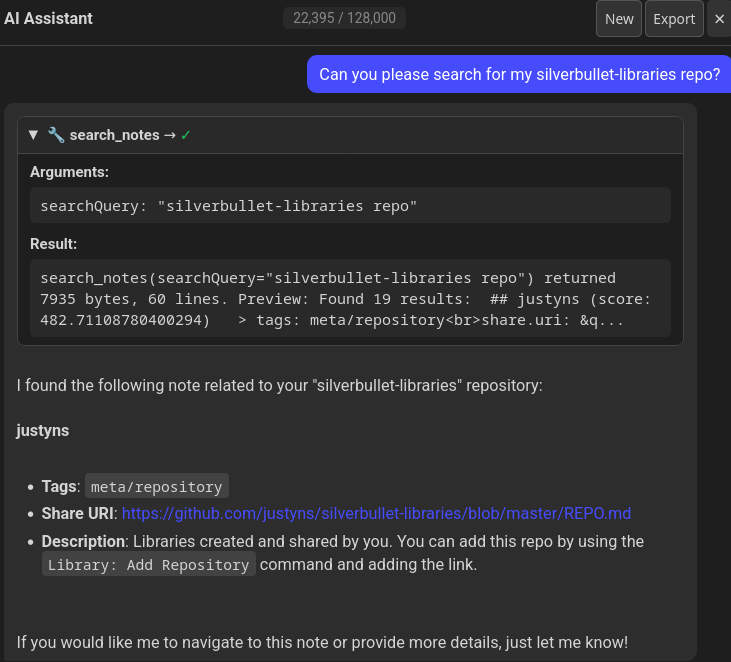
The main addition is an assistant chat panel with tool calling, which means the LLM can actually interact with your space instead of just generating text. Along with that, we can also define additional custom tools using space-lua.
Using the chat panel means the chat isn’t automatically saved to your notes in case you don’t like generating clutter there for simple queries.
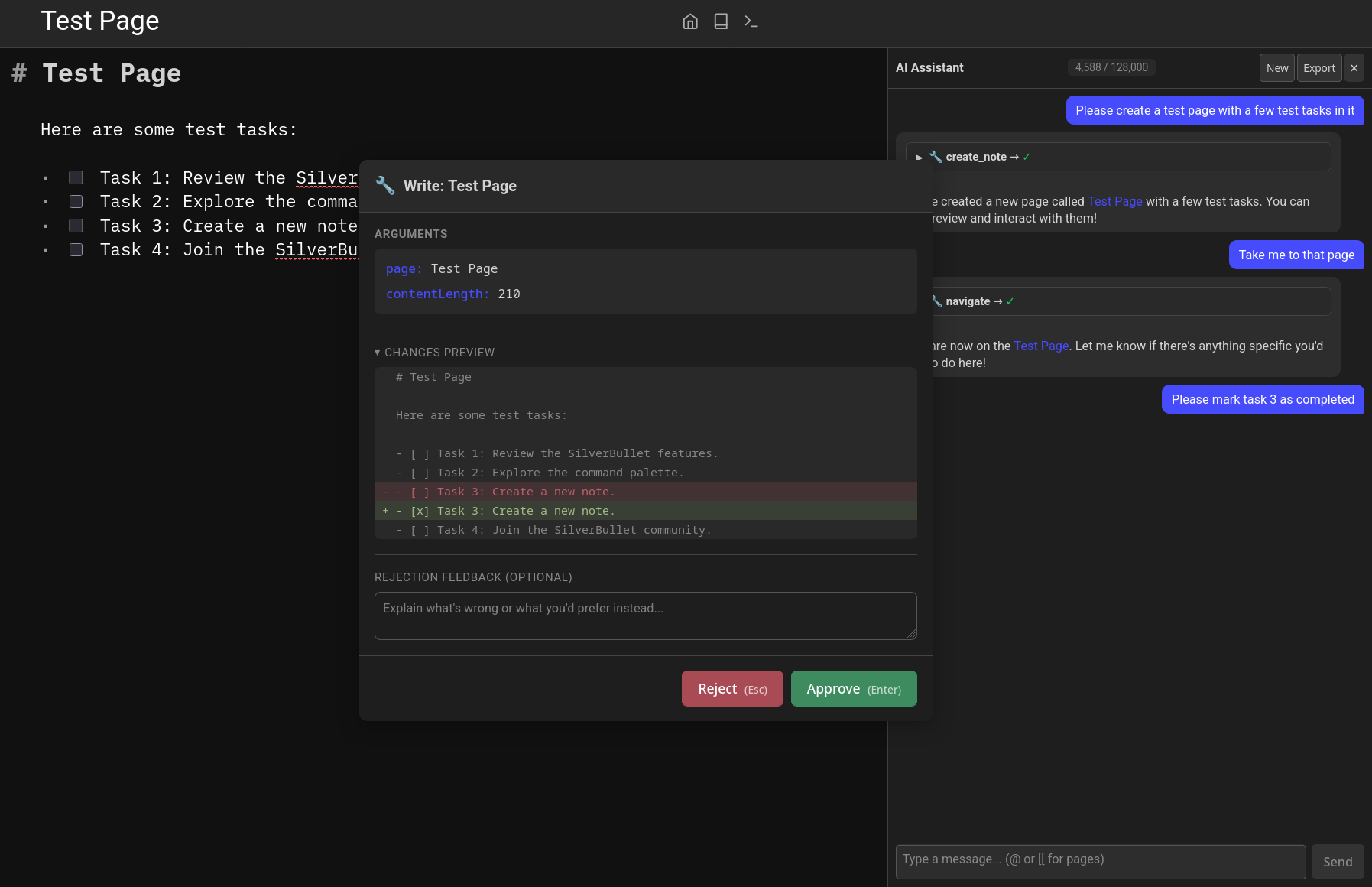
There’s also a very basic approval/diff system so that tools making changes to your pages will require an approval first.
There are also some other tools like navigating to specific pages:
The assistant panel also includes a button to export the current chat to a regular note (that you can then continue using the normal ai: chat on page we’ve always had). The Chat on Page feature also gets tool support.
The “AI: Connectivity Test” command tests the llm for its ability to return structured responses and call tools now too.
There’s now a new provider-based config option so you can define your config once and the list of available models will be fetched dynamically.
Links with more info:
Let me know if you have any feedback or come up with any interesting use cases! I plan on focusing on ironing out these new features for a while, but they should be pretty usable as-is.
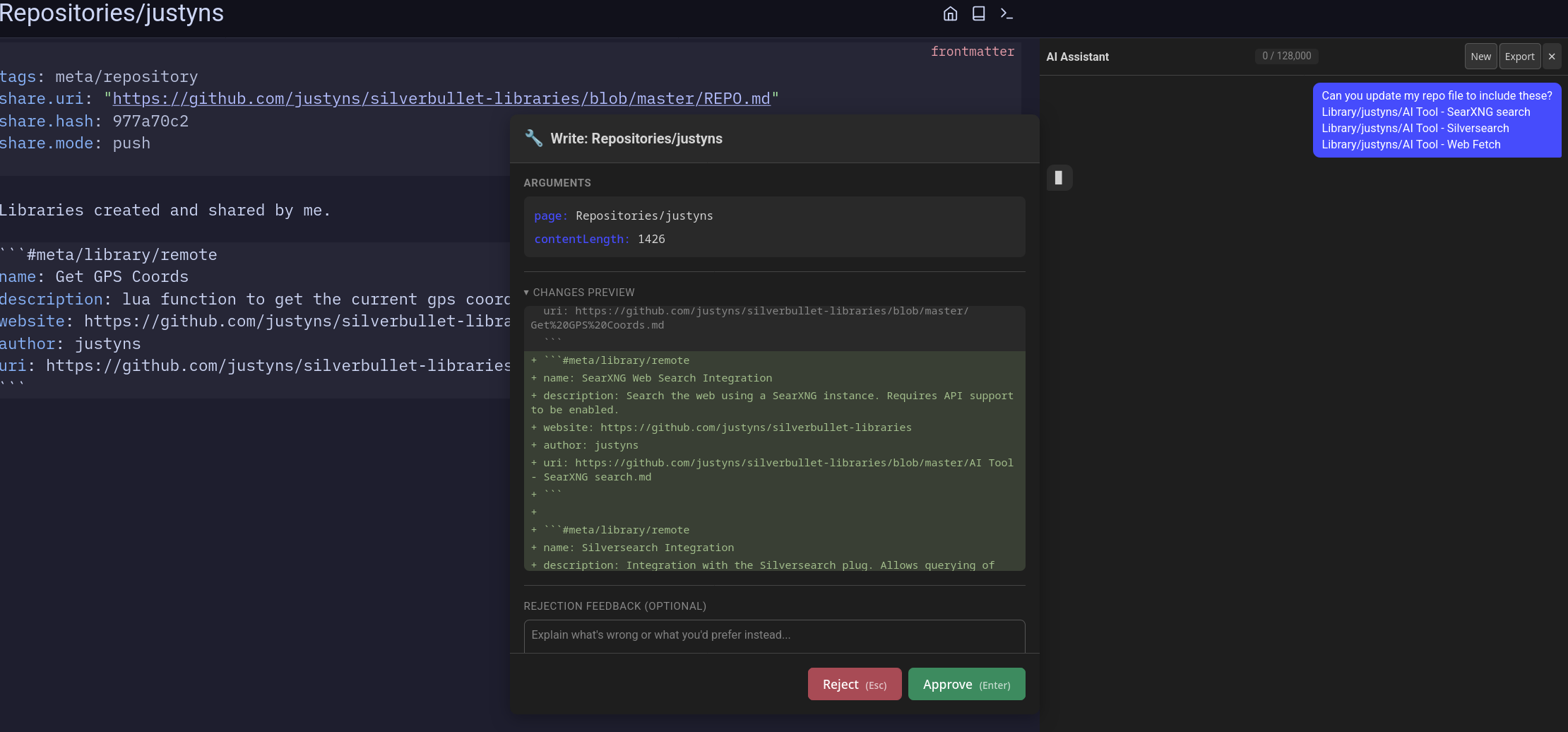
And to show some example tools, I added a few I’ve been using to my shared library:
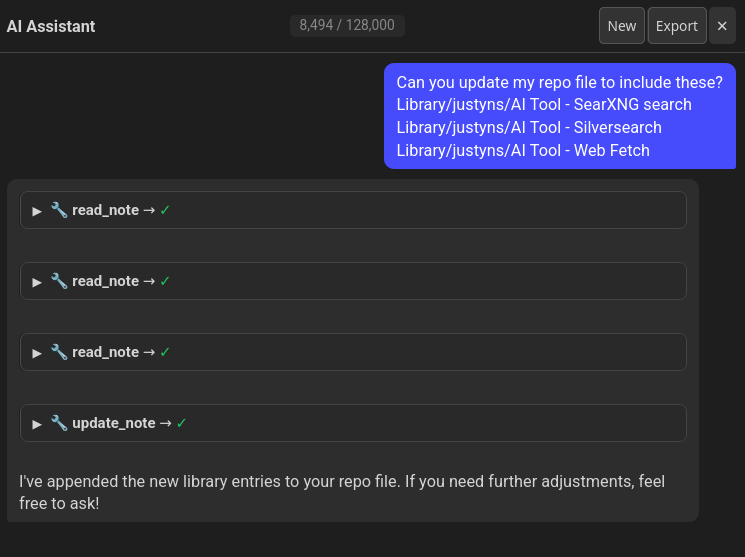
I even used the assistant panel to update the repo file for me:
FYI I have updated and after a reload, SB was totally impacted and very slow.
I had to uninstall it.
I updated last night and did not have that experience, fwiw.
@malys did you have embeddings generation enabled by any chance? That’s the only thing I can think offhand that could cause slowness
Big lag on Mark map, marpslides plugins. 1s to open lateral view.
I didn’t include 0.6.2 in this thread, so release notes for both copied below. I’m hoping a few of the changes will help with performance overall, but I’ll keep looking into what else could cause lag.
0.6.3 (2025-01-10)
- Embeddings now include page title and section headers. Requires re-indexing to take effect.
- Benchmark command now shows progress
- Reuse SB’s theming where possible so that the UI is more consistent
- Add path-based permissions for agents (
allowedReadPaths,allowedWritePaths) to restrict tool access, wiki-link context, and current page context to specific folders- Add an explicit “AI: Refresh Config” command
- Improve potential performance issue where we still do unncessary inits and datastore reads
0.6.2 (2025-01-05)
- Improvements to default system prompt to use less tokens
- Generate /llms.txt and /llms-full.txt
- Agents now inherit the base system prompt by default, but can be toggled off with
inheritBasePrompt- Fix potential performance issue where
page:indexevents caused unnecessary async work when embeddings are disabled- Fix potential performance issue where the config was re-read even when there were no changes
- Parallelize model discovery and cache Ollama model info to avoid redundant API calls
- Add new
Reindex All Embeddingscommand- Fix Embeddings Search virtualpage
- Fix error on chat panel when no text model selected
- Add RAG status indicator in chat panel header, show embeddings context like tool calls, move them to their own messages
Changelog:
Image generation supports gpt-image models now
Support provider-based config for image and embedding models, now you can define a single provider and use it for text, images, and embeddings
Add new defaultEmbeddingModel and defaultImageModel config options
Support batch embedding generation for openai and ollama
Show pricing info for remote apis in the model picker
Add new AI: Reset Selected Models command
The main change is finishing the provider-based config, so you can configure text/images/embeddings all at once like this:
config.set {
  ai = {
    providers = {
      openai = {
        apiKey = "your-openai-key-here"
      }
    },
    defaultTextModel = "openai:gpt-4o",
    defaultEmbeddingModel = "openai:text-embedding-3-small",
    indexEmbeddings = true,
    defaultImageModel = "openai:dall-e-3"
  }
}
Heya, looking to use AI to read excalidraw embeddings or if that fails a png file and for example, generate markdown or a mermaid diagram from it.
In the chat pane, it doesn’t seem to be able to read or generate images.
**user**: Can you read the PNG on the screen?

**assistant**: The current page ([[Journal/2026-03-07]]) displays an embedded PNG image:
`![[Test/2026-03-06_19-17-25.jpeg]]`

However, I **cannot** read or analyze the content of the image itself—only its filename and embedding syntax.

Would you like to:
1. **Navigate** to the image file [[Test/2026-03-06_19-17-25.jpeg]]?
2. **Describe** what you’re trying to achieve with this image?

**user**: Why can’t you analyze the contents of the image?

**assistant**: I can’t analyze image contents because:

1. **Technical Limitation**: My tools in SilverBullet are designed for **text-based operations** (e.g., reading/writing notes, markdown, or code). Image processing (e.g., OCR, object detection) isn’t supported natively.
2. **Scope**: SilverBullet focuses on **note-taking and knowledge management**, not multimedia analysis.
Below is my AI config
config.set {
  ai = {
    providers = {
      mistral = {
        provider = "openai",  -- Mistral uses OpenAI-compatible API
        apiKey = "xxxxxxx",
        baseUrl = "https://api.mistral.ai/v1",
        preferredModels = {"mistral-large-latest", "mistral-medium"}
      }
    },
    chat = {
      -- Enable AI tools (read/write notes, search, etc.)
      enableTools = true,

      -- Parse [[wiki-links]] and include their content as context
      parseWikiLinks = true,

      -- Search embeddings for relevant context (requires indexEmbeddings)
      searchEmbeddings = true,

      -- Render SilverBullet templates/queries before sending
      bakeMessages = true,

      -- User info included in system prompt
      userInformation = "I'm a software developer who likes taking notes.",

      -- Instructions included in system prompt
      userInstructions = "Please give short and concise responses.",

      -- Dynamic context (Lua expression evaluated at chat time)
      customContext = [["Today is " .. os.date("%Y-%m-%d")]],

      -- Skip tool approval prompts (useful for benchmarks/automation)
      skipToolApproval = false,

      -- Show reasoning/thinking blocks from models that support it
      showReasoning = true
    },
    -- Optional: auto-select a default model on startup
    defaultTextModel = "mistral:mistral-large-latest",
    defaultEmbeddingModel = "mistral:mistral-embed-latest",
    indexEmbeddings = true,
    defaultImageModel = "mistral:mistral-large-latest"
  }
}
Am I doing something wrong? The model should support image generation.
Thanks!
Went an entirely different direction to my above comment, ordered a supernote after I saw allenporter/supernote (forked and added Mistral AI support).
I then also forked and expanded this LLM integration to have MCP Client support. So far, testing it with GitHub it look to work. I’ll know more once my Supernote arrives, and I do some more testing (GitHub is a weird one to check, as SilverBullet itself exposes some GitHub tools for the AI to use).
@justyns you can see the changes at ddulic/silverbullet-ai, please let me know if something strikes your fancy and I can cherry-pick the changes on a feature branch and open up a PR.
Sorry for the delay, but you probably already figured out by now - there's no support for reading images yet. I honestly just haven't had time recently to go back to it, but it should definitely be doable to add. The only current image support is for generating images using the dall-e api.
Funny enough, the example in Multi-modal (image) support · Issue #35 · justyns/silverbullet-ai · GitHub was "Transcribe this diagram into a Mermaid block"