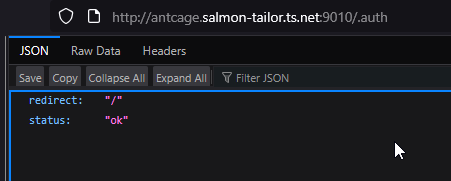
But running it locally on my windows machine works so I’m fairly certain it has something to do with my (admittedly kinda garbage) setup, but I’m not exactly sure how to fix it
I’ve been using SilverBullet since the early days and have not had any issue until recently. Now, recently, I’m getting the “blank page” everywhere (via HTTP) problem and I only now learn HTTPS or localhost is required (RTFM, I know!). Is there any guidance for adding/configuring HTTPS for/to SilverBullet? I have SB running “bare metal” on my home network on a headless RPi (Debian Trixie). I haven’t found any useful guidance yet. I suspect someone has. So, if you have clues to offer, please point me in the right direction. Thank you.
To be very honest, I’ve been really on the fence about the whole TLS requirement issue. It’s a restriction imposed by web standards on various browser features (specifically service workers, crypto APIs and clipboard access). Even though I didn’t realize it, until the last release (in which I use SHA256 to hash some things) most SB features worked without those APIs, but with my use if sha256 it broke. It never should have worked in the first place, but… somehow it did
Now it’s possible to not use the browser supplied sha256 implementation and provide a custom one. However, I’ve already seen a lot of users wandering into other random corners of SB that break if they ignore the HTTPS requirement
Now I see two options:
I put effort into making things work via HTTP as much as possible. Which would mean reimplementing/duplicating various encryption algorithms that otherwise would come for free from the browser and maintaining various additional code paths for when certain APIs are or are not available. This would lead to a lot of code complexity, which will only get worse over time.
I make the requirement for HTTPS more in-your-face visible
To make my own life easier (and livable) for now I took the second path. I just pushed a commit that gives you an in-your-face alert every time you load SilverBullet in a configuration that is not supported with a link to
This page describes ways around this. While it may not be ideal, I also want to not make my life harder by effectively having to test every release in even more (hard to support) configurations to make sure critical paths don’t break.
Still setting up a TLS certificate for a self hosted service, to be frank is a pain in the ass. I’m also working on a (hosted) service to make this a lot easier in the future, but that’s still in development.
I’m for option 2. Keep code as simple, enforce HTTPS, and tell the user it must use HTTPS if not browsing through localhost
Even in self hosted environments. There are lots of options, reverse proxys ( taefik, zoraxy, NginxProxyManager etc.) with or without owning a domain. maybe adding some easy to follow documentation or links to youtube videos to how one could setup HTTPS in their self hosted environment.
I can recommend zoraxy which i use forover a year now for all my 30+ selfhosted apps and services and it’s a one time setup. The TLS/SSL certificates renewe every 3 month automatically.
Maybe it sounds a little bit harsh when i say that there is no excuse for anyone to not use HTTPS in 2025, but that a must nowadays imho.
I will need to dig out the instruction videos and will give it a try this weekend. The problem is, there are so many variables in the mix:
Silverbullet running barebone
Silverbullet running through docker
user has a dynamic/static address
does the user want to expose SB outside its local network or not
user already owns a domain
user needs a free domain
user preference for: traefik, NginxProxyManager, zoraxy, caddy
etc.
with each of these variable there is different step by step instructions to follow.
I will try to cover the most simple and “idiot”-proof version of all these which require the least steps and of course it’s FREE. at least we could cover 50-60% of all these scenarios.
Try this one. I used this method for 1 year, before switching to zoraxy.
The method Wolfgang presents is free & easy to setup.
Also if you want to use silverbullet only locally I can recommend you caddy with nip.io domain, also very easy to setup (tried it out myself on a raspberry to meet your scenario) I will make you a guide tomorrow.
Hi, Zef. Thanks for your response. Being from “the old days”, I’m used to a browser as a simple viewer. I wasn’t aware of the complexity of the interactions between the modern browser and the server – with service workers and such. I did happen to stumble upon your mention of tailscale. And, let me say, “It’s magic.” No changes to ufw on my Pi was required. No holes poked in my network’s firewall. No applying of certificates and such – just magic. Very cool tool, that. In a matter of minutes, I was able to get it set up and working such that I SilverBullet came to life once again. I could see my pages. Inline queries worked again. All was back to normal once I attained a 443 connection. So, that’s my long-winded way of saying, “thanks for that!”