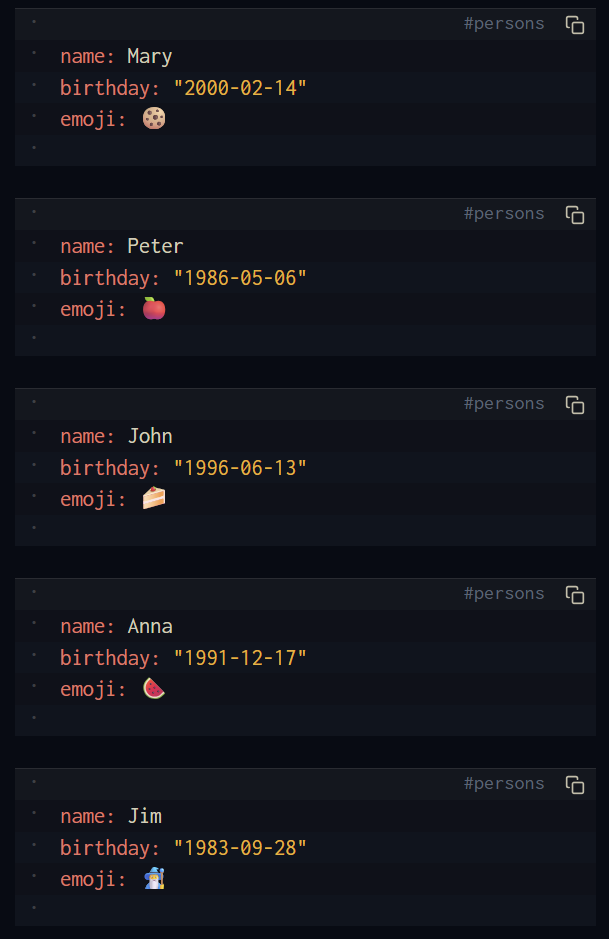
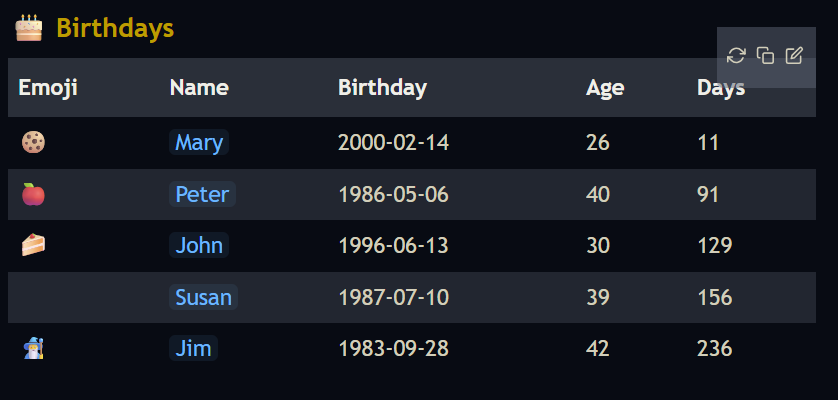
Here you go I made both variants for reference and might be useful for others too.
- make sure your exported CSV is formatted (your values are all quoted, and use
, as separator) as the example below, of course with your own fields and values:
"First Name","Middle Name","Last Name","Organization Name","Organization Title","Organization Department","Birthday","Photo","E-mail 1 - Label","E-mail 1 - Value","E-mail 2 - Label","E-mail 2 - Value","E-mail 3 - Label","E-mail 3 - Value","Phone 1 - Label","Phone 1 - Value","Phone 2 - Label","Phone 2 - Value","Phone 3 - Label","Address 1 - Label","Address 1 - Formatted","Website 1 - Label","Website 1 - Value","Website 2 - Label","Website 2 - Value"
"John","Michael","Smith","ABC Inc","CFO","Finance","1984-01-01","example.jpg","Home","[email protected]","Work","[email protected]",,,"Home","0123-456-789","Work","0987-654-321",,,"3rd Street 69, New York City, USA","Home","home.example.com","Work","work.example.com"
- replace the example CSV in the code with your actual CSV
- then run the command
Convert Contacts From CSV
or
Create Contacts Pages From CSV
space-lua scripts:
Create Contacts Pages With Frontmatter Metadate From CSV and save them as page: persons/lastName_firstName
local contactsCSV = [["First Name","Middle Name","Last Name","Organization Name","Organization Title","Organization Department","Birthday","Photo","E-mail 1 - Label","E-mail 1 - Value","E-mail 2 - Label","E-mail 2 - Value","E-mail 3 - Label","E-mail 3 - Value","Phone 1 - Label","Phone 1 - Value","Phone 2 - Label","Phone 2 - Value","Phone 3 - Label","Address 1 - Label","Address 1 - Formatted","Website 1 - Label","Website 1 - Value","Website 2 - Label","Website 2 - Value"
"John","Michael","Smith","ABC Inc","CFO","Finance","1984-01-01","example.jpg","Home","[email protected]","Work","[email protected]",,,"Home","0123-456-789","Work","0987-654-321",,,"3rd Street 69, New York City, USA","Home","home.example.com","Work","work.example.com"
]]

function parseCSV(text)
    local res = {}
    local pos = 1
    while pos <= #text do
        local line = {}
        while true do
            local next_char = text:sub(pos, pos)
            local val = ""
            if next_char == '"' then
                -- Handle quoted fields
                local end_quote = text:find('"', pos + 1)
                while end_quote and text:sub(end_quote + 1, end_quote + 1) == '"' do
                    end_quote = text:find('"', end_quote + 2)
                end
                val = text:sub(pos + 1, end_quote - 1):gsub('""', '"')
                pos = end_quote + 1
            else
                -- Handle unquoted fields
                local end_val = text:find('[,\r\n]', pos) or (#text + 1)
                val = text:sub(pos, end_val - 1)
                pos = end_val
            end
            table.insert(line, val)
            if text:sub(pos, pos) == "," then
                pos = pos + 1
            else
                break
            end
        end
        if #line > 0 then table.insert(res, line) end
        if text:sub(pos, pos) == "\r" then pos = pos + 1 end
        if text:sub(pos, pos) == "\n" then pos = pos + 1 end
    end
    return res
end

function createContactsPages()

    local rows = parseCSV(contactsCSV)
    if #rows < 2 then return end

    local headers = rows[1]

    for i = 2, #rows do
        local r = rows[i]
        local frontmatter = "---\n"
        local firstName = ""
        local lastName = ""

        for j = 1, #headers do
            local label = headers[j] or "Unknown"
            local value = r[j] or ""
            -- Only add the field if the value isn't empty, to keep it clean
            if value ~= "" then
                -- 1. Remove all spaces from the labels
                local cleanLabel = label:gsub("%s+", "")
                      cleanLabel = cleanLabel:gsub("-", "")

                -- Capture names for page title logic
                if cleanLabel == "FirstName" then firstName = value end
                if cleanLabel == "LastName" then lastName = value end

                -- 2. Remove all new lines from within the same field value (replaced with comma-space)
                -- 3. Add the field values between quotes
                local cleanValue = value:gsub("[\r\n]+", ", ")
                      cleanValue = cleanValue:gsub('"', '\\"')
                frontmatter = frontmatter .. cleanLabel .. ": \"" .. cleanValue .. "\"\n"
            end
        end

        frontmatter = frontmatter .. "---"

        -- Create the page for the person
        local pagePath = "persons/" .. lastName .. "_" .. firstName
        space.writePage(pagePath, frontmatter)
    end

    editor.flashNotification("Conversion complete. Pages created in person/ directory.", "info")
end

command.define {
  name = "Create Contacts Pages From CSV",
  run = function()
   createContactsPages()
  end
}
Convert Contacts From CSV to Objects with #person tag
    local contactsCSV = [["First Name","Middle Name","Last Name","Organization Name","Organization Title","Organization Department","Birthday","Photo","E-mail 1 - Label","E-mail 1 - Value","E-mail 2 - Label","E-mail 2 - Value","E-mail 3 - Label","E-mail 3 - Value","Phone 1 - Label","Phone 1 - Value","Phone 2 - Label","Phone 2 - Value","Phone 3 - Label","Address 1 - Label","Address 1 - Formatted","Website 1 - Label","Website 1 - Value","Website 2 - Label","Website 2 - Value"
"John","Michael","Smith","ABC Inc","CFO","Finance","1984-01-01","example.jpg","Home","[email protected]","Work","[email protected]",,,"Home","0123-456-789","Work","0987-654-321",,,"3rd Street 69, New York City, USA","Home","home.example.com","Work","work.example.com"
]]

function parseCSV(text)
    local res = {}
    local pos = 1
    while pos <= #text do
        local line = {}
        while true do
            local next_char = text:sub(pos, pos)
            local val = ""
            if next_char == '"' then
                -- Handle quoted fields
                local end_quote = text:find('"', pos + 1)
                while end_quote and text:sub(end_quote + 1, end_quote + 1) == '"' do
                    end_quote = text:find('"', end_quote + 2)
                end
                val = text:sub(pos + 1, end_quote - 1):gsub('""', '"')
                pos = end_quote + 1
            else
                -- Handle unquoted fields
                local end_val = text:find('[,\r\n]', pos) or (#text + 1)
                val = text:sub(pos, end_val - 1)
                pos = end_val
            end
            table.insert(line, val)
            if text:sub(pos, pos) == "," then
                pos = pos + 1
            else
                break
            end
        end
        if #line > 0 then table.insert(res, line) end
        if text:sub(pos, pos) == "\r" then pos = pos + 1 end
        if text:sub(pos, pos) == "\n" then pos = pos + 1 end
    end
    return res
end

function convertContactsWithLabels()

    local rows = parseCSV(contactsCSV)
    local result = ""
    if #rows < 2 then return end

    local headers = rows[1]
    local result = ""

    for i = 2, #rows do
        local r = rows[i]
        local block = "```#person\n"

        for j = 1, #headers do
            local label = headers[j] or "Unknown"
            local value = r[j] or ""
            -- Only add the field if the value isn't empty, to keep it clean
            if value ~= "" then
                -- 1. Remove all spaces from the labels
                local cleanLabel = label:gsub("%s+", "")
                      cleanLabel = cleanLabel:gsub("-", "")
                -- 2. Remove all new lines from within the same field value (replaced with comma-space)
                -- 3. Add the field values between quotes
                local cleanValue = value:gsub("[\r\n]+", ", ")
                      cleanValue = cleanValue:gsub('"', '\\"')
                block = block .. cleanLabel .. ": \"" .. cleanValue .. "\"\n"
            end
        end

        block = block .. "```\n\n"
        result = result .. block
    end

    editor.insertAtCursor(result)
    editor.flashNotification("Conversion complete, labels included.", "info")
end

command.define {
  name = "Convert Contacts From CSV",
  run = function()
   convertContactsWithLabels()
  end
}