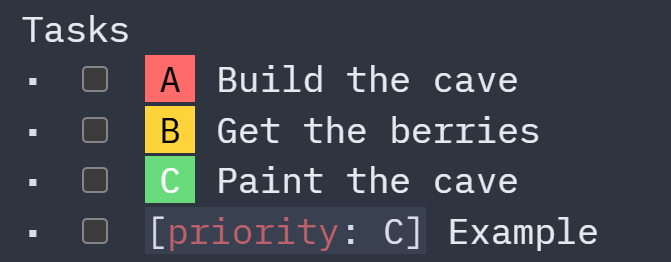
To do this, I write out the task this way, putting the priority attribute at the beginning:
- [ ] [priority: C] Paint the cave
If there is a way to have it render like in the screenshot above regardless of whether the priority attribute appears at the beginning or end of the task, I'd love to know, so I don't have to worry about assumptions user code and libraries make about where the attribute should appear.
I'm wanting them to render this way at the source line, and not when rendered as the results of a query. I use this CSS currently, which means the attribute must appear at the beginning:
My "secret" is the Context whatn you give in your Prompt.
Here is my conversation with claude to the solution with the Priority Styling as reference. Read it through and maybe it helps you formulate your prompts better:
as you can see it's not a magical formula, it's just a trial and error, like a real conversation with as much as possible information for the AI, so it can understand the problem exactly, and what works and what not.
Of course after the LLM gave you the response you check it, analyse it, maybe correct it and give feedback what exactly works and what it should correct.
And as always at the end don´t forget to confirm which solution worked and thank the LLM nicely
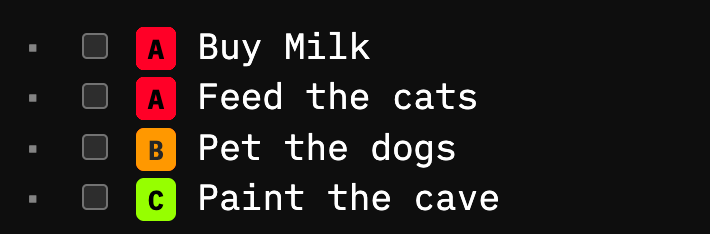
 Limitations, this only works with single-line tasks. No multiline supported due to CodeMirror line architecture.