Mr.Red
January 9, 2025, 9:53pm
1
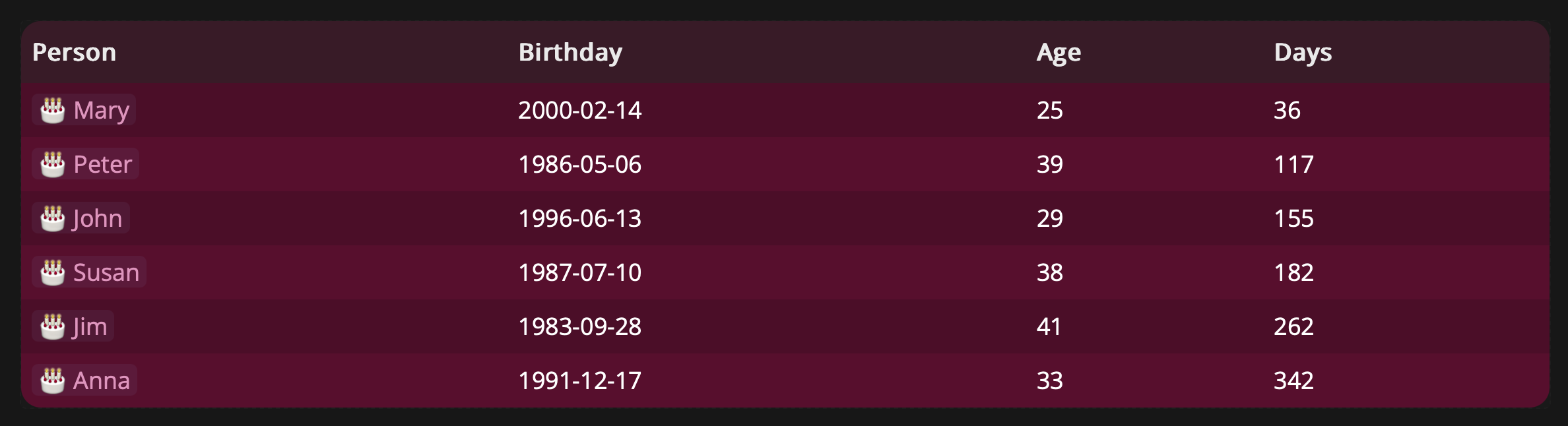
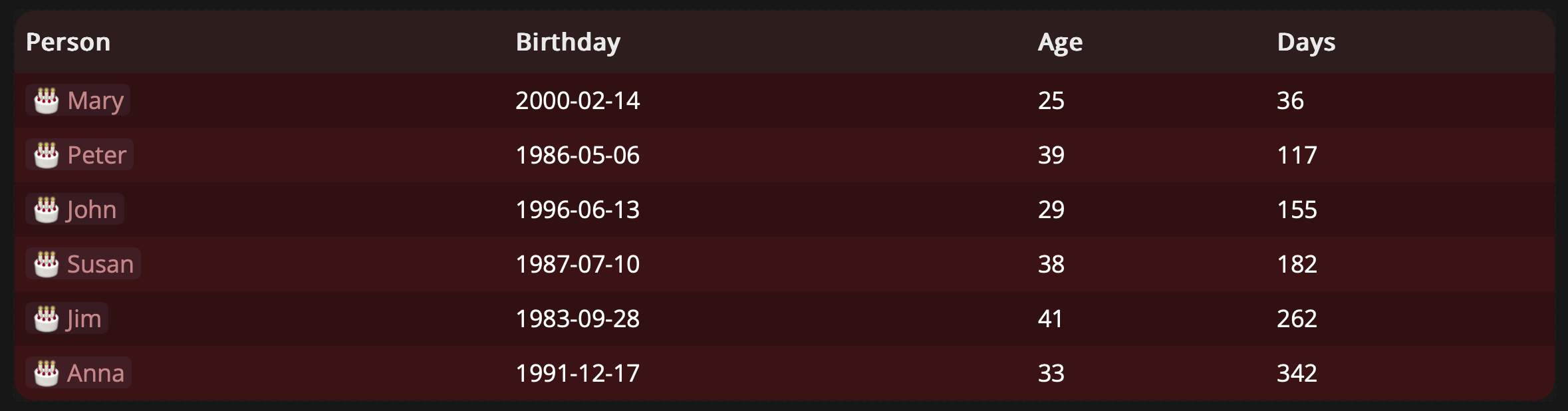
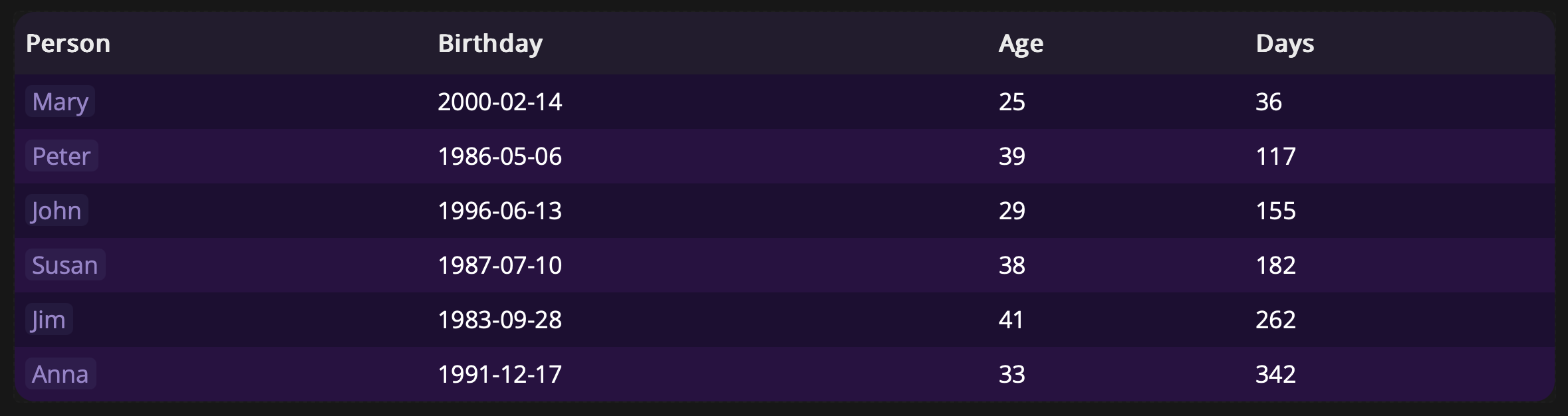
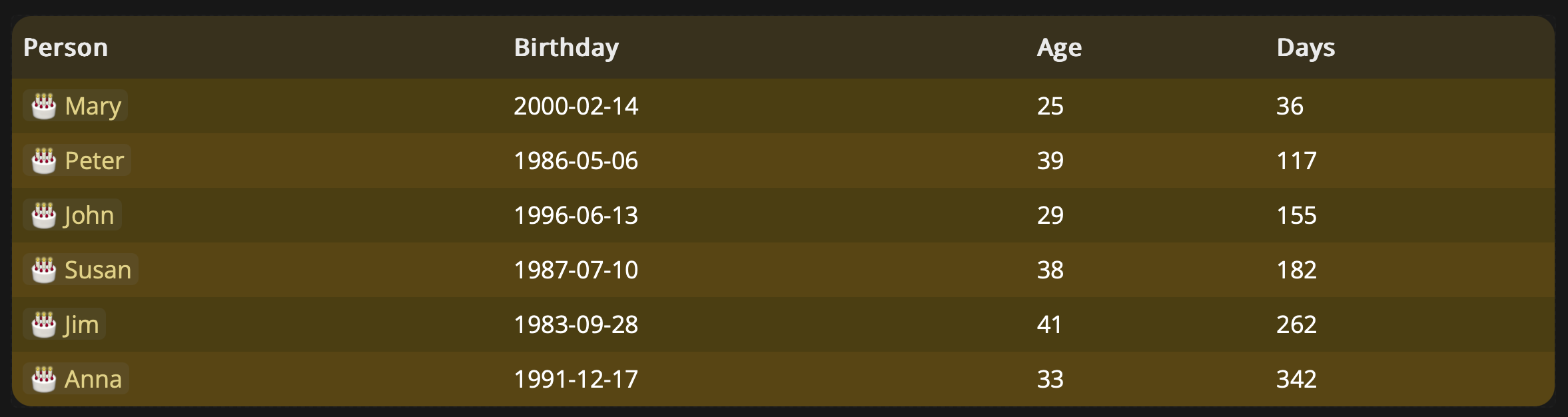
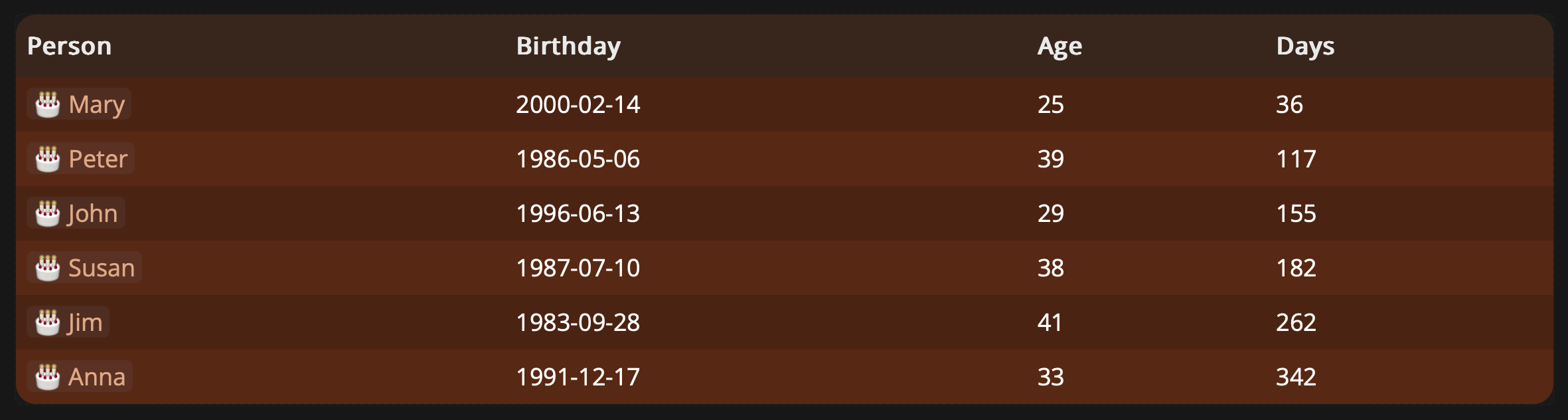
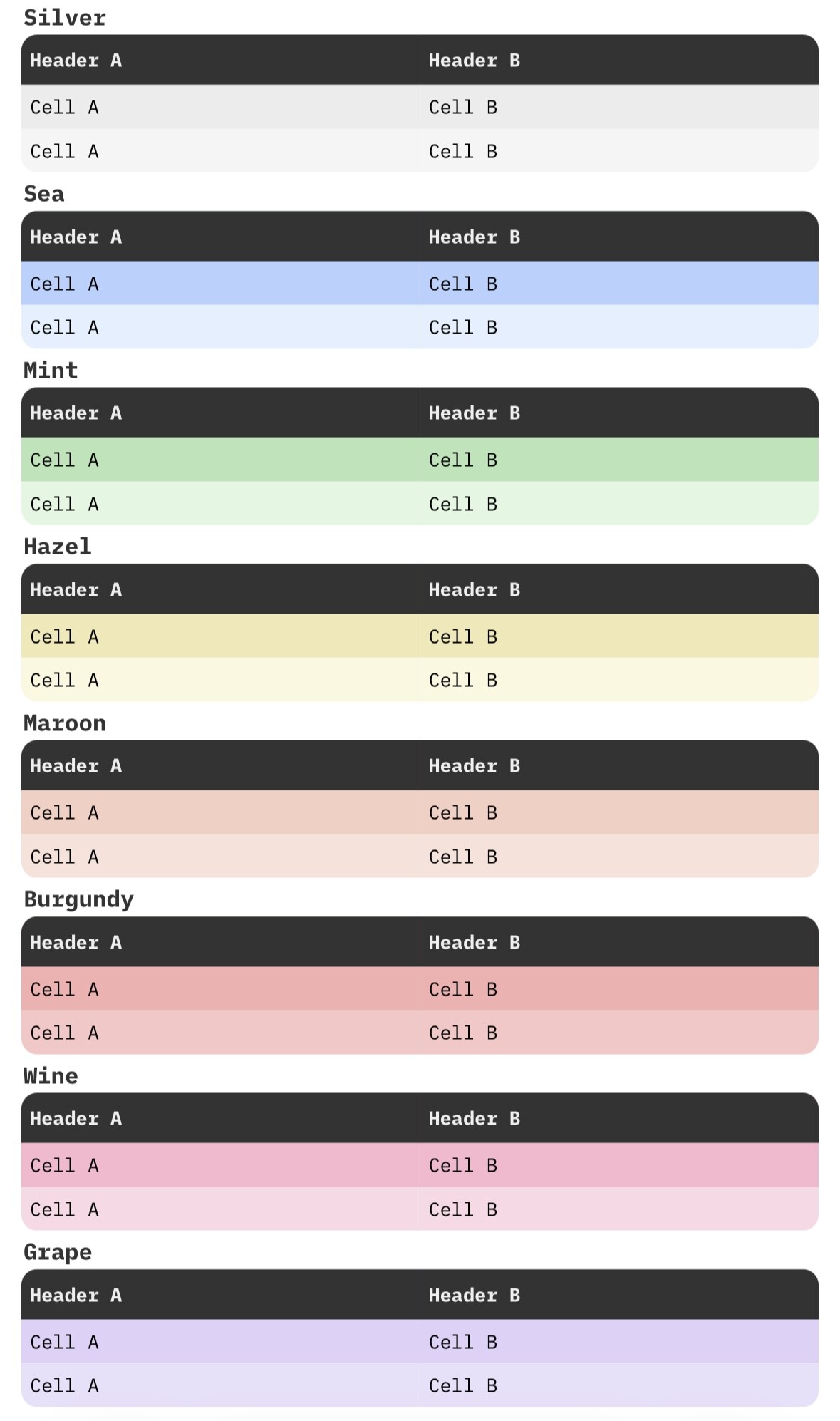
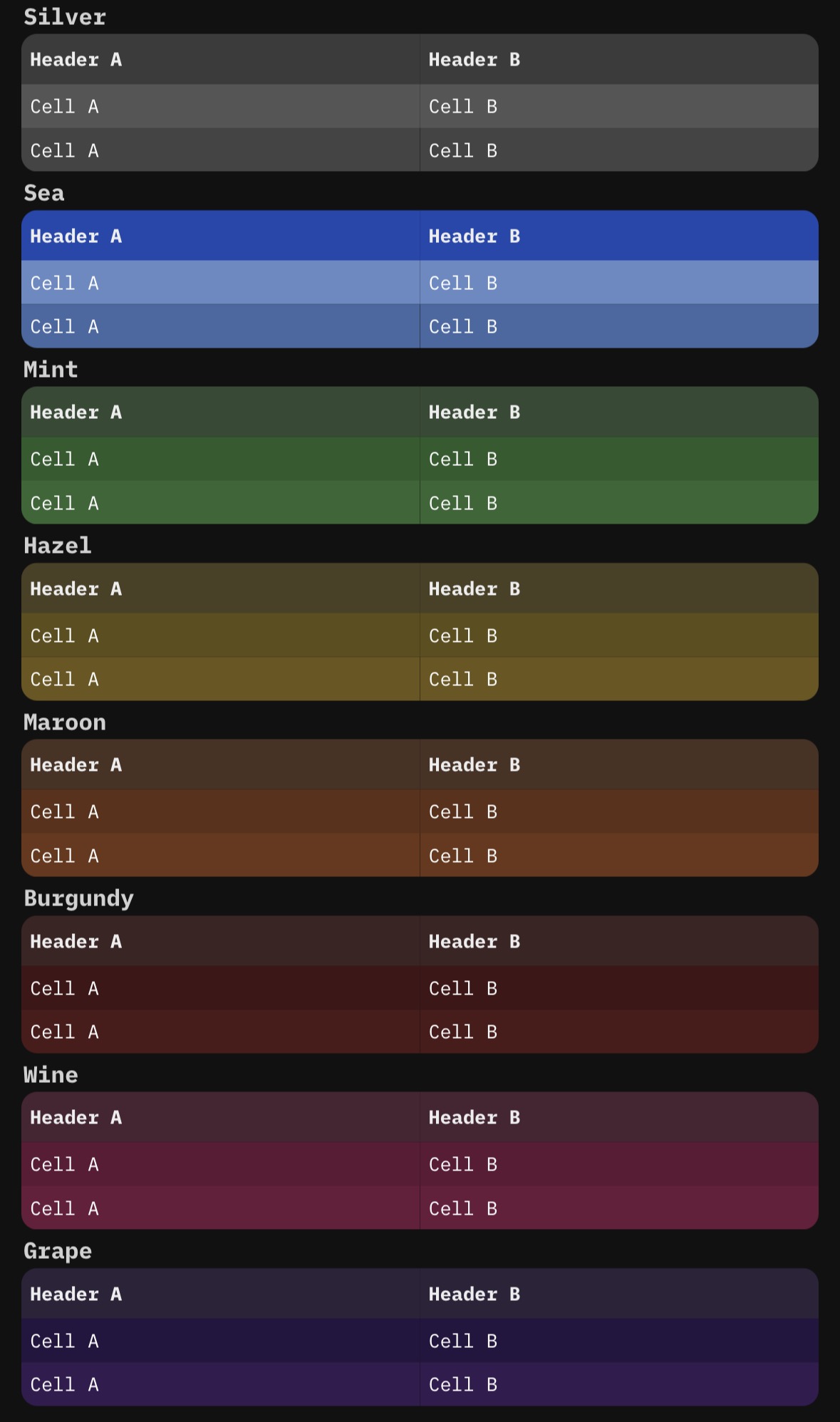
If you’re like me and looking to give your tables a colorful and stylish look. these code-snipets provide a complete solution using frontmatter and space-style.
Beside the colors, I’ve also added rounded corners for a more polished design.
frontmatterapplies specific CSS class to your page, enabling the unique table theme.wine-table theme:
---
pageDecoration:
    cssClasses:
        - wine-table
---
space-styledefines various table themes, including a rounded corner design for all tables:
table { border-radius: 15px; overflow: hidden;}
html[data-theme="dark"]{
    /*----------------------------------------------------------------*/
    body.wine-table table {--editor-wiki-link-page-color: #e6a9c9;}
    body.wine-table thead {background-color: #4a0d26;}
    body.wine-table tbody tr:nth-child(even) {background-color: #6b1a3b;}
    body.wine-table tbody tr:nth-child(odd) {background-color: #5e1735;}
    /*----------------------------------------------------------------*/
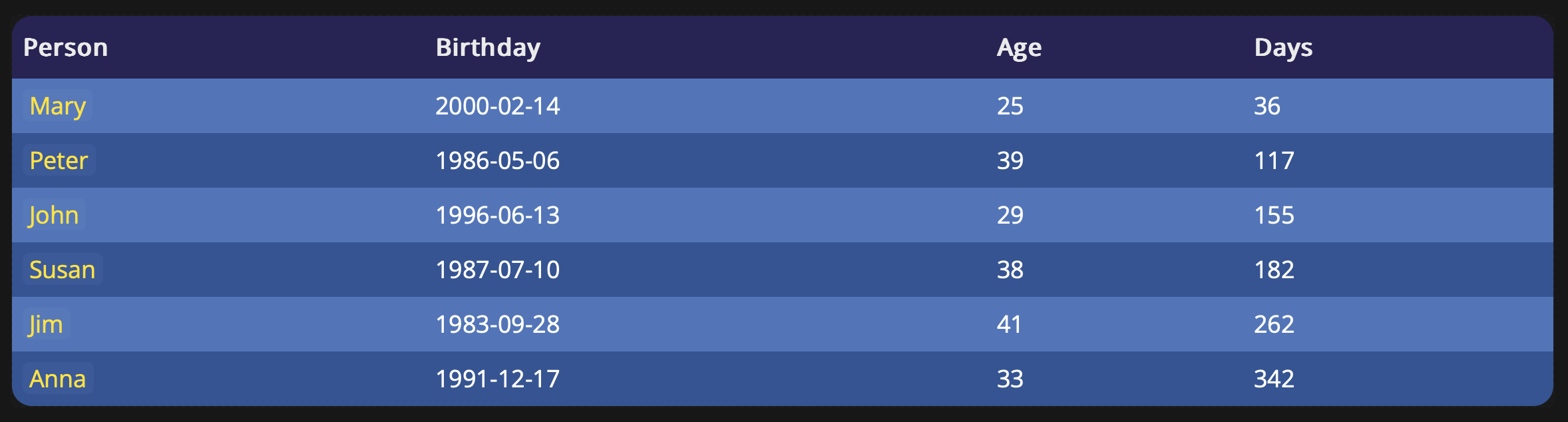
    body.sea-table table {--editor-wiki-link-page-color: #ffe559;}
    body.sea-table thead {background-color: #26277b;}
    body.sea-table tbody tr:nth-child(even) {background-color: #4569a2;}
    body.sea-table tbody tr:nth-child(odd) {background-color: #658ac4;}
    /*----------------------------------------------------------------*/
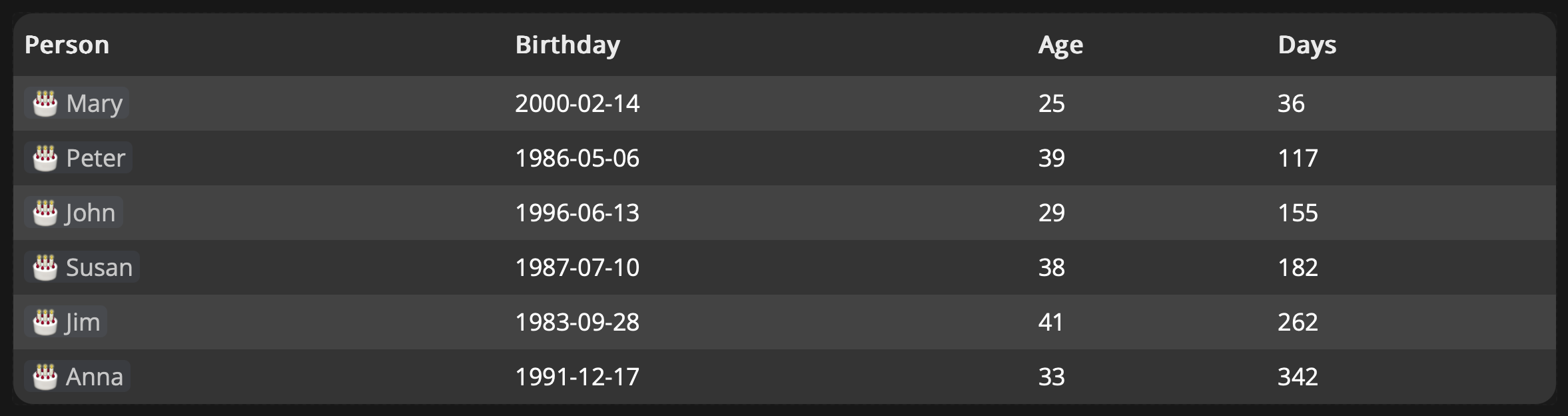
    body.silver-table table {--editor-wiki-link-page-color: #d1d1d1;}
    body.silver-table thead {background-color: #333333;}
    body.silver-table tbody tr:nth-child(even) {background-color: #444444;}
    body.silver-table tbody tr:nth-child(odd) {background-color: #555555;}
    /*----------------------------------------------------------------*/
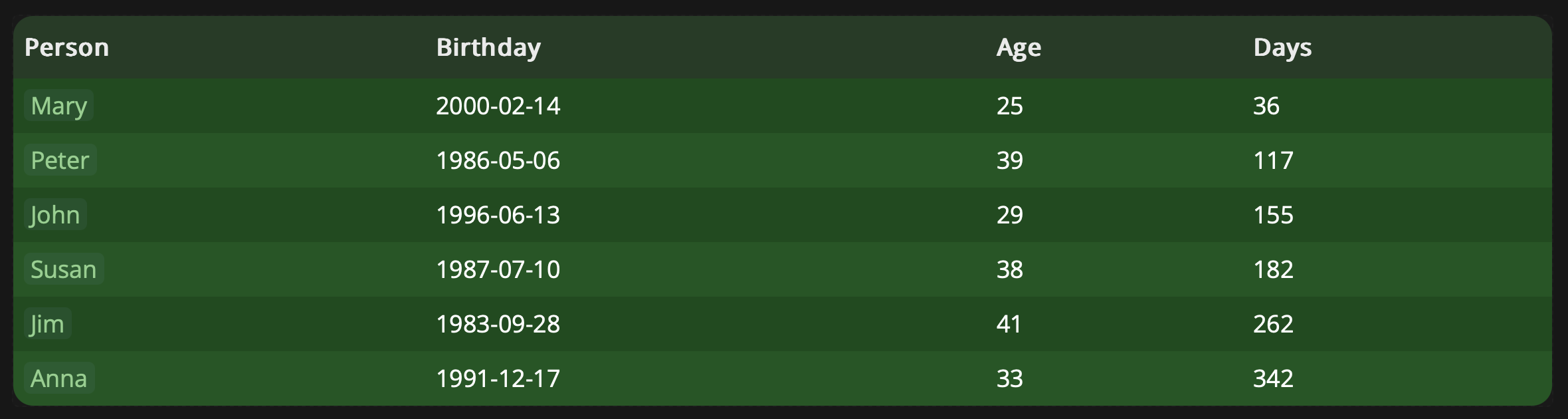
    body.mint-table table {--editor-wiki-link-page-color: #a8d5a2; }
    body.mint-table thead {background-color: #264d26;}
    body.mint-table tbody tr:nth-child(even) {background-color: #336633;}
    body.mint-table tbody tr:nth-child(odd) {background-color: #2b5b2b;}
    /*----------------------------------------------------------------*/
    body.burgundy-table table {--editor-wiki-link-page-color: #d19999; }
    body.burgundy-table thead {background-color: #330d0d;}
    body.burgundy-table tbody tr:nth-child(even) {background-color: #4d1a1a;}
    body.burgundy-table tbody tr:nth-child(odd) {background-color: #401515;}
    /*----------------------------------------------------------------*/
    body.grape-table table {--editor-wiki-link-page-color: #a799d1; }
    body.grape-table thead {background-color: #1a0d33;}
    body.grape-table tbody tr:nth-child(even) {background-color: #341b51;}
    body.grape-table tbody tr:nth-child(odd) {background-color: #261540;}
    /*----------------------------------------------------------------*/
    body.hazel-table table {--editor-wiki-link-page-color: #e6d899; }
    body.hazel-table thead {background-color: #4a3b0d;}
    body.hazel-table tbody tr:nth-child(even) {background-color: #6b561a;}
    body.hazel-table tbody tr:nth-child(odd) {background-color: #5e4e17;}
    /*----------------------------------------------------------------*/
    body.maroon-table table {--editor-wiki-link-page-color: #e6b899; }
    body.maroon-table thead {background-color: #4a230d;}
    body.maroon-table tbody tr:nth-child(even) {background-color: #6b361a;}
    body.maroon-table tbody tr:nth-child(odd) {background-color: #5e3017;}
}
Note: Only one table theme can be applied per page, but you can use different themes on different pages.
wine-table
sea-table
silver-table
mint-table
burgundy-table
grape-table
hazel-table
maroon-table
Feel free to share your thoughts or suggest additional improvements!
Enjoy customising
Mr.Red
October 16, 2025, 8:28pm
3
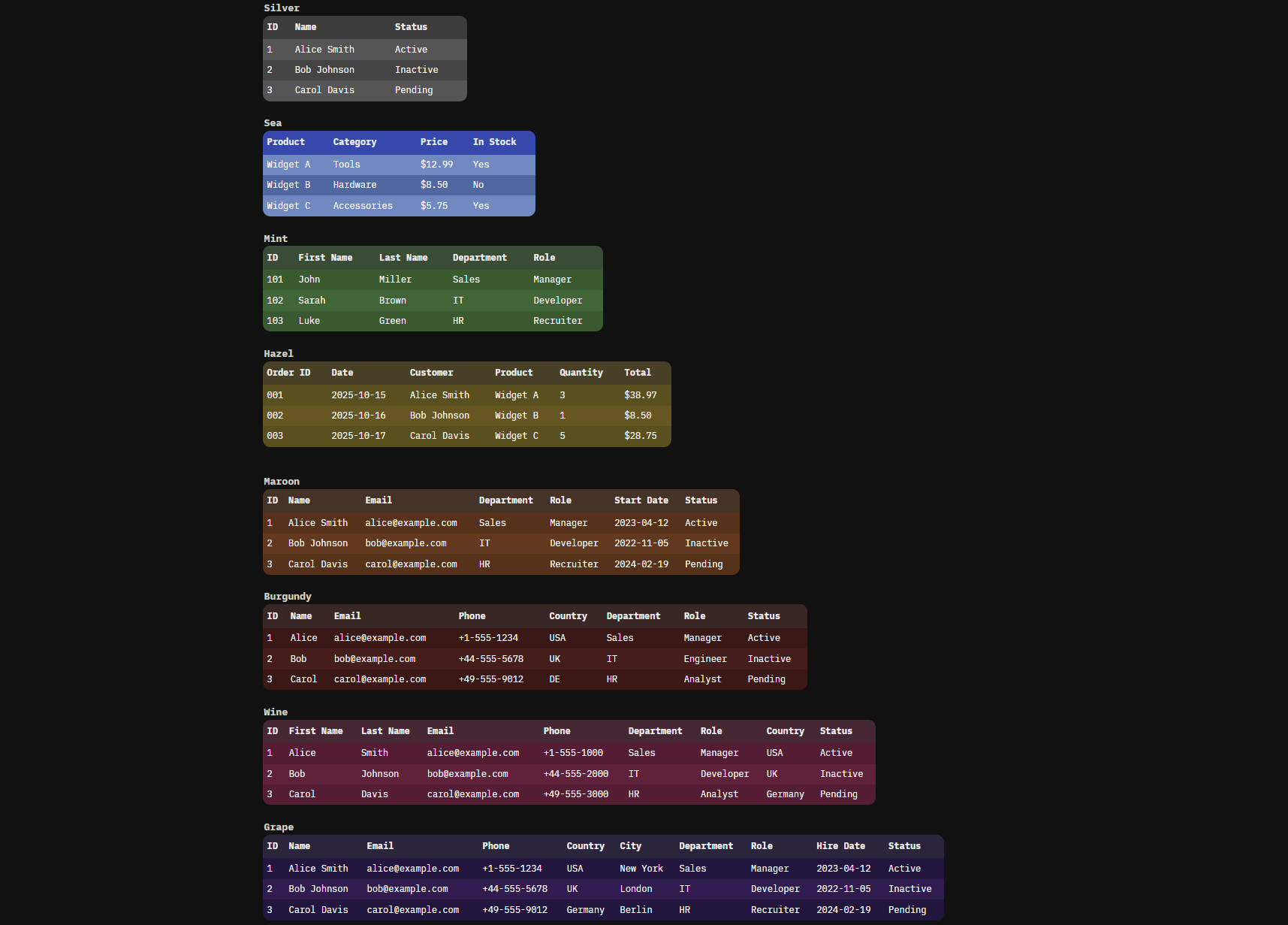
Thank you @MrMugame for your post here , you gave me the idea to update my tables themes space-script accordingly, so now you can add multiple colors to tables individually on your page using #tags:
You can add them to your space from my `silverbullet-libraries on github:
Awesome SilverBullet libraries
feel free to modify the colors or simply give your feedback below.
Mr.Red
October 17, 2025, 6:46am
4
On the same idea, I updated my space-stlye and added the option to set your tables width using #t30- #t90p tags.
This comes in handy when you want to add a smaller table and don’t want to expand to the whole width of the editor.
Here is the example how it looks like in action:
JmiXIII
February 2, 2026, 6:59am
5
Hello @Mr.Red ,
I am oftern struggling with column width management.
column width disucssion
i recommend using other synthax to avoid confusion. you could use for example:
#c30p #c70p for Column30Percent, Column70Percent.
Mr.Red
February 2, 2026, 7:46am
6
Jmi Xiii:
column width disucssion
i recommend using other synthax to avoid confusion. you could use for example:
#c30p #c70p for Column30Percent, Column70Percent.
Here you go a table to test it out:
| ID #sea #t80p #c5p| Name #c10p| Email #c20p | Phone #c10p| Country #c5p| Dep. #c5p| Role |
|----|------|--------|--------|----------|-------------|--------|
| 1  | Alice | [email protected] | +1-555-1234 | USA | Sales | Manager |
| 2  | Bob   | [email protected]   | +44-555-5678 | UK  | IT    | Engineer |
| 3  | Carol | [email protected] | +49-555-9012 | DE  | HR    | Analyst  |
and here is the coresponding space-style
.sb-table-widget table {
  table-layout: fixed !important;
  width: 100%;
}

/* Hide the control hashtags so they don't clutter your headers */
.sb-table-widget .sb-hashtag[data-tag-name^="t"],
.sb-table-widget .sb-hashtag[data-tag-name^="c"] {
  display: none !important;
}

/* Overall Table Width Controls (via the widget container) */
.sb-table-widget:has(.sb-hashtag[data-tag-name="t30p"]) { width: 30% !important; }
.sb-table-widget:has(.sb-hashtag[data-tag-name="t40p"]) { width: 40% !important; }
.sb-table-widget:has(.sb-hashtag[data-tag-name="t50p"]) { width: 50% !important; }
.sb-table-widget:has(.sb-hashtag[data-tag-name="t60p"]) { width: 60% !important; }
.sb-table-widget:has(.sb-hashtag[data-tag-name="t70p"]) { width: 70% !important; }
.sb-table-widget:has(.sb-hashtag[data-tag-name="t80p"]) { width: 80% !important; }
.sb-table-widget:has(.sb-hashtag[data-tag-name="t90p"]) { width: 90% !important; }

/* Individual Column Width Controls */
.sb-table-widget td:has(.sb-hashtag[data-tag-name="c5p"]) { width: 5% !important; }
.sb-table-widget td:has(.sb-hashtag[data-tag-name="c10p"]) { width: 10% !important; }
.sb-table-widget td:has(.sb-hashtag[data-tag-name="c20p"]) { width: 20% !important; }
.sb-table-widget td:has(.sb-hashtag[data-tag-name="c30p"]) { width: 30% !important; }
.sb-table-widget td:has(.sb-hashtag[data-tag-name="c40p"]) { width: 40% !important; }
.sb-table-widget td:has(.sb-hashtag[data-tag-name="c50p"]) { width: 50% !important; }
.sb-table-widget td:has(.sb-hashtag[data-tag-name="c60p"]) { width: 60% !important; }
.sb-table-widget td:has(.sb-hashtag[data-tag-name="c70p"]) { width: 70% !important; }
.sb-table-widget td:has(.sb-hashtag[data-tag-name="c80p"]) { width: 80% !important; }
.sb-table-widget td:has(.sb-hashtag[data-tag-name="c90p"]) { width: 90% !important; }
If you need other percentages you just need to create new rules accordingly.
.sb-table-widget td:has(.sb-hashtag[data-tag-name="c1p"]) { width: 1% !important; }
.sb-table-widget td:has(.sb-hashtag[data-tag-name="c15p"]) { width: 15% !important; }
i will add this to my Custom Table Library later today, but until then you can test and use my space-style snippet above.
JmiXIII
February 2, 2026, 11:08am
7
Hi @Mr.Red ,
Perfect, thanks!
Note : added :
.sb-table-widget td,
.sb-table-widget th {
  white-space: normal !important;
  overflow-wrap: anywhere;
  word-break: break-word;
}
For line break.
Mr.Red
February 15, 2026, 2:38pm
9
The button is visible and work fine. Thanks.
But, FYI, I detect 2 behaviors have changed
added the wrap-fix & rounded corner fix to Custom Width and Color Tables .
[EDIT] i take it back...i made it worse
[EDIT 2] OK, i think it's fixed now, I needed a workaround -> to inject a couple of html elements to mirror the dom hierarchy of the query/widget-tables.
malys
February 18, 2026, 4:34pm
10
I will check it when I find time.