This library allows for displaying discord messages within SilverBullet, with links to the original messages. It relies on copying data about the messages in a specific format, for which there’s a handful of tools to use depending on where you use discord.
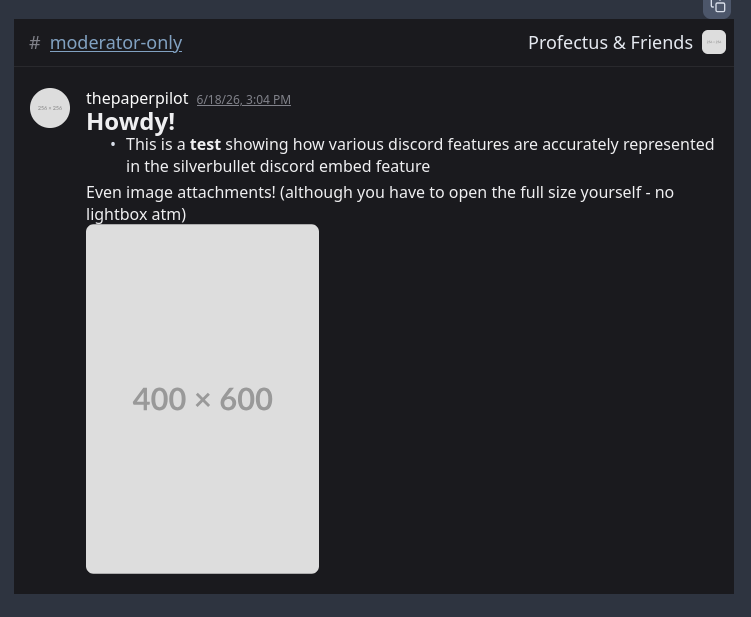
You’re not expected to write out the message data by hand, but just for example’s sake this library will take a block of text that looks like this:
channelId: "775940965982273577"
channelName: moderator-only
serverId: "619613842141347841"
serverName: "Profectus & Friends"
serverIcon: https://placehold.co/256
messages:
- author:
    id: "131211055849275392"
    handle: thepaperpilot
    display: thepaperpilot
    avatar: https://placehold.co/256
  createdTimestamp: 2026-06-18T15:04:37.653Z
  permalink: https://discord.com/channels/619613842141347841/775940965982273577/1517183262378950837
  content: |
    # Howdy!
    - This is a **test** showing how various discord features are accurately represented in the silverbullet discord embed feature
  attachments: []
- author:
    id: "131211055849275392"
    handle: thepaperpilot
    display: thepaperpilot
    avatar: https://placehold.co/256
  createdTimestamp: 2026-06-18T15:05:37.150Z
  editedTimestamp: 2026-06-18T19:36:25.272Z
  permalink: https://discord.com/channels/619613842141347841/775940965982273577/1517183511927455804
  content: |
    Even image attachments! (although you have to open the full size yourself - no lightbox atm)
  attachments:
    - https://placehold.co/400x600
and render it like this:
The library will go over more details, like how to more easily export messages from discord using aliucord, equicord, or a bookmarklet, and some useful queries and other tricks you can do with your conversations.
You can install the library from this URL: