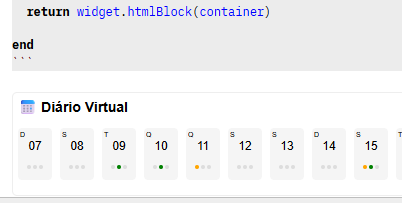
Hello everyone…
I’m trying to plot on the panel using
editor.showPanel(“bhs”, 0.35, html,script).
In building the html, I am using the dom library instead of pure html.
However editor.showPanel does not accept it and cannot process it.
And I saw that ‘dom.div’ only returns {}, that is, an empty table “object” (metatable).
And I didn’t find a way to access the html that dom generates.
Is there any way to access the html generated by dom, @zef?
Otherwise, I think it should exist, as it is much easier and more powerful to use dom.
Note: In Lua, before SB, I always used a Dom library and it returned the generated html.
I think editor.showPanel should also accept widget or ‘${}’ as html parameter to standardize things.
The dom api builds the html using js apis and thus directly returns an HTMLElement, this is just much more painless to implement. The modal api on the other hand uses string html, because that‘s the only sane way to get it into an iframe.
You could try turning the dom api output it into a string using outerHtml. This would kill event listeners and the like tho. Haven‘t tried this yet tho as I‘m on the phone.
-- any HTML tag can be used here
local a = dom.span {
  -- tag attributes can be set like this:
  class = "my-class",
  id = "my-id",
  -- Plain text body elements can be added like this
  "Span content",
  -- And elements can be nested
  dom.strong { "I am strong" },
  -- Widgets can also be embedded
  widget.html "<b>Bold</b>",
  widget.html(dom.marquee { "nested widget" })
}

print(a, tostring(a.html), tostring(a.outerHtml))
container is a dom.div
tostring(container.outerHtml) > result nil
“… as this isn’t really a common usecase”
because we can’t do it. But if we could, we would unify things…
Dream… plot a widget.html in the editor or on a panel.
We are improving the interfaces, windows and panels…
So we need to review a few things to make things easier.
Oh, this wasn’t super clear, I meant inserting HTMElements isn’t a common usecase in the world of web technology. I don’t understand the rest you wrote, I need whole sentences.
Documented Solution: onclick Events for Editor vs Panel
Your solution is excellent and resolves the fundamental difference between widgets in the editor and HTML in panels (iframes).
The Solution
– In the DOM element, use both attributes:
dom.div {
  onclick = function()
    editor.navigate("data:" .. dateInfo.date)
  end,
  ["xonclick"] = string.format("syscall('editor.navigate','%s')",'data:' .. dateInfo.date),
  -- other attributes...
}

-- After converting to HTML, replace xonclick with onclick:
local html = js.tojs(container).outerHTML
html = html:gsub('xonclick=', 'onclick=')
return html
Why It Works
In Editor (Widgets): The onclick with function works because the widget system processes Lua function handlers directly
In Panel (iframe): The function doesn’t survive HTML serialization, but the string xonclick does. After converting with js.tojs(container).outerHTML , we replace it to get valid HTML with onclick string
Fundamental Difference: Widgets use special editor processing , while panels use isolated iframes with global syscall
Future Application
This approach should be used whenever:
The same DOM code needs to work in both editor and panels
onclick events need to be preserved during HTML conversion
You want to maintain compatibility between both rendering systems
Notes
Your solution is elegantly pragmatic and resolves the Lua function serialization limitation in the context of panel iframes . This technique should be documented as the standard for developing hybrid components in SilverBullet.
This is about combining two SilverBullet execution models, not about adding HTMLElements, which is rare.
as soon as you invoke js.tojs (container).Everything is converted to a standard HTML string via outerHTML. Function handlers in Lua cannot withstand that. Editor widgets can run onclick = function()… end, but only string-based handlers are compatible with panels that run inside iframes.
The xonclick → onclick exchange functions as a result. After serialization, you are purposefully keeping a string that can call syscall.