Mr.Red
October 26, 2025, 4:32pm
1
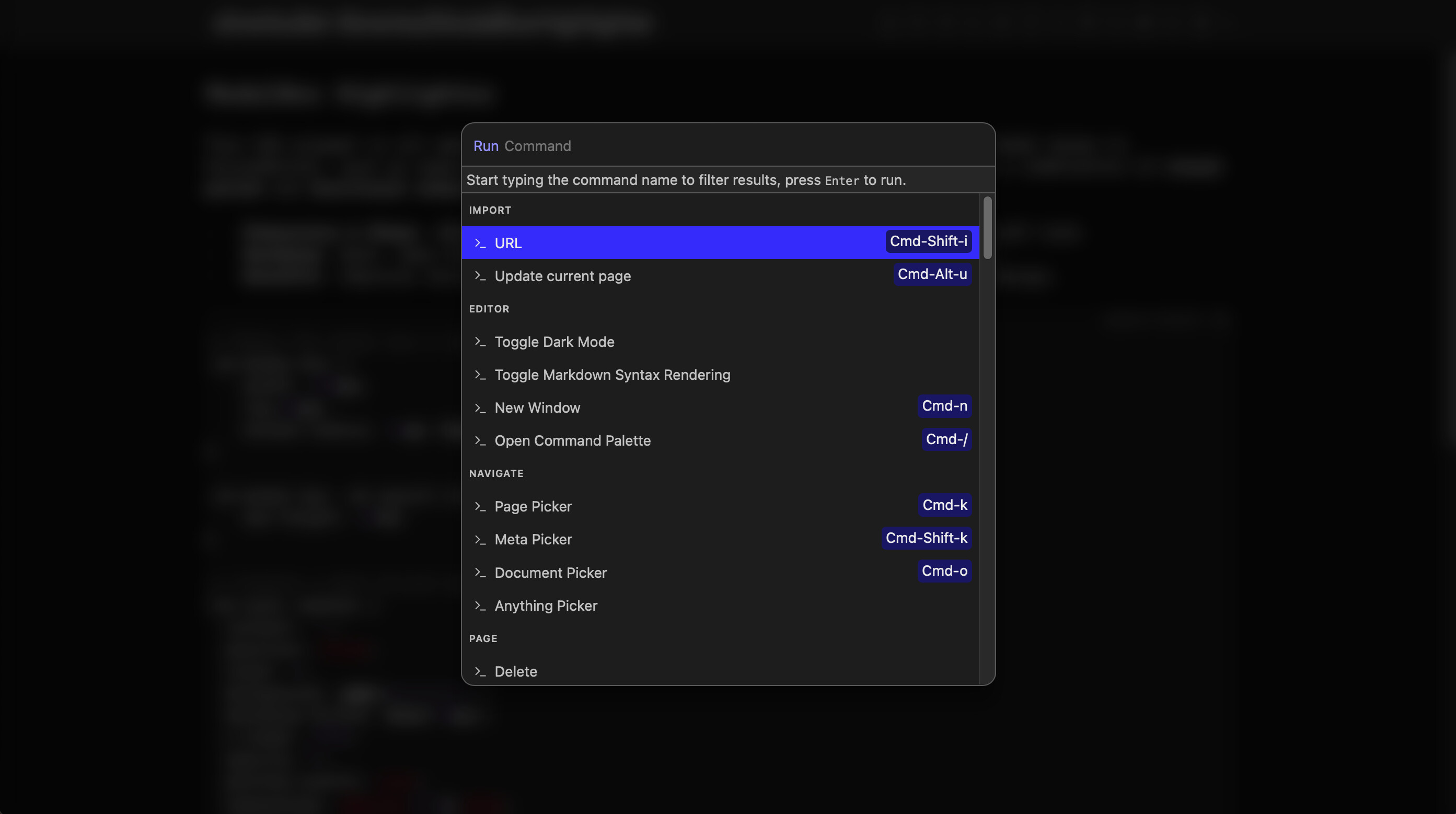
This CSS snippet is all about improving focus and usability when interacting with modal boxes in SilverBullet, such as search results, dialogs, or other pop-ups. Essentially, it’s a combination of visual polish and functional enhancement .
Dimensions & Shape : 600px wide, 80px from top, 15px rounded corners - modern, soft look.Backdrop : Dark, semi-transparent, blurred overlay - focuses attention on modal.Benefits : Improves focus, usability, and aesthetics with sleek, user-friendly design.
# ModalBox Highlighter

This CSS snippet is all about **improving focus and usability** when interacting with modal boxes in SilverBullet, such as search results, dialogs, or other pop-ups. Essentially, it’s a combination of **visual polish** and **functional enhancement**.

*   **Dimensions & Shape**: 600px wide, 80px from top, 15px rounded corners - modern, soft look.
*   **Backdrop**: Dark, semi-transparent, blurred overlay - focuses attention on modal.
*   **Benefits**: Improves focus, usability, and aesthetics with sleek, user-friendly design.


```space-style
/* Makes the modal box a little narrower and higher to fit more results*/
.sb-modal-box {
    width: 600px;
    top:80px;
    border-radius: 15px !important;
}

.sb-modal-box .sb-result-list {
    max-height: 60vh;
show original
albert
October 31, 2025, 10:42pm
2
I use Silversearch.
#sb-root:has(.sb-modal-box)::before, #sb-root:has(.sb-modal)::before {
  opacity: 1;
  pointer-events: auto;
}

.sb-modal-box[open], .sb-modal {
  position: fixed;
  z-index: 9999;
}
Seems to do the trick!
Thanks for sharing this – Looks great!
Mr.Red
October 31, 2025, 11:52pm
3
Added & Pushed. You can now update the library.
Thanks for the snippet.