You have couple of options here bun none of them are exactly what you are looking for. and none of them will satisfy your needs.
I tried to vibe-code two of these options with mixed & unsatisfactory results.
But if you spend more time maybe you can use my examples(proof of concepts) bellow to get you started and fine-tune and iron out the issues.
Option 1
- Pure CSS (this comes the closest to what you want, but it has some limitations and issues)
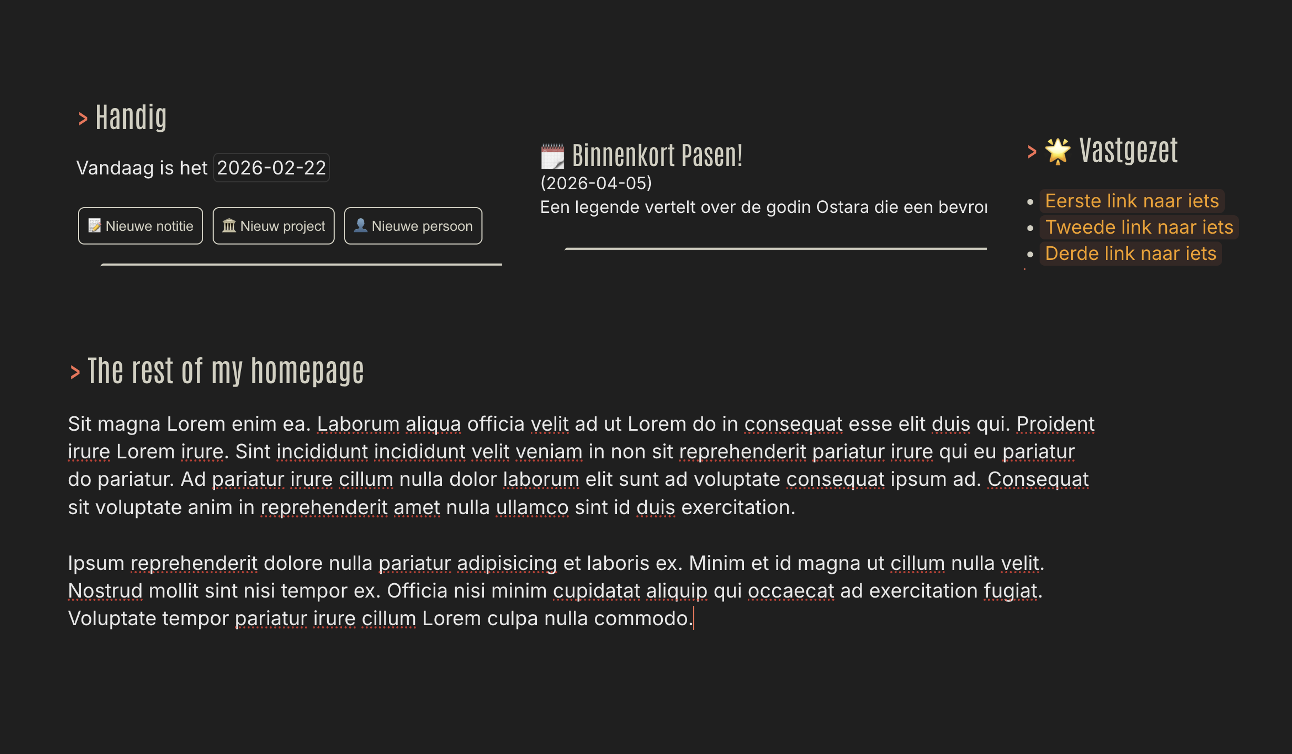
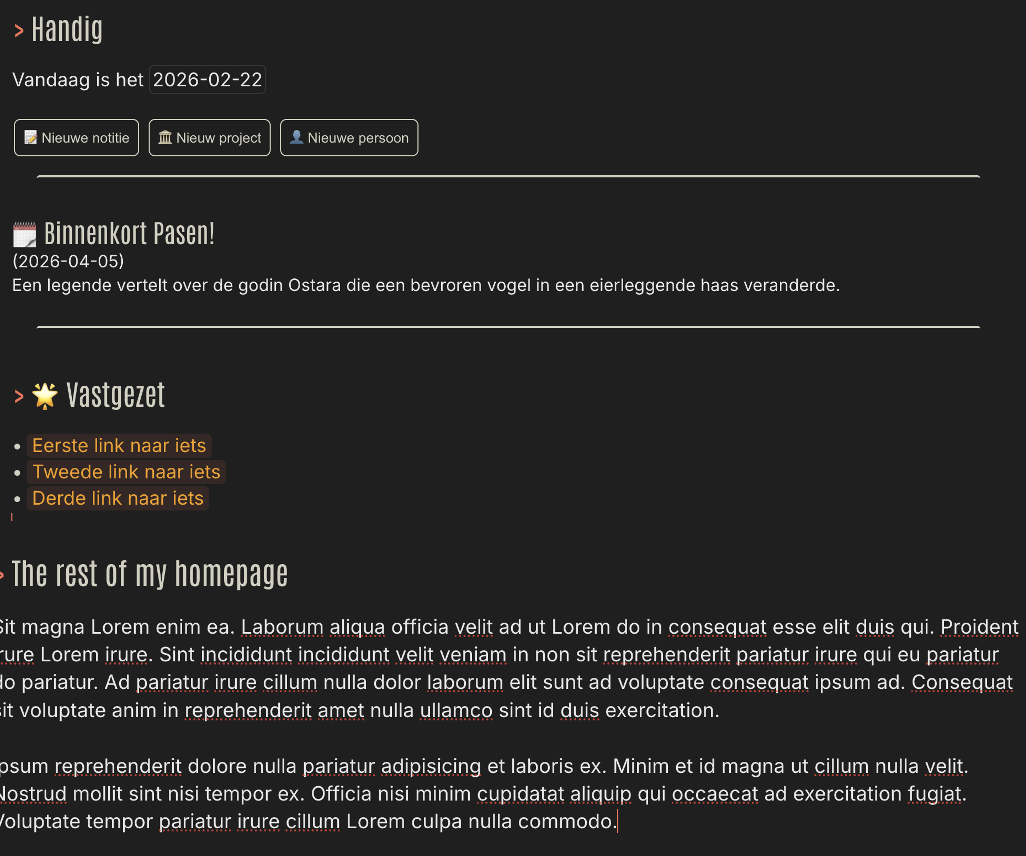
- you can use #col1 #col2 #col3 etc. to assign a column to each .cm-line, and style that line as if it were a column inside a flex container.
- this will mess up the cursor navigation because code-mirror inside silverbullet doesn't know columns, so it thinks those are single lines.
- and many more caveats and issue.
here is the [space-style] to try it out.
/* ── Layout ─────────────────────────────────────────── */

.cm-content:has(a[data-tag-name="col1"]) {
  display: flex;
  flex-wrap: wrap;
  align-items: flex-start;
  gap: 1rem;
}

.cm-line:has(a[data-tag-name="col1"]),
.cm-line:has(a[data-tag-name="col2"]),
.cm-line:has(a[data-tag-name="col3"]) {
  flex: 1;
  min-width: 0;
}

/* All non-col lines go full width below the columns */
.cm-content:has(a[data-tag-name="col1"]) .cm-line:not(:has(a[data-tag-name^="col"])) {
  flex: 0 0 100%;
}

/* ── Hide hashtag visually, keep it measurable for CodeMirror ── */

.cm-line:has(a[data-tag-name^="col"]) .sb-hashtag {
  opacity: 0;
  font-size: 0.1px;   /* near-zero but NOT zero — CM can still measure it */
  line-height: 0;
  pointer-events: none;
  user-select: none;
  vertical-align: middle;
}

/* Keep the cursor/caret visitable — don't let the tag eat clicks */
.cm-line:has(a[data-tag-name^="col"]) .sb-hashtag-text {
  pointer-events: none;
  user-select: none;
}
Option 2
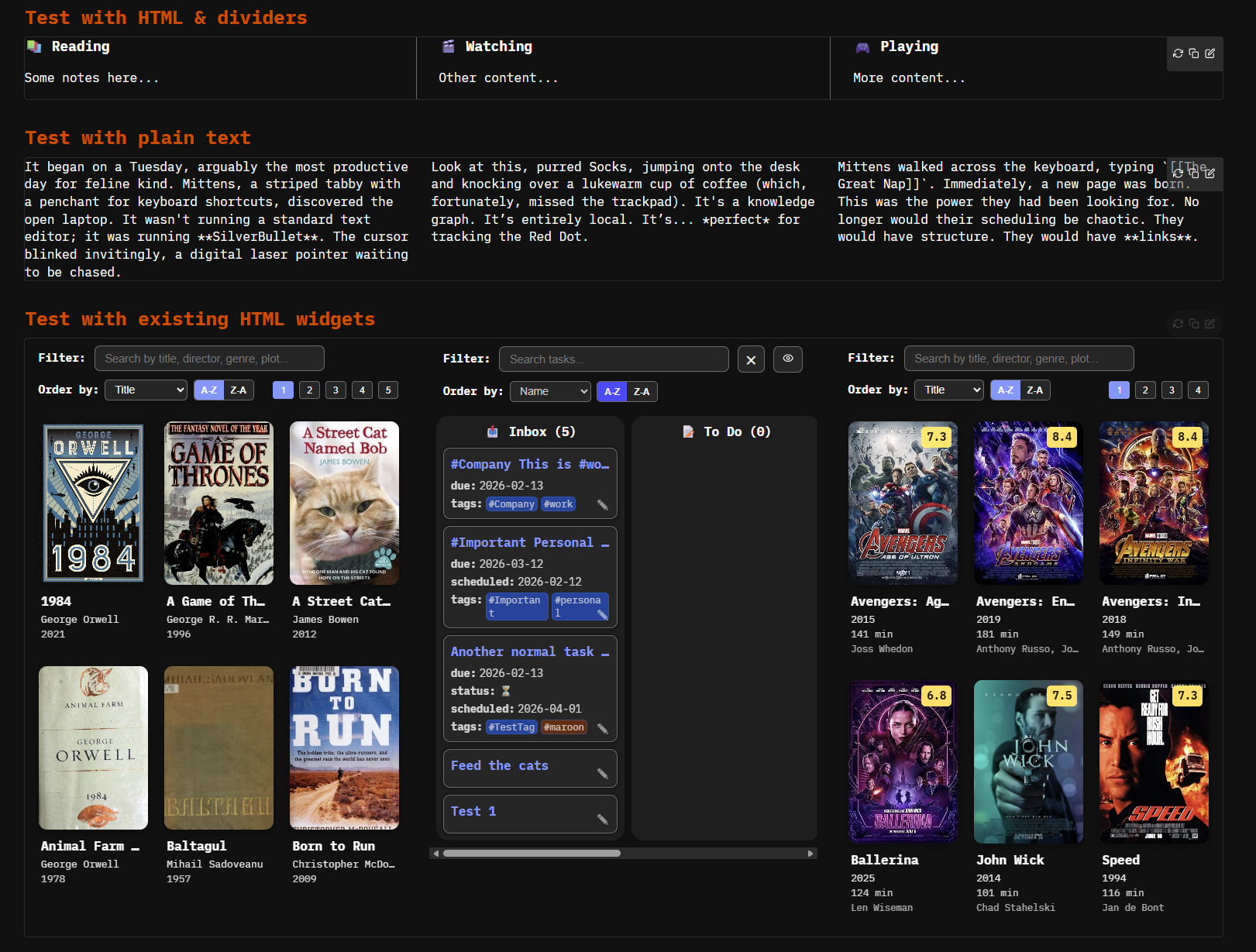
- you create a contained html widget in which you can display either plain text, HTML or custom HTML widgets.
- this wont work with markdown widgets or queries directly, but you can create another html widget to display a query inside your widget.
here is the implementation and some exmaples:
-- priority: 1

-- ─────────────────────────────────────────────────────────────
-- widgets.columns(col1, col2, col3, ...)
--
-- Usage:
--   ${widgets.columns("html content", "html content", "html content")}
--
-- Optional: pass a config table as the LAST argument to customize:
--   ${widgets.columns("col1", "col2", "col3", {gap="2rem", valign="stretch", dividers=true})}
--
-- Config options:
--   gap      = CSS gap value          (default: "1.5rem")
--   valign   = align-items value      (default: "flex-start")
--   dividers = true/false             (default: false)
--   widths   = {"30%","40%","30%"}    (default: equal flex:1 for all)
-- ─────────────────────────────────────────────────────────────

function widgets.columns(...)
  local args = {...}

  -- Check if last arg is a config table
  local opts = {}
  if type(args[#args]) == "table" and not args[#args].html then
    opts = table.remove(args)
  end

  local gap      = opts.gap      or "1.5rem"
  local valign   = opts.valign   or "flex-start"
  local dividers = opts.dividers or false
  local widths   = opts.widths   or {}

  -- Outer wrapper
  local html = "<div style='" ..
    "display:flex;" ..
    "flex-wrap:wrap;" ..
    "gap:" .. gap .. ";" ..
    "align-items:" .. valign .. ";" ..
    "'>"

  for i, content in ipairs(args) do
    -- Convert widget objects to their html, or use raw string
    local innerHtml = ""
    if type(content) == "table" and content.html then
      innerHtml = content.html
    elseif type(content) == "string" then
      innerHtml = content
    else
      innerHtml = tostring(content)
    end

    -- Per-column width: use widths table if provided, else flex:1
    local widthStyle = ""
    if widths[i] then
      widthStyle = "flex:0 0 " .. widths[i] .. ";width:" .. widths[i] .. ";"
    else
      widthStyle = "flex:1;min-width:0;"
    end

    -- Optional divider between columns (not before first)
    local dividerStyle = ""
    if dividers and i > 1 then
      dividerStyle = "border-left:1px solid var(--hr-color, #ccc);padding-left:" .. gap .. ";"
    end

    html = html ..
      "<div style='" .. widthStyle .. dividerStyle .. "'>" ..
        innerHtml ..
      "</div>"
  end

  html = html .. "</div>"

  return widget.new {
    display = "block",
    html = html
  }
end

-- ─────────────────────────────────────────────────────────────
-- widgets.queryTable(results, opts)
--
-- Renders a query result as an HTML table.
--
-- Usage:
--   ${widgets.queryTable(query[[from index.tag "page" limit 5]])}
--
-- Options (all optional):
--   cols    = {"ref","name","size"}   -- which fields to show (default: auto-detect)
--   headers = {"Page","Name","Size"}  -- custom header labels (default: field names)
-- ─────────────────────────────────────────────────────────────

function widgets.queryTable(results, opts)
  opts = opts or {}

  if type(results) ~= "table" or #results == 0 then
    return widget.new {
      display = "block",
      html = "<p style='color:var(--text-muted);font-style:italic;'>No results.</p>"
    }
  end

  -- Auto-detect columns from first result if not specified
  local cols = opts.cols
  if not cols then
    cols = {}
    for k, _ in pairs(results[1]) do
      -- Skip noisy internal fields
      if k ~= "itags" and k ~= "tags" and k ~= "tag" and k ~= "contentType" then
        table.insert(cols, k)
      end
    end
    table.sort(cols)
  end

  local headers = opts.headers or cols

  -- Build table HTML
  local html = [[
    <table style='
      width:50%;
      border-collapse:collapse;
      font-size:0.85em;
    '>
    <thead>
      <tr style='border-bottom:2px solid var(--hr-color);'>
  ]]

  for i, h in ipairs(headers) do
    html = html .. "<th style='text-align:left;padding:6px 10px;color:var(--text-muted);font-weight:600;'>" .. h .. "</th>"
  end
  html = html .. "</tr></thead><tbody>"

  for ri, row in ipairs(results) do
    local rowBg = ri % 2 == 0 and "background:var(--modal-background-color);" or ""
    html = html .. "<tr style='" .. rowBg .. "border-bottom:1px solid var(--hr-color);'>"
    for _, col in ipairs(cols) do
      local val = row[col]
      if type(val) == "table" then
        val = table.concat(val, ", ")
      else
        val = tostring(val or "")
      end
      -- Make ref fields into links
      if col == "ref" then
        val = "<a href='/" .. val .. "' style='color:var(--link-color);'>" .. val .. "</a>"
      end
      html = html .. "<td style='padding:6px 10px;'>" .. val .. "</td>"
    end
    html = html .. "</tr>"
  end

  html = html .. "</tbody></table>"

  return widget.new { display = "block", html = html }
end
Now you can use it inside widgets.columns cleanly:
${widgets.columns(
  "<p>Left plain HTML</p>",
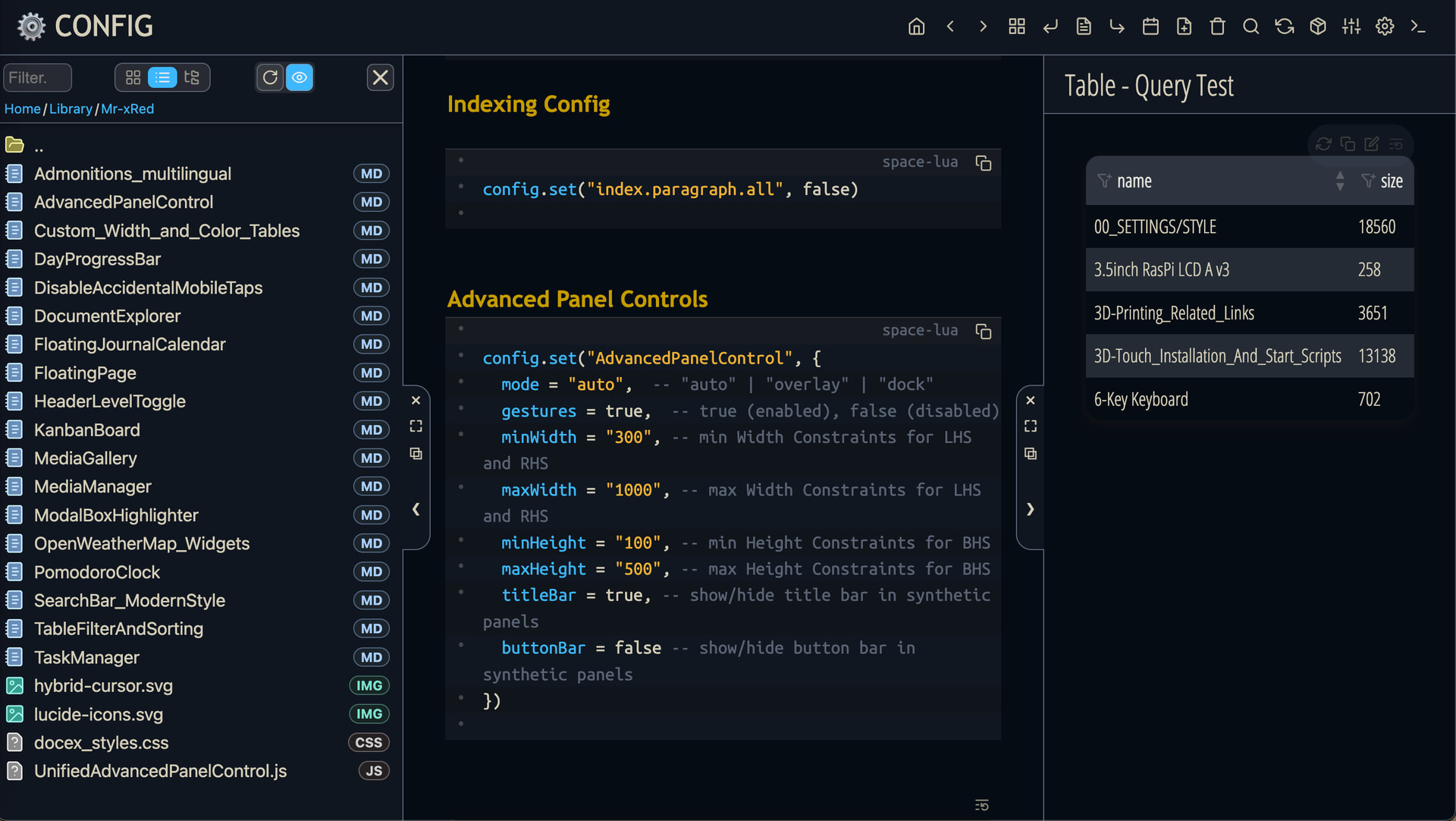
  widgets.queryTable(query[[from index.tag "page" limit 5]]),
  "<p>Right plain HTML</p>",
  {gap="2rem", dividers=true}
)}
Or with specific columns only:
${widgets.columns(
  widgets.queryTable(
    query[[from index.tag "page" limit 5]],
    {cols={"ref","lastModified"}, headers={"Page","Last Modified"}}
  ),
  "<p>Some notes</p>",
  {widths={"70%","30%"}}
)}
Test with HTML & dividers
${widgets.columns(
"<h3>📚 Reading</h3><p>Some notes here...</p>",
"<h3>🎬 Watching</h3><p>Other content...</p>",
"<h3>🎮 Playing</h3><p>More content...</p>",
{gap="2rem", dividers=true}
)}
Test with plain text
${widgets.columns(
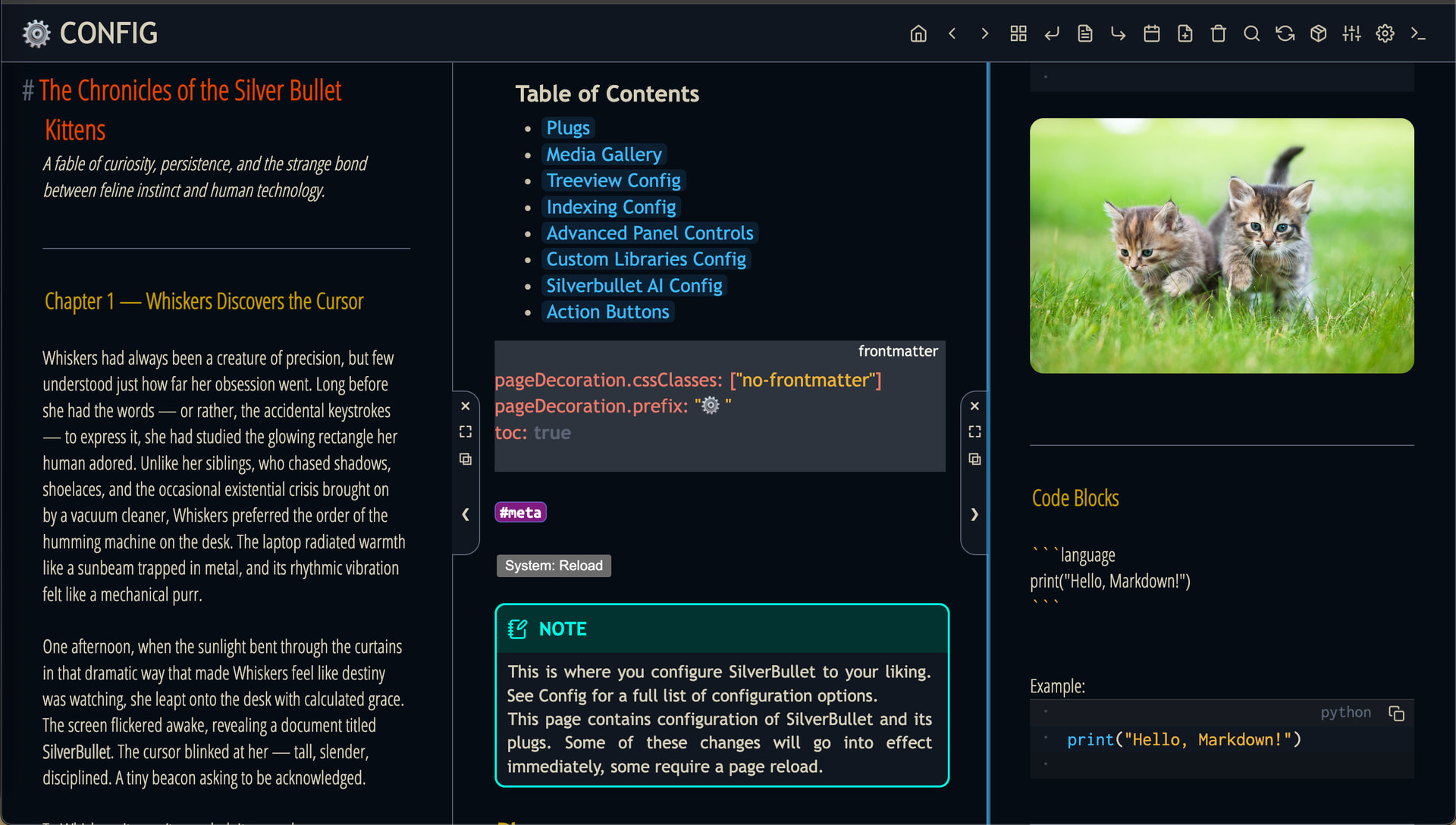
"It began on a Tuesday, arguably the most productive day for feline kind. Mittens, a striped tabby with a penchant for keyboard shortcuts, discovered the open laptop. It wasn't running a standard text editor; it was running **SilverBullet**. The cursor blinked invitingly, a digital laser pointer waiting to be chased.",
"Look at this, purred Socks, jumping onto the desk and knocking over a lukewarm cup of coffee (which, fortunately, missed the trackpad). It's a knowledge graph. It’s entirely local. It’s... *perfect* for tracking the Red Dot.",
"Mittens walked across the keyboard, typing `[[The Great Nap]]`. Immediately, a new page was born. This was the power they had been looking for. No longer would their scheduling be chaotic. They would have structure. They would have **links**.",{gap="2rem"} )}
Option 3
- you could also create a Library with .js to manipulate the DOM, and inject properly styled elements but that's above this proof of concept...


 But that would need some additional work on SilverBullets core side.