I will add it later to the library, expect an update later or tomorrow where this snippet will be included.
[UPDATE]
- just pushed an update with snippet to move the widget control buttons outside the widget window, which should fix the issue (raised by @Mike ) of overlapping buttons in the top right corner.
I was trying to setup a custom mediaGallery and it doesn't pickup my custom config (which is kept in my CONFIG file). After some playing around, I solved it by moving the lines below into the widgets.mediaGallery function. With this adjustment, it picks up my config properly.
Am I making some mistake (it has been known to happen  ) or is this a bug?
-- Configuration Defaults
local cfg = config.get("mediaGallery") or {}
local tileSize = cfg.tileSize or "160px" -- default for posters
local pageRows = cfg.pageRows or 2 -- pagination limit by rows
Technically you shouldn't modify anything in the source
just add the config example to a space-lua codeblock in your CONFIG page (or technically any page should work too).
config.set("mediaGallery",{
  tileSize = "180px", -- default value for Virtual Page or if not specified in widget
  pageRows = 2,       -- default value for Virtual Page or if not specified in widget
--  custom = {
--    {"object","person",{"name","birthday","phone","emoji"}}
--  }
})
If it the config still doesn't apply/load correctly, check/add the priority to the config codeblock:
-- prioirity: 10 or -- prioirity: 100 or any higher positive number, depending on your setup.
This should make the config load in the correct order. If this solves the issue please give me a short feedback, so I can add it to the config example or documentation.
Thanks, setting the priority addresses the problem. Forgot about the whole loading order thing.
PS: I know modifying the source is not the way to go, but it did help me to troubleshoot the issue, at least to some degree.
if this solved your issue, I might modify the space-lua in the library with -- priority: -1 this might even solve the necessity to use the priority attribute in the config alltogether.
I'll do some tests and will update the library later today with the -1 priority.
Thanks for your feedback.
PS: I thinking about modifying all my libraries and adding the --priority: -1 to all codeblock which supposed to use config, so that the order is already dictated by the library and not needign to set anything in the config
I pushed the update of the Library with -- priority: -1 in the space-lua block.
Can you confirm that if you remove the -- priority attribute from your config, it it still works?
I can confirm that the updated version works - I removed the priority line from my CONFIG and updated the library and my config is still correctly loaded.
Would it be possible to add some kind of tutorial on how to use this? I have installed it but am completely stumped. The virtual pages are empty, and I can't figure out how to add any data.
You can use the dedicated Media Manager to add Movies/TV-Shows/Books automatically to the gallery.
- Install this library from my repo: MediaManager

-
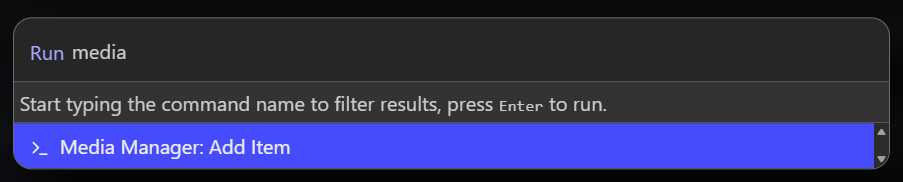
Then Run the
Media Manager: Add itemcommand and follow the instructions:
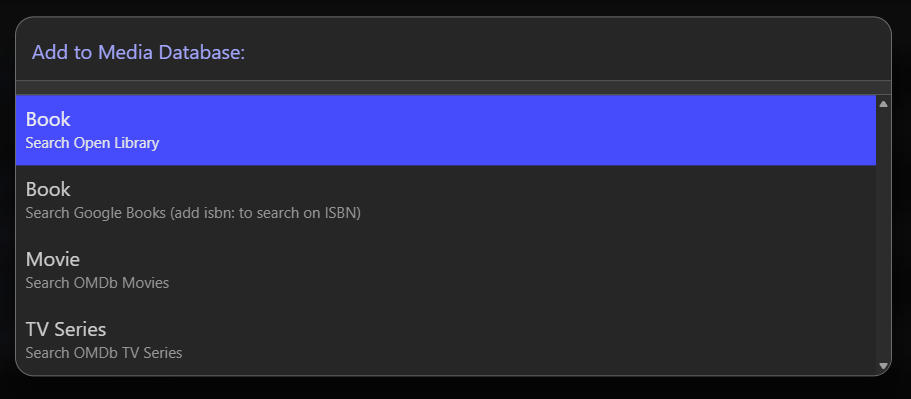
-
Select the Media type you want to add, e.g.: Books:
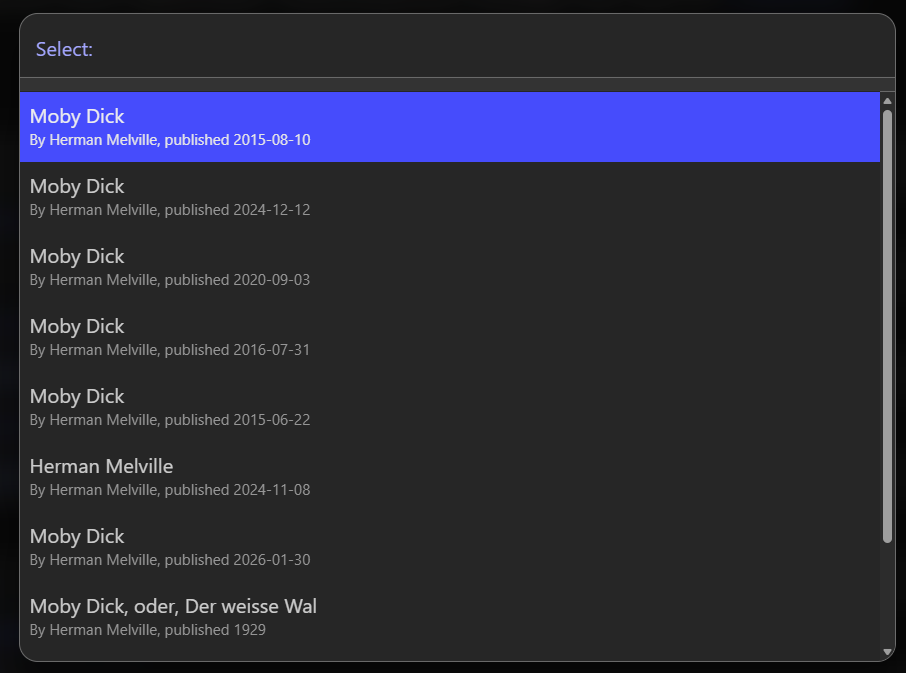
-
Search and add the desired book.
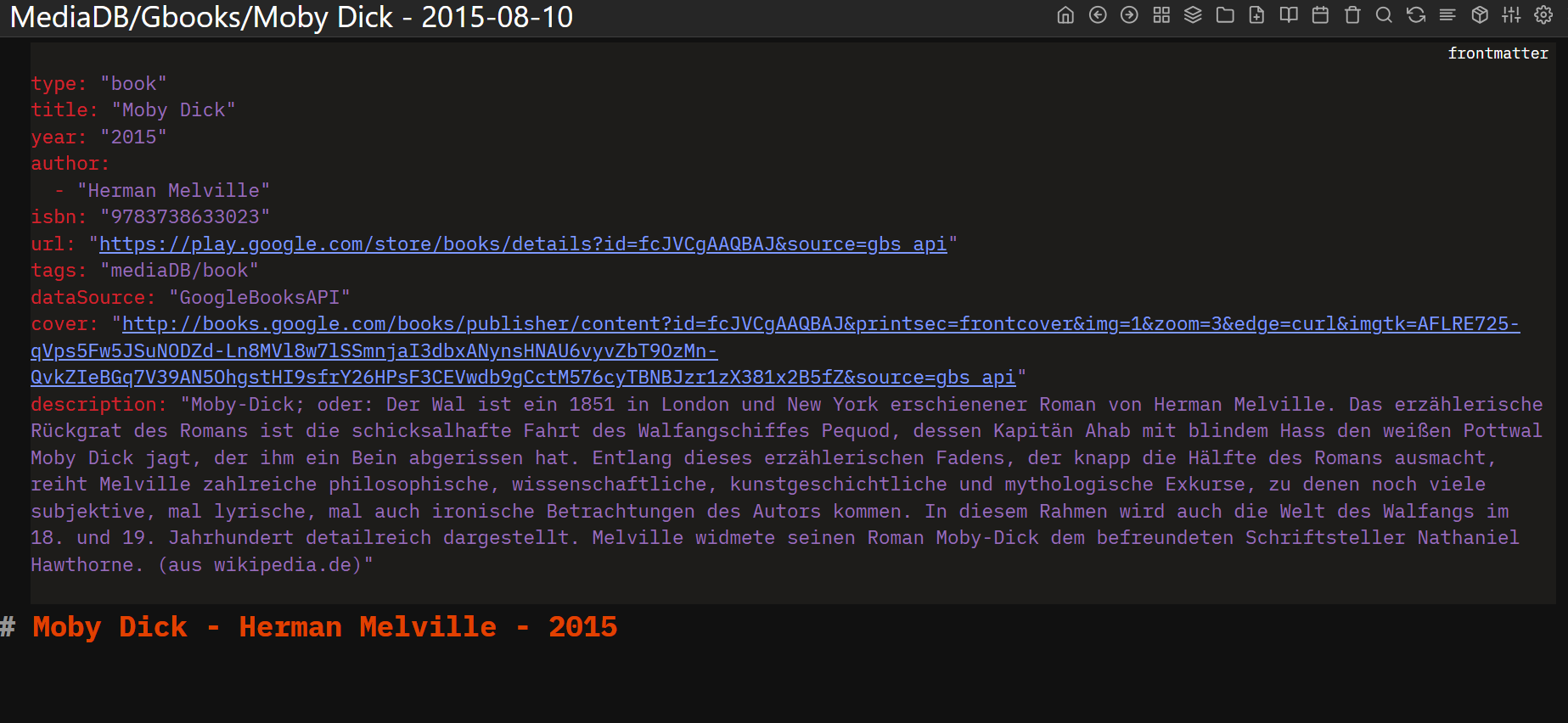
-
This will automatically will create a new page with the media informations:
- Then you navigate to that specific virtual page(Books/TV-Shows/Movie): you'll see the added media:
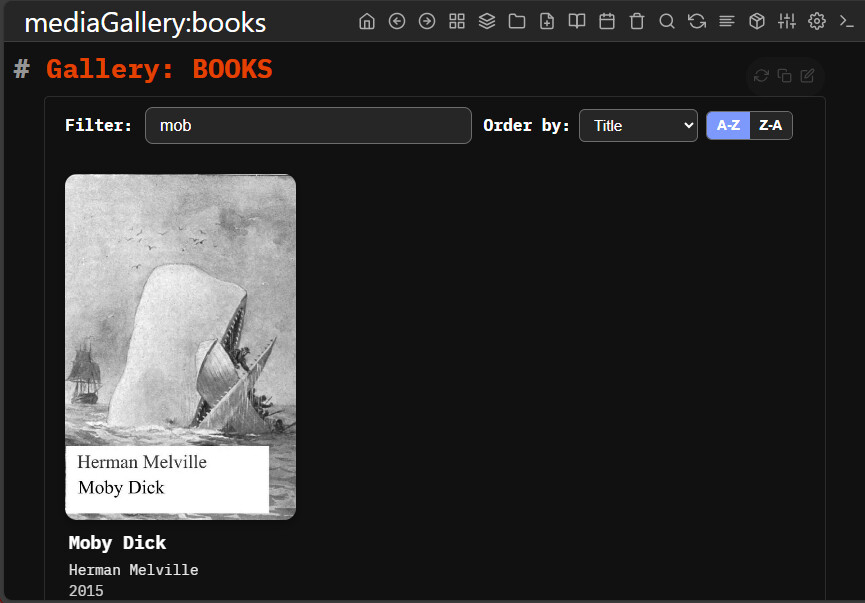
of course if you want to add your own media type for example: Contacts, Games, Pokemon Cards etc. you can do so by creating specific object codeblocks or Pages using your custom codeblock-tag or writing the attributes to the page frontmatter.
If you have something specific in mind you would like to add to the gallery other than TV-Shows/Books/Movies, feel free to give some more detail, and the source & information of that media type, and i could give you some more instructions, but without knowing exactly for what do you want to use the Media Gallery, i cant be more specific.