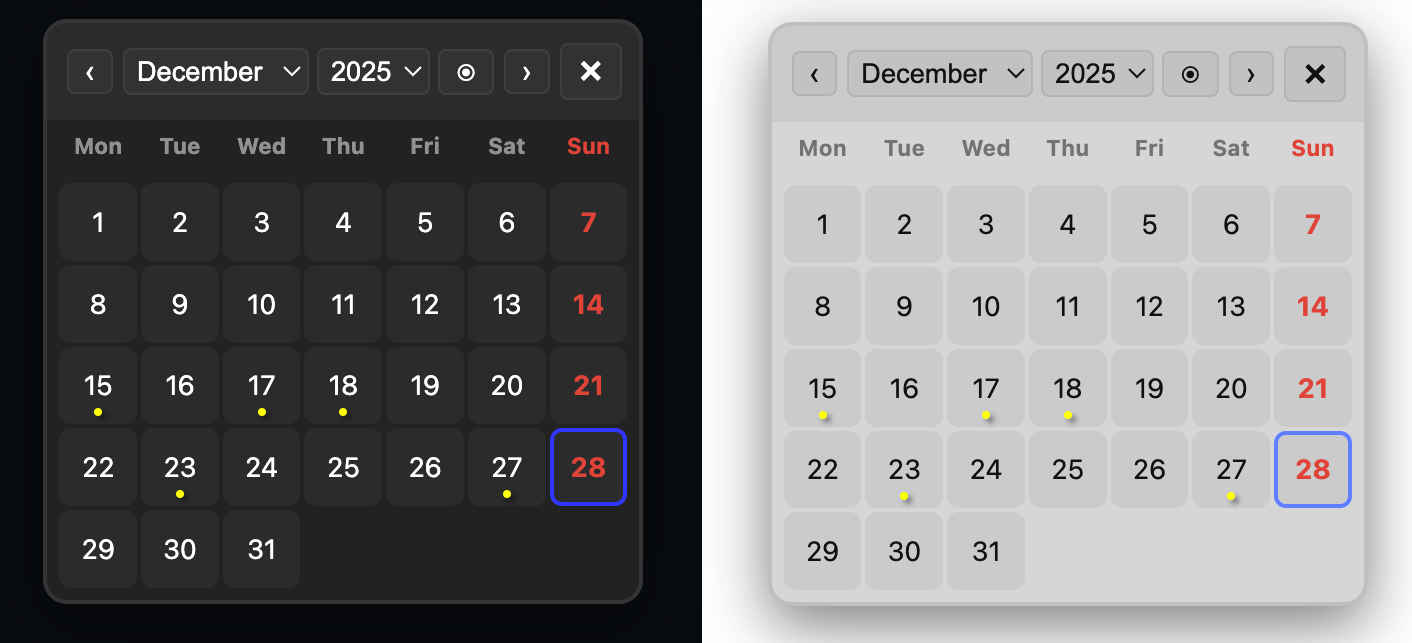
Based and inspired from @zeus-webJournal Calendar , i’ve redone this with a graphical-UI & as a floating JournalCalendar which stays on top of your page even if you navigate away from your page. this can make your Journal Navigation much more flexible.
You can find it in Mr-xRed Silverbullet Library Repo on Github or simply by adding this to your repo sources in your Library Manager:
Well, I must admit, you did a great job making “my” calendar even better But I’m glad, you liked my basic idea
To be honest, as you first came up with your side-panel ideas, I wanted to adapt that to “my” calendar, too.
However, I had some other ideas in my pipeline to complete for the calendar first (e.g. adding additional markers for different types of dates, eg. holidays, birthdays and so on). So “mine” might develop in a slightly different direction.
But I don’t even had a clue how to add such pulldown menues and buttons within the calendar itself - not to mention the great small design, anyway…
So thanks a lot for that!
However, I might use it to mix it and extend with my own ideas
But as you wrote elsewhere: This is one of the greatest features of SB / libraries (and opensource thinking) - that everyone can benefit from others work and ideas to make something (hopefully) even greater for everyone
Oh, the only thing we should consider:
Naming the functions and config settings kind of unique. So that we don’t interfere as soon someone installs both Libraries.
(You could keep yours as is, and as soon as my next iteration is ready to publish, I will transform it to the new Library Manager format, anyway and then I will name it something like “zeus-webs_JournalCalendar” or similar…)
You’re absolutely right. I’ve changed mine now in: config & functions and Library name to “FloatingJournalCalendar” so there shouldn’t be any conflicts.
Now the more you know. you’r very welcome to use and/or improve on anything from my library, that’s why I share it here so we can make greater tools together for Silverbullet and inspire new users and show them what can be achieved.
I tinkered with the code to set the theme to dark although I generally use light for silverbullet. But it will be overwritten if updated …
Would it be possible to configure the theme (dark|light|data-theme) ? Thanks.
Indeed, I don’t use the Dark theme for silverbullet but I find that the calendar looks prettier in Dark (“the tastes and the colors…!”). To achieve this, I simply duplicated the 3 css lines from [data-theme=“dark”] to [data-theme=“light”].
added #monthname# as option for path pattern now you can use monthname in the path or any other combination:
example: [[Journal/2026/01-January/2026-01-01_Thu]]
Here is a quick update to the Floating Journal Calendar widget.
The focus was on data accuracy (Refresh Button), Visual density(Multi Dot Support), and flexible file naming (Wildcard Suffix).
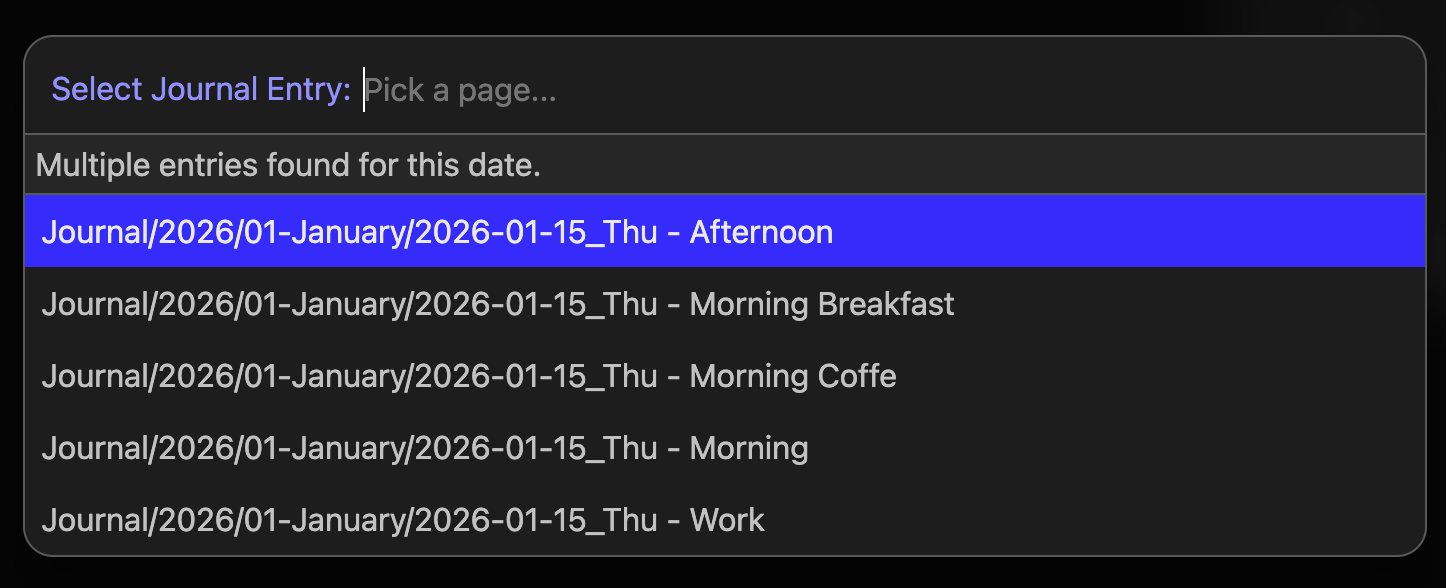
Wildcard Matching: The calendar now fully supports wildcard suffixes. It doesn’t just look for a 1:1 filename match; it scans for any page starting with your journal pattern. This means multiple entries for a single day, e.g.:
Journal/2026/01-January/2026-01-15_Thu - Afternoon and
Journal/2026/01-January/2026-01-15_Thu - Morning etc.
are all captured and counted and displayed in a filter box for you to choose:
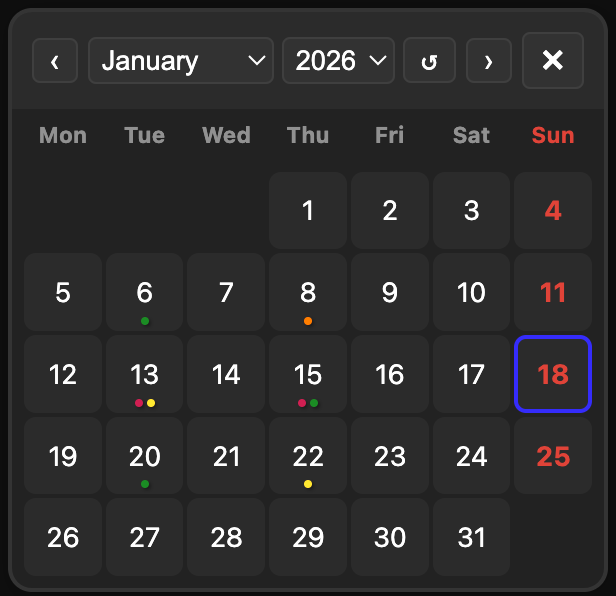
Visual Activity Heat Map: I’ve replaced the single static dot with a color-coded density system.
At a glance, you can see your productivity levels:
Green (1 entry)
Yellow (2 entries)
Orange (3 entries)
Red (4 entries)
Multi-Dot Overflow: If you exceed 4 entries, the calendar renders multiple dots (e.g., 5 entries = 1 Red + 1 Green). It’s a literal “heat map” for your journal.
Manual “Today & Refresh”: The old “Today” button is repurposed now to act as a manual Refresh button too. Clicking it resets your view to the current date and instantly triggers a fresh scan of your space to update the activity dots, perfect for when you’ve just added a new entry.
This is great! Is it possible to drag and drop a date on to a word (or highlight) on the page? If I do this currently it just inserts at the cursor position where I release the drag, but it would save a couple of seconds of reformatting [[Journal/2026-01-19]] to [[Journal/2026-01-19|some text]].
I spent a solid hour trying to save you those precious seconds of ‘reformatting exhaustion,’ but here’s the reality: the widget relies on the browser’s native drag-and-drop behavior.
Trying to force that native behavior to distinguish between ‘dropping at a cursor’ and ‘wrapping a selection’ proved to be a bit of a nightmare to implement cleanly. I’m not entirely satisfied with having to pivot, but I’ve built a compromise: Ctrl/Cmd-Click.
It’s not the drag-and-drop dream you had, but it’s arguably faster:
Highlight/Select your text, hold Ctrl/Cmd, and click the date. It’ll wrap the selection into a piped wikilink instantly. Hopefully, that’s enough to keep your productivity going.
Just pushed the update, you can update the library and tell me if it’s ok?
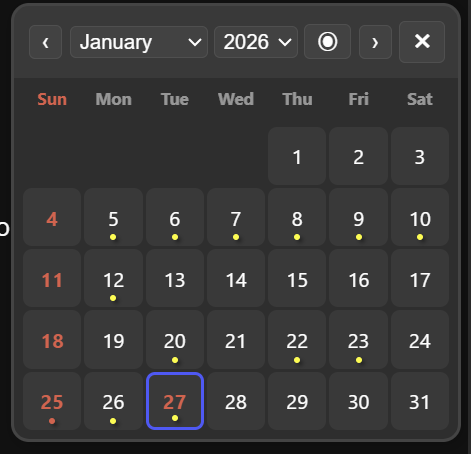
Because the PR was older, and didn’t noticed until now, and since then other modifications were made to the code. I couldn’t merge it. But I added weekStartsSunday option myself, but without the need to change the config in two places.
The dayNames variables stay “Mon”…“Sun”, only the weekStartsSunday needs to be true, and everything else is handled.
Example:
dayNames = {“Mon”, “Tue”, “Wed”, “Thu”, “Fri”, “Sat”, “Sun”},
weekStartsSunday = true
The modifications are pushed from my part. So I closed the PR because it couldn’t be merged with main anyway.
Not sure if this is just me, but if I click the “next month” arrow it jumps to March instead of February. I’m wondering if this is a bug because today (29th Jan) is “too close” to Feb?
It’s definitely a bug. I will look into this asap. As a workaround until it’s solved, please use the month-dropdown and choose February manually. I will report back when solved [SOLVED]
It appears the calendar fell into a classic JavaScript trap. Since today is the 29th of January and February 2026 has only 28 days, setMonth(vDate.getMonth() + 1) attempted to navigate to February 29th, so JavaScript, rolled that over to March 1st.
I have adjusted the navigation logic to set the date to the 1st of the month before switching, ensuring you don’t accidentally teleport through time again. Check Update & consider it solved.




 But I’m glad, you liked my basic idea