Here is my first attempt to make an Update Library command for your imported libraries, for the currently opened page.
Like I mentioned in the General chat: this is my first attempt, and the error check is not that complex. it only does some basic safety checks.
How it currently works:
Gets the current page and reads its githubUrl from frontmatter.
Converts the GitHub link to a raw URL.
Fetches the latest file content from GitHub.
Replaces the page content (adding the URL back to the frontmatter).
Saves and reloads the updated page.
command.define {
  name = "Import: Update library for current page from GitHub",
  key = "Ctrl-Alt-u",
  mac = "Cmd-Alt-u",
  run = function()
    local page = editor.getCurrentPage()
    if not page then
      editor.flashNotification("No page open to update", "error")
      return
    end

 -- get current text and original frontmatter block (raw)
    local original_text = editor.getText() or ""

    local parsed = index.extractFrontmatter(original_text)
    local fm = parsed.frontmatter or {}
    local url = fm.githubUrl
    local frontmatter = '---\ngithubUrl: "'.. url ..'"\n---'

    if not url or url == "" then
      editor.flashNotification("⚠️ No 'githubUrl' found in frontmatter", "error")
      return
    end

    -- Convert GitHub URL to raw URL
    local rawUrl = url
    rawUrl = rawUrl:gsub("^https://github%.com/", "https://raw.githubusercontent.com/")
    rawUrl = rawUrl:gsub("/blob/", "/")
    rawUrl = rawUrl:gsub("/tree/", "/")

    editor.flashNotification("Fetching latest version from GitHub…")

    local req = http.request(rawUrl)
    if not req.ok then
      js.log("Failed to fetch " .. rawUrl)
      editor.flashNotification("⚠️ Update failed: could not fetch remote file", "error")
      return
    end

    local newContent = req.body or ""
    if newContent == "" then
      editor.flashNotification("⚠️ Fetched content is empty.", "error")
      return
    end

    local final = nil
    if fm and fm ~= "" then
      final = frontmatter .. "\n\n" .. newContent
    else
      final = newContent
    end

    -- write back and navigate
    space.writePage(page, final)
    editor.flashNotification("✅ Page updated from GitHub")
    editor.navigate({ kind = "page", page = page })
  end
}
It will do following safety checks:
Checks if a page is open (duh).
Verifies that githubUrl exists in the frontmatter.
Confirms the HTTP request succeeds.
Ensures the fetched content is not empty.
The script is still in development so use it at your own risk.
When I will have a foolproof version, will add it to my library, until then feel free to improve or give feedback.
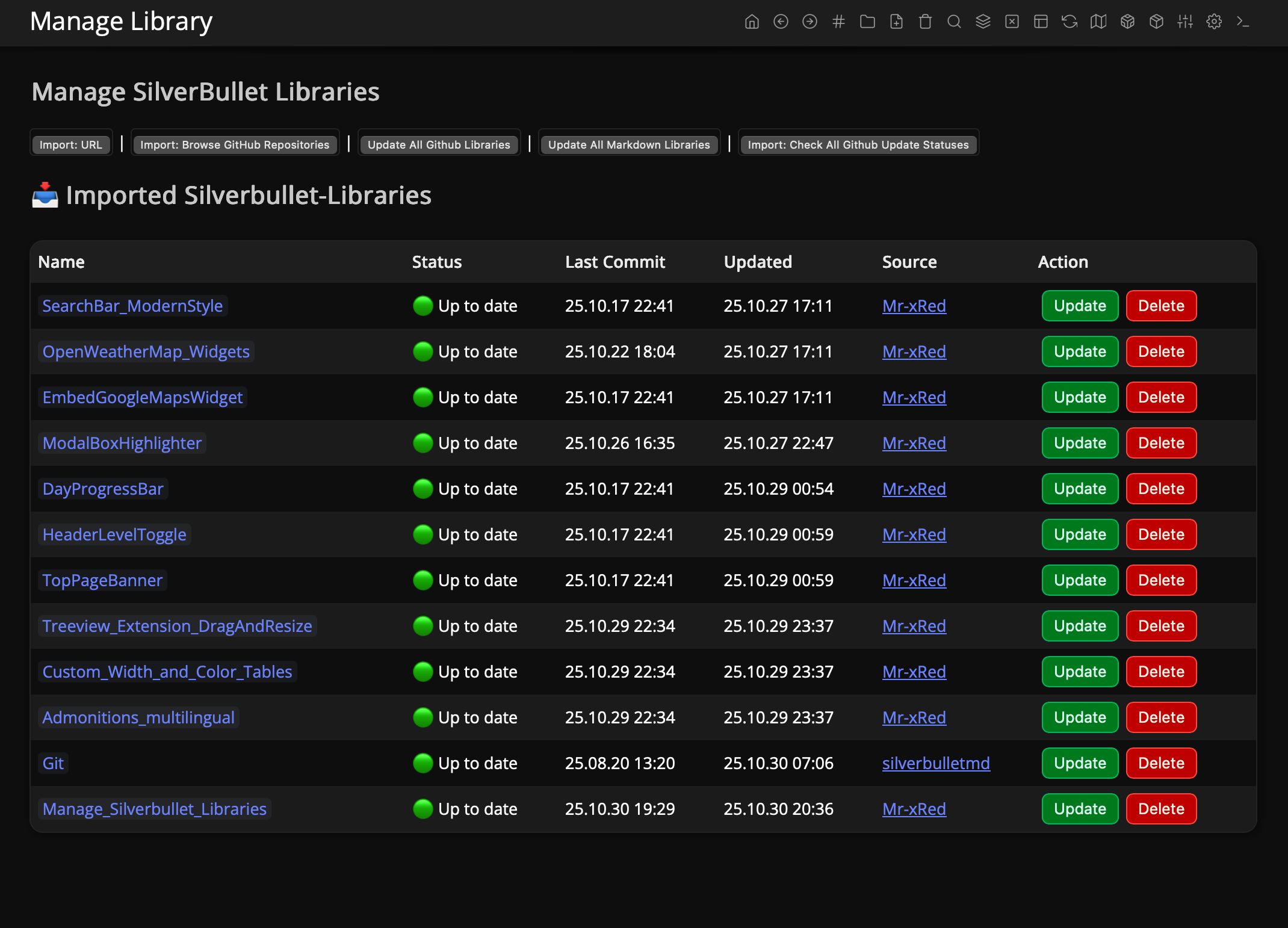
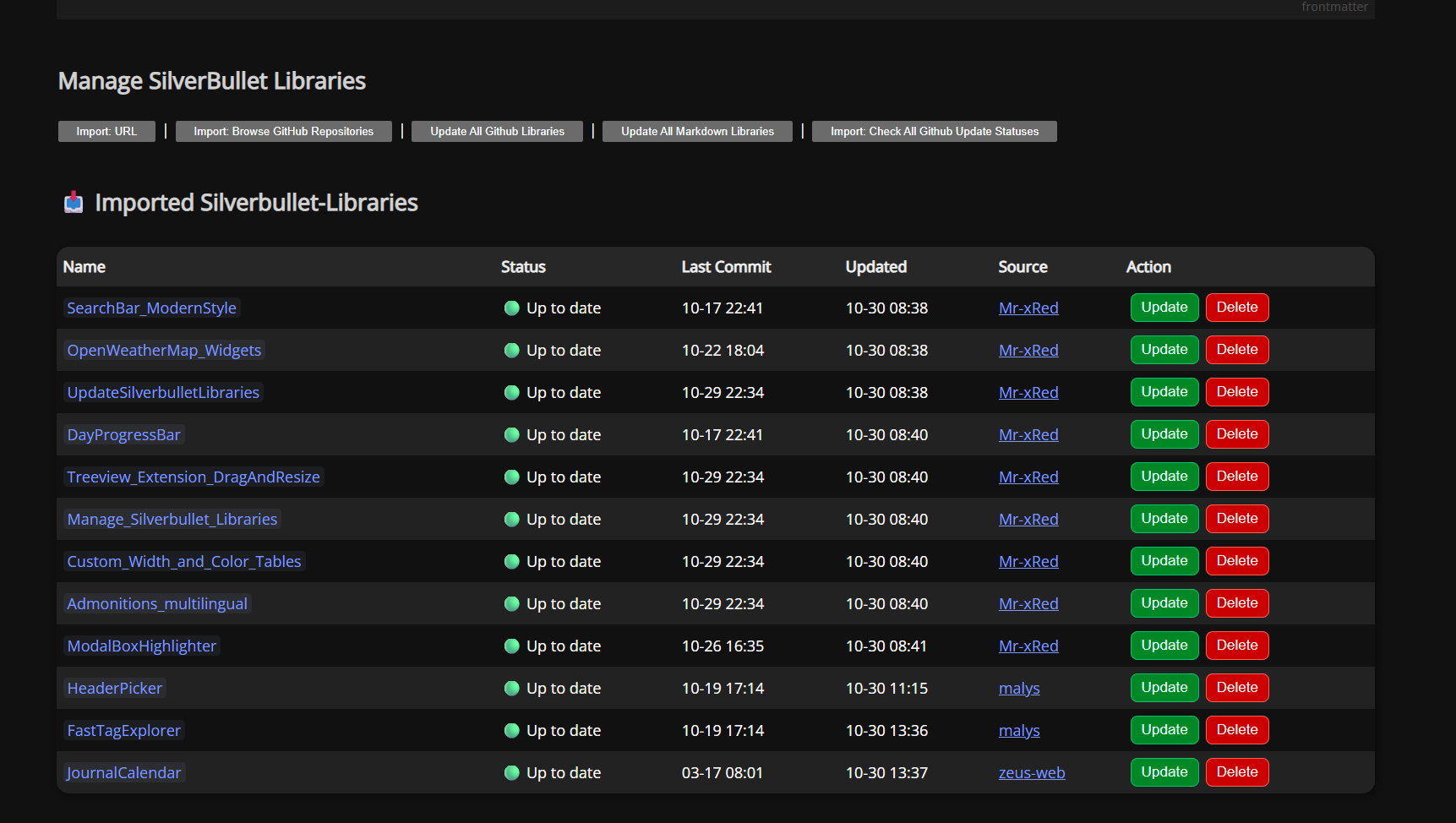
This is a complete Solution for importing and Managing your Silvernbullet-Libraries
The “old” “UpdateSilverbulletLibraries.md” is deprecated and therefor it will be not further updated.
Have it running! It’s failing when you use an invalid Github token I found, but seeing how SilverBullet can give a better error when that happens (I had to debug this by adding a bunch of print statements…).
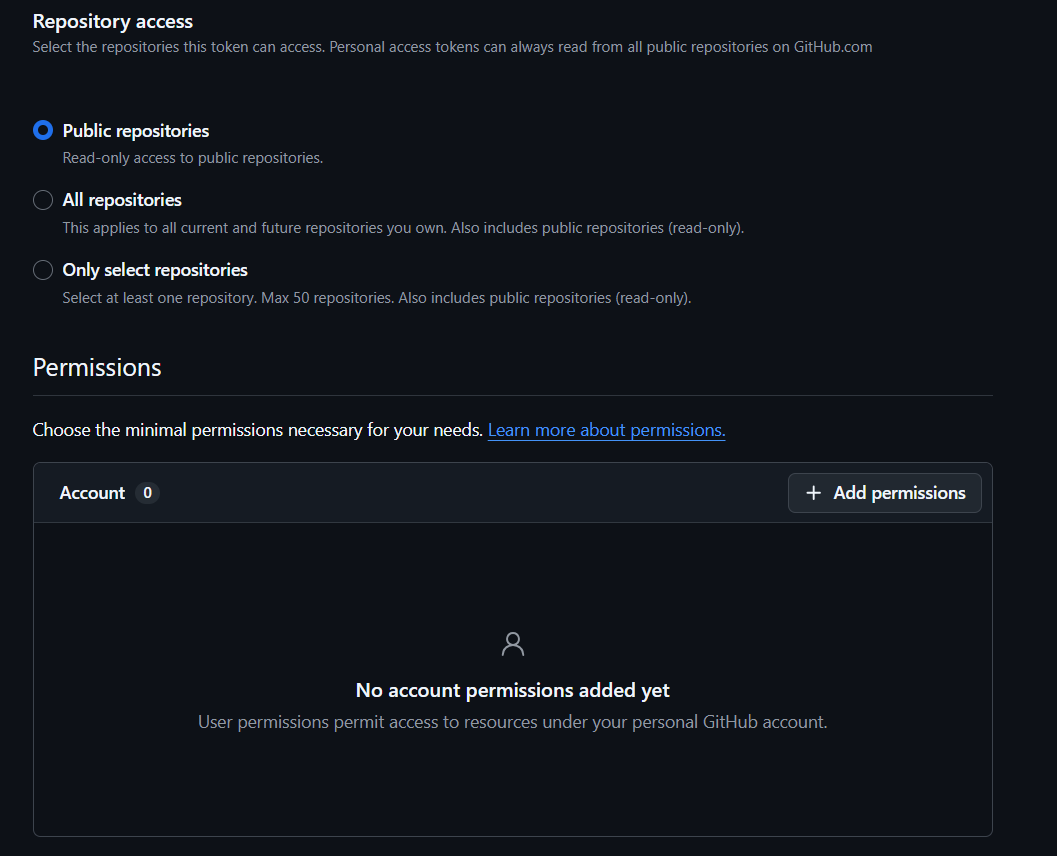
Currently it’s either NO TOKEN at all OR you need to supply a Correct Personal Access Token (it’s enough a read only token, with no permission whatsoever if someone is paranoid), i will provide link and instructions on how to get such a token.
Also I can add later some sanity checks and fallback to NO-Autherntication if incorrect TOKEN is used, or user warning to add/correct Github API Token, or simply tell the user to wait 1 hour & try again if the 60 requests are used up.
Fixed it, but now I need get home, and will push it ASAP.
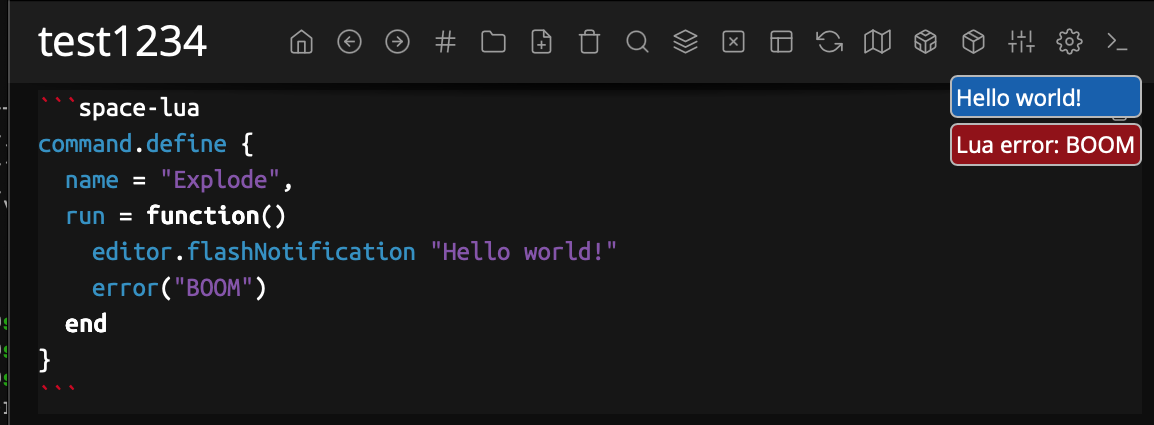
Nice. In the mean time I just pushed a fix that will actually jump to the source location of a Lua error when it occurs (in many cases). Try this (once the new build goes live):
command.define {
  name = "Explode",
  run = function()
    editor.flashNotification "Hello world!"
    error("BOOM")
  end
}
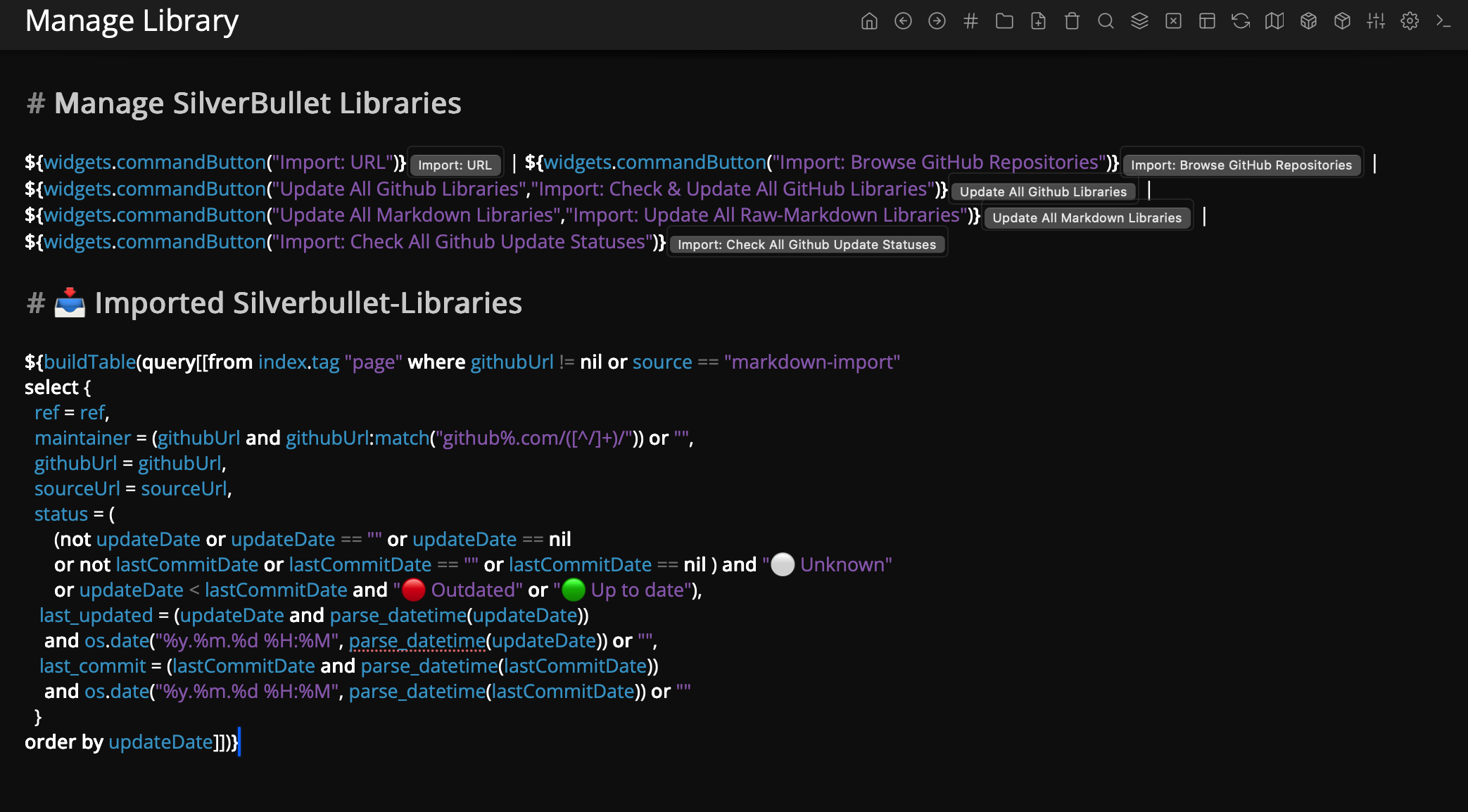
Really liking this. Wonder how to build these things generally. It’s kind of messy to have the UI and its implementation mixed in one page… On the other side, the whole thing is optimized to share single page “apps”
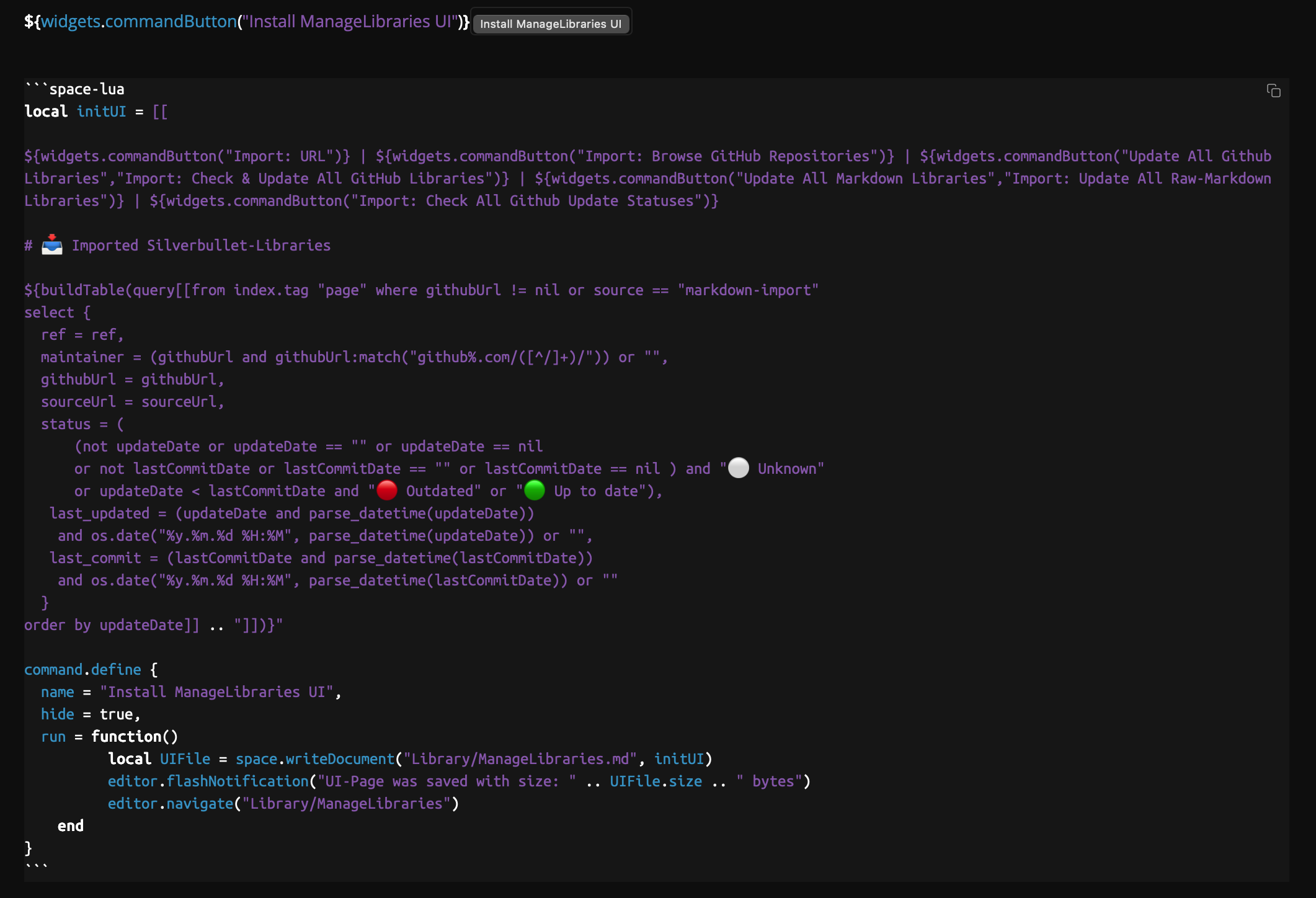
Alternatively you could create a command to Install UI, which will inject the UI Page contents into a new file with the push of a button, and the UI is “installed” in a separate page:
local initUI = [[

${widgets.commandButton("Import: URL")} | ${widgets.commandButton("Import: Browse GitHub Repositories")} | ${widgets.commandButton("Update All Github Libraries","Import: Check & Update All GitHub Libraries")} | ${widgets.commandButton("Update All Markdown Libraries","Import: Update All Raw-Markdown Libraries")} | ${widgets.commandButton("Import: Check All Github Update Statuses")}

# 📥 Imported Silverbullet-Libraries

${buildTable(query[[from index.tag "page" where githubUrl != nil or source == "markdown-import"
select {
  ref = ref,
  maintainer = (githubUrl and githubUrl:match("github%.com/([^/]+)/")) or "",
  githubUrl = githubUrl,
  sourceUrl = sourceUrl,
  status = (
      (not updateDate or updateDate == "" or updateDate == nil
      or not lastCommitDate or lastCommitDate == "" or lastCommitDate == nil ) and "⚪ Unknown"
      or updateDate < lastCommitDate and "🔴 Outdated" or "🟢 Up to date"),
   last_updated = (updateDate and parse_datetime(updateDate))
    and os.date("%y.%m.%d %H:%M", parse_datetime(updateDate)) or "",
   last_commit = (lastCommitDate and parse_datetime(lastCommitDate))
    and os.date("%y.%m.%d %H:%M", parse_datetime(lastCommitDate)) or ""
  }
order by updateDate]] .. "]])}"

command.define {
  name = "Install ManageLibraries UI",
  hide = true,
  run = function()
          local UIFile = space.writeDocument("Library/ManageLibraries.md", initUI)
          editor.flashNotification("UI-Page was saved with size: " .. UIFile.size .. " bytes")
          editor.navigate("Library/ManageLibraries")
    end
}
Ok, just a head’s up I got a very exciting idea regarding repository management and unifying libraries and plugs this way. I’ll be spending my Friday on this, I’ll post an update later. Thanks a lot for your work and ideas here @Mr.Red this is helping a lot in solving this problem finally.
Update: made a lot of progress, but not there yet. High level what I’m working on:
I’m introducing concept of a repository, in effect nothing more than a regular silverbullet page with #meta/library/remote data items.
These can be space lua libraries (that need in turn need to be tagged with #meta/library to enable updating), but also “plug wrappers”:
```#meta/library/remote
# Example of a space lua library
name: Git
uri: github:zefhemel/silverbullet-libraries/Git.md
---
name: Ghost
uri: github:zefhemel/silverbullet-libraries/Ghost.md
---
# This is a plug "wrapper"
name: Mermaid
uri: github:silverbulletmd/silverbullet-mermaid/README.md
---
name: Silversearch
uri: ghr:zefhemel/silversearch@edge/README.md
---
# And would be the repo itself (this very page)
name: REPO
uri: github:zefhemel/silverbullet-libraries/REPO.md
```
Then there are broadly speaking the following commands:
Library: Install which will give you a filter-box style UI to pick the library/plug (encoded as #meta/library/remote objects) you’d like to install.
Library: Update which will look at all the currently installed libraries (tagged with #meta/library), find their remote counter part, compare versions and if they’re different, upgrade
Library: Delete to delete a library (and its assets)
Repo: Add to add a repo (based on some URI), which in effect would simply import
Anyway, still ironing out the details. Next week, probably.




 The config variable has changed from apiKey to apiToken, matching GitHub’s terminology.
 !
!