Short request :
While graphics interface are really helpfull, mots of the time , note/report activity is made through manual text input.
From latest library activities regarding task management : - [status] seems to be abandonned in favor of - [ ] task [attribute : key ]
(enabling to accurately define custom attribute etc ..., no problem)
Yet when manually typing notes, we miss the cycling/completion help with previous - [status] syntax.
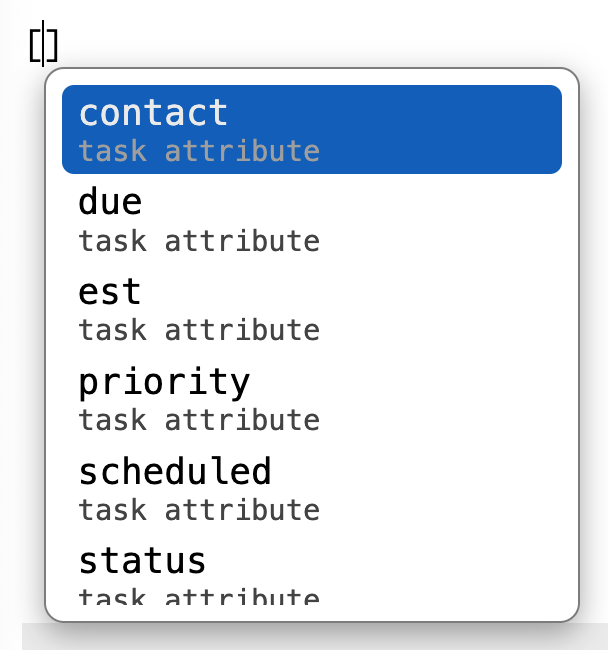
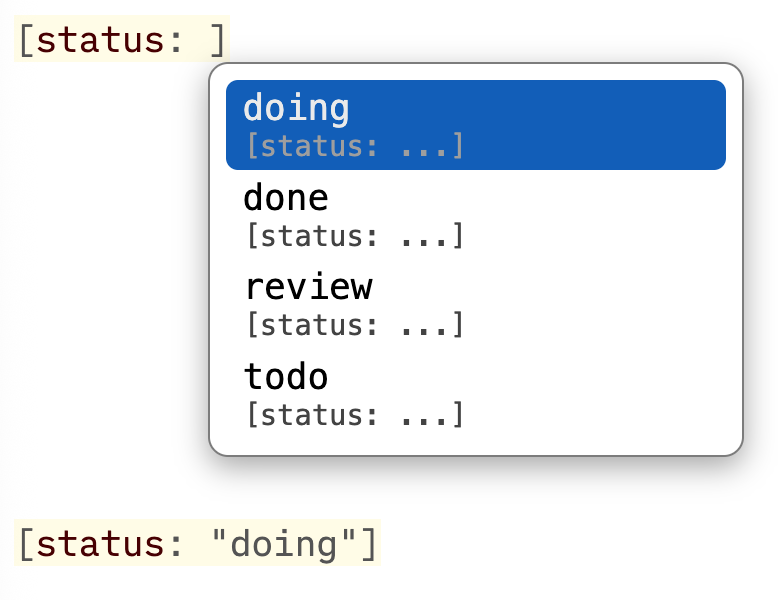
--> Would it be possible to have a kind of completion :
Task [attribute:{choice completion based on attribute}] ?
For sure one can make dedicated shortcut... but keeping already existing attribute data helps keeping consistent data....
Disclaimer : I'm not programmer and have absolutely no idea how hard this could be.
-- priority: -1

-- =========================================================
-- ======= Task Attribute Autocomplete =====================
-- =========================================================
-- Config example:
--
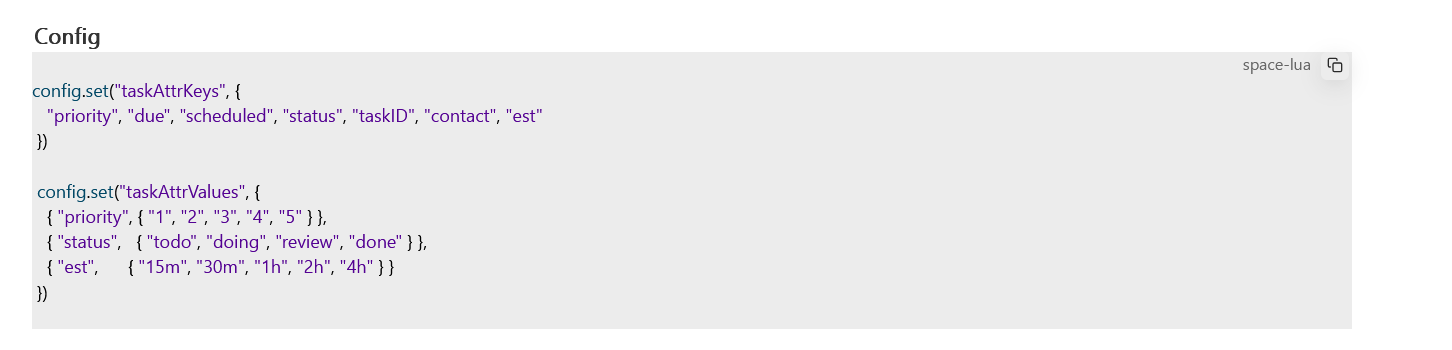
-- config.set("taskAttrKeys", {
--   "priority", "due", "scheduled", "status", "taskID", "contact", "est"
-- })
--
-- config.set("taskAttrValues", {
--   { "priority", { "1", "2", "3", "4", "5" } },
--   { "status",   { "todo", "doing", "review", "done" } },
--   { "est",      { "15m", "30m", "1h", "2h", "4h" } }
-- })

event.listen {
  name = "editor:complete",
  run = function(e)
    local linePrefix = e.data.linePrefix or ""
    local pos        = e.data.pos or 0

    -- Helper: returns the character immediately after the cursor.
    -- Used to detect and consume the auto-closed ] SilverBullet inserts.
    local function charAfterCursor()
      local line = editor.getCurrentLine()
      local offsetInLine = pos - line.from
      return line.text:sub(offsetInLine + 1, offsetInLine + 1)
    end

    -- Helper: if SilverBullet auto-closed [ to [], the ] sits right after
    local function toPos()
      if charAfterCursor() == "]" then
        return pos + 1
      end
      return pos
    end

    -- ---------------------------------------------------------
    -- Phase 2: value completion — [key: <partial>
    -- ---------------------------------------------------------
    local keyMatch, valPartial = string.match(linePrefix, "%[([%w_%-]+):%s*([%w_%-\"]*)$")

    if keyMatch then
      local attrValues = config.get("taskAttrValues") or {}
      local opts = {}

      for _, entry in ipairs(attrValues) do
        if tostring(entry[1]):lower() == keyMatch:lower() then
          for _, v in ipairs(entry[2]) do
            local vStr = tostring(v)
            -- Show all values when nothing typed yet; filter once user starts typing
            if string.find(vStr:lower(), valPartial:lower(), 1, true) then
              table.insert(opts, {
                label  = vStr,
                detail = "[" .. keyMatch .. ": ...]",
                apply  = function()
                  editor.dispatch({
                    changes = {
                      from   = pos - string.len(valPartial),
                      to     = toPos(),
                      insert = '"' .. vStr .. '"]'
                    }
                  })
                end
              })
            end
          end
          break
        end
      end

      if #opts > 0 then
        return {
          from    = pos - string.len(valPartial),
          options = opts
        }
      end

      -- Key exists but has no configured values — return without suggestions
      -- so the user can type freely without an empty dropdown appearing.
      return
    end

    -- ---------------------------------------------------------
    -- Phase 1: key completion — [<partial>
    -- Triggers immediately on [ because keyPartial can be "".
    -- ---------------------------------------------------------
    local keyPartial = string.match(linePrefix, "%[([%w_%-]*)$")

    if not keyPartial then return end

    local attrKeys = config.get("taskAttrKeys") or {}
    local opts = {}

    for _, key in ipairs(attrKeys) do
      local keyStr = tostring(key)
      if string.find(keyStr:lower(), keyPartial:lower(), 1, true) then
        table.insert(opts, {
          label  = keyStr,
          detail = "task attribute",
          apply  = function()
            editor.dispatch({
              changes = {
                -- Replace from the [ bracket through to the cursor.
                -- Leave any auto-closed ] in place — phase 2 will consume it via toPos().
                from   = pos - string.len(keyPartial) - 1,
                to     = pos,
                insert = "[" .. keyStr .. ":"
              }
            })
            -- Immediately open phase 2 completion without requiring a keystroke.
            pcall(function() editor.complete() end)
          end
        })
      end
    end

    if #opts == 0 then return end

    return {
      from    = pos - string.len(keyPartial),
      options = opts
    }
  end
}
maybe try this: Queries and slash commands stopped working - #2 by Mike
thanks for the link, as sais in this post, reloaded, F5 and so on but did not thought about browser. Cleaning cache did the job.
Thanks, so thanks for this helpufull support & code