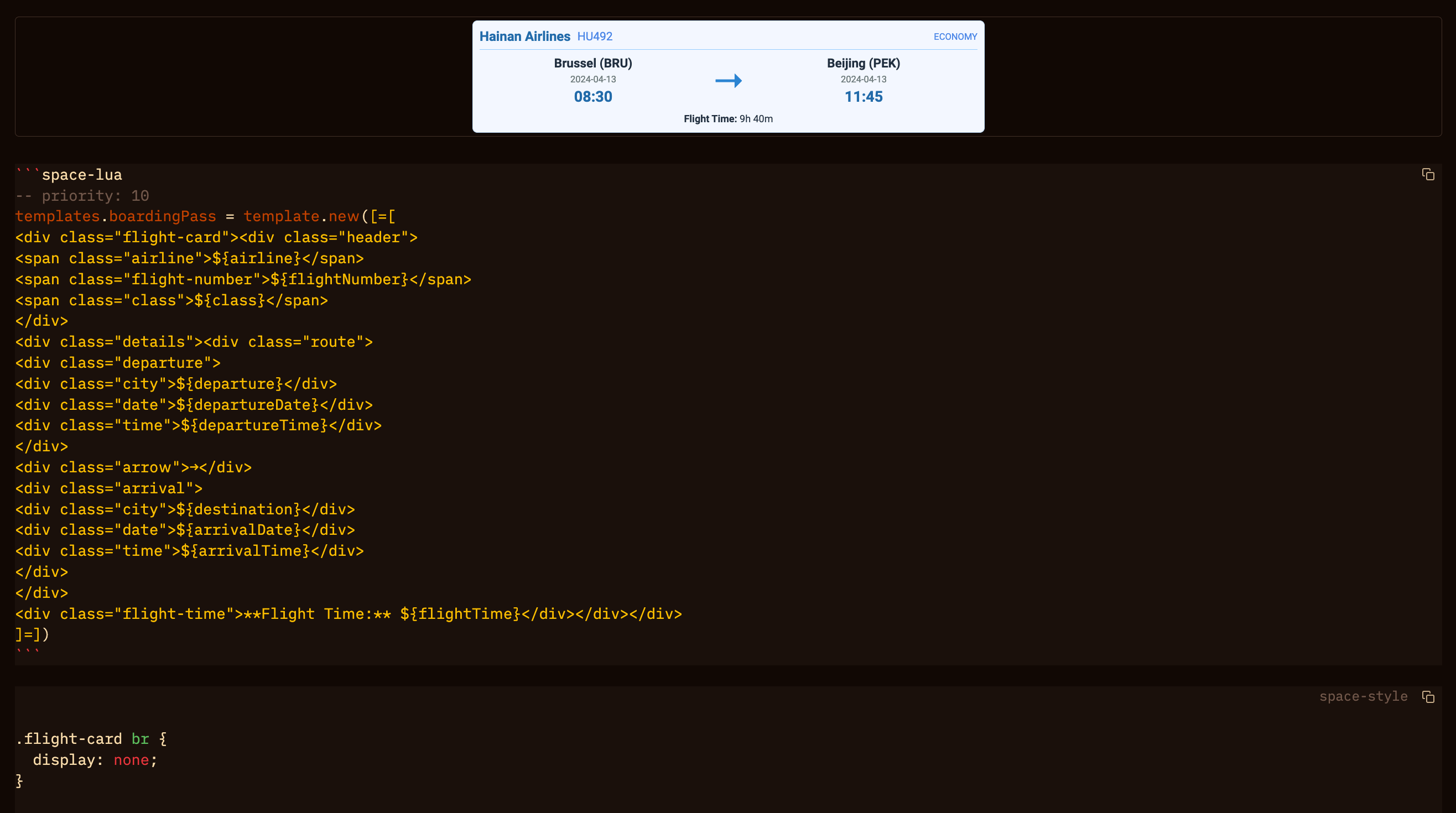
Based on the new HTML live-preview function, I started to play around with a way to display travel information. I use Silverbullet to plan and track my travel plans and I figured this allowed me to display information in a nicer and easier to read way:
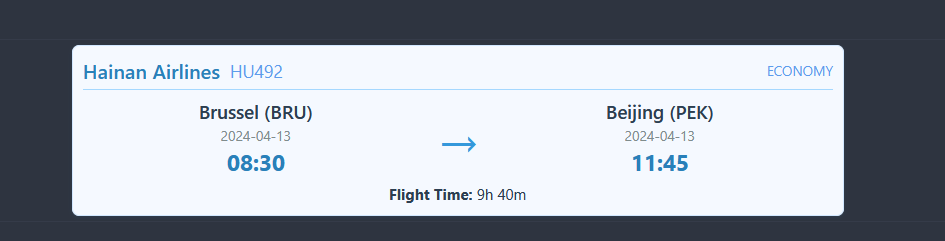
You generate the 'flight card' by filling out a simple template:
${templates.boardingPass {
  airline = "Hainan Airlines",
  flightNumber = "HU492",
  class = "Economy",
  departure = "Brussel (BRU)",
  destination = "Beijing (PEK)",
  departureDate = "2024-04-13",
  departureTime = "08:30",
  arrivalDate = "2024-04-13",
  arrivalTime = "11:45",
  flightTime = "9h 40m"  }}
It is based on a template (it seems necessary to keep the template on one line otherwise the flight info card becomes very long).:
-- priority: 10
templates.boardingPass = template.new([=[<div class="flight-card"> <div class="header"> <span class="airline">${airline}</span> <span class="flight-number">${flightNumber}</span> <span class="class">${class}</span> </div> <div class="details"> <div class="route"> <div class="departure"> <div class="city">${departure}</div> <div class="date">${departureDate}</div> <div class="time">${departureTime}</div> </div> <div class="arrow">→</div> <div class="arrival"> <div class="city">${destination}</div> <div class="date">${arrivalDate}</div> <div class="time">${arrivalTime}</div> </div> </div> <div class="flight-time">**Flight Time:** ${flightTime}</div> </div></div>]=])
and a lot of .css code
.flight-card {
  width: 100%;
  max-width: 600px;
  margin: 4px auto;
  border: 1px solid #d1e7ff;
  border-radius: 6px;
  padding: 8px;
  font-family: 'Segoe UI', Roboto, sans-serif;
  box-shadow: 0 1px 3px rgba(41, 128, 185, 0.1);
  background: #f5f9ff;
  color: #333;
}

.flight-card .header {
  display: flex;
  align-items: center;
  margin-bottom: 6px;
  padding-bottom: 4px;
  border-bottom: 1px solid #a5d8ff;
  gap: 8px;
}

.flight-card .airline {
  font-weight: 600;
  font-size: 16px;
  color: #2980b9;
}

.flight-card .flight-number {
  font-size: 14px;
  color: #5d9cec;
}

.flight-card .class {
  font-size: 11px;
  color: #5d9cec;
  text-transform: uppercase;
  margin-left: auto;
}

.flight-card .route {
  display: flex;
  align-items: center;
  justify-content: space-between;
}

.flight-card .departure,
.flight-card .arrival {
  flex: 1;
  text-align: center;
}

.flight-card .city {
  font-weight: 600;
  font-size: 15px;
  color: #2c3e50;
  margin-bottom: 1px;
}

.flight-card .time {
  font-size: 18px;
  font-weight: 700;
  color: #2980b9;
  margin: 1px 0;
}

.flight-card .date {
  font-size: 11px;
  color: #7f8c8d;
}

.flight-card .arrow {
  font-size: 40px;
  color: #3498db;
  margin: 0 6px;
}

.flight-card .flight-time {
  text-align: center;
  font-size: 12px;
  color: #2c3e50;
  margin-top: 4px;
}

@media (max-width: 480px) {
  .flight-card {
    padding: 6px;
  }
  .flight-card .route {
    flex-direction: column;
    align-items: flex-start;
    gap: 4px;
  }
  .flight-card .departure,
  .flight-card .arrival {
    text-align: left;
    margin-bottom: 2px;
  }
  .flight-card .arrow {
    align-self: center;
    margin: 2px 0;
    transform: rotate(90deg);
  }
}
Next up are hotel reservations.
 This is why I like the SB community so much, you always find ways of using features I couldn't even imagine.