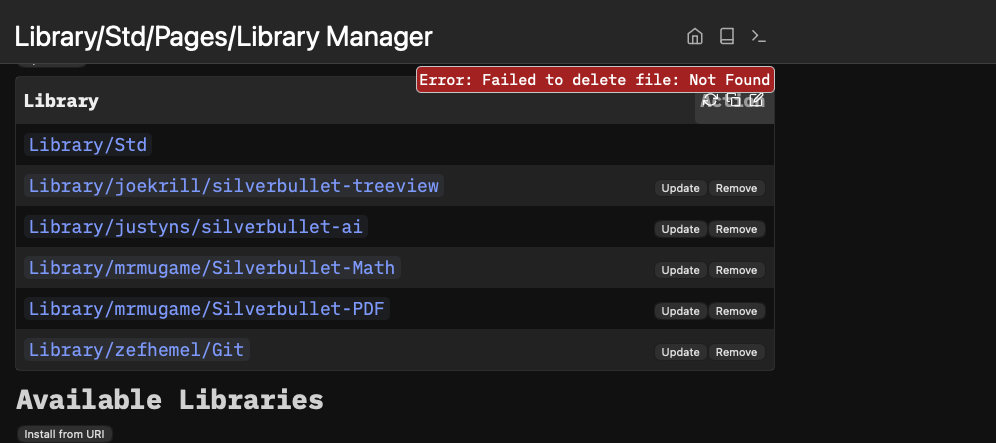
I noticed that the Treeview plug was not updating. One thing led to another and I wanted to reinstall it. But when I try to do that, I get the following error. I am not sure how to ask silver bullet to force reinstall the plugin. Update button says: No update available
-
Click on:
Library/joekrill/silverbullet-treeviewin the Library Manager to open the Library Page -
Run the “Page: Delete” command form the command Picker.
-
After deleting the page, you can reinstall the Library again.
-
It should work without any errors now.
The issue is that the …plugs.js-file is missing (maybe from an earlier unsucceasfull removal) , but the .md file is still around. Deleting the Library page by hand will solve the issue, and you can reinstall the Plug/Library again.
3 Likes
This did the trick. Thank you very much.