Hi everyone, I'm in the process of moving from Obsidian to Silverbullet. It's been great. But I've immediately discovered a problem.
Normally, I have pretty good responsiveness with navigation:
My notes are organized with index files that links to different notes. When I have an index file with many internal links (in this example, about 70 to 80 links), the UI becomes painfully slow to navigate via cursor. When typing, there's frequent skips and lags in keys showing up:
Any thoughts? I've tried few different things such as disable backlinks in page, disable custom css, and also setting custom config:
config.set("index.search.enable", false)
config.set("index.paragraph.all", false)
But it's still slow to browse. For index pages, it's basically unusable right now.
I've searched in the forum, but doesn't seem like other people are having this problem. I have about 3000 notes so far.
I even went to posts where people are showing off their Spaces. They all have index files too. And it doesn't seem like they are having slow UI issues.
Yeah, this happens to me as well in pages that have lots of internal wiki links on them.
When I type in this kind of page, I see in the Chrome console messages like these:
[Violation] Added non-passive event listener to a scroll-blocking <some> event. Consider marking event handler as 'passive' to make the page more responsive. See <URL>
document_editor_js.ts:1

[Violation] 'setTimeout' handler took 195ms
logger.ts:43

[Violation] 'keydown' handler took 164ms
index.js:4251

[Violation] 'keyup' handler took 157ms
index.js:4251

[Violation] 'keyup' handler took 157ms
[Violation] 'keydown' handler took 158ms
[Violation] 'keydown' handler took 159ms
I've tried to pin down the source of these delays a couple of times in the past with no luck.
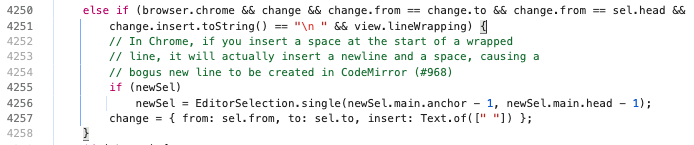
This is what I see in line 4251 of node_modules/@codemirror/view/dist/index.js. I'm not sure how significant it is, though
I'm no frontend expert, so please take my account with a grain of salt, but I've made some experiments on the "Performance" tab in Chrome's developer tools.
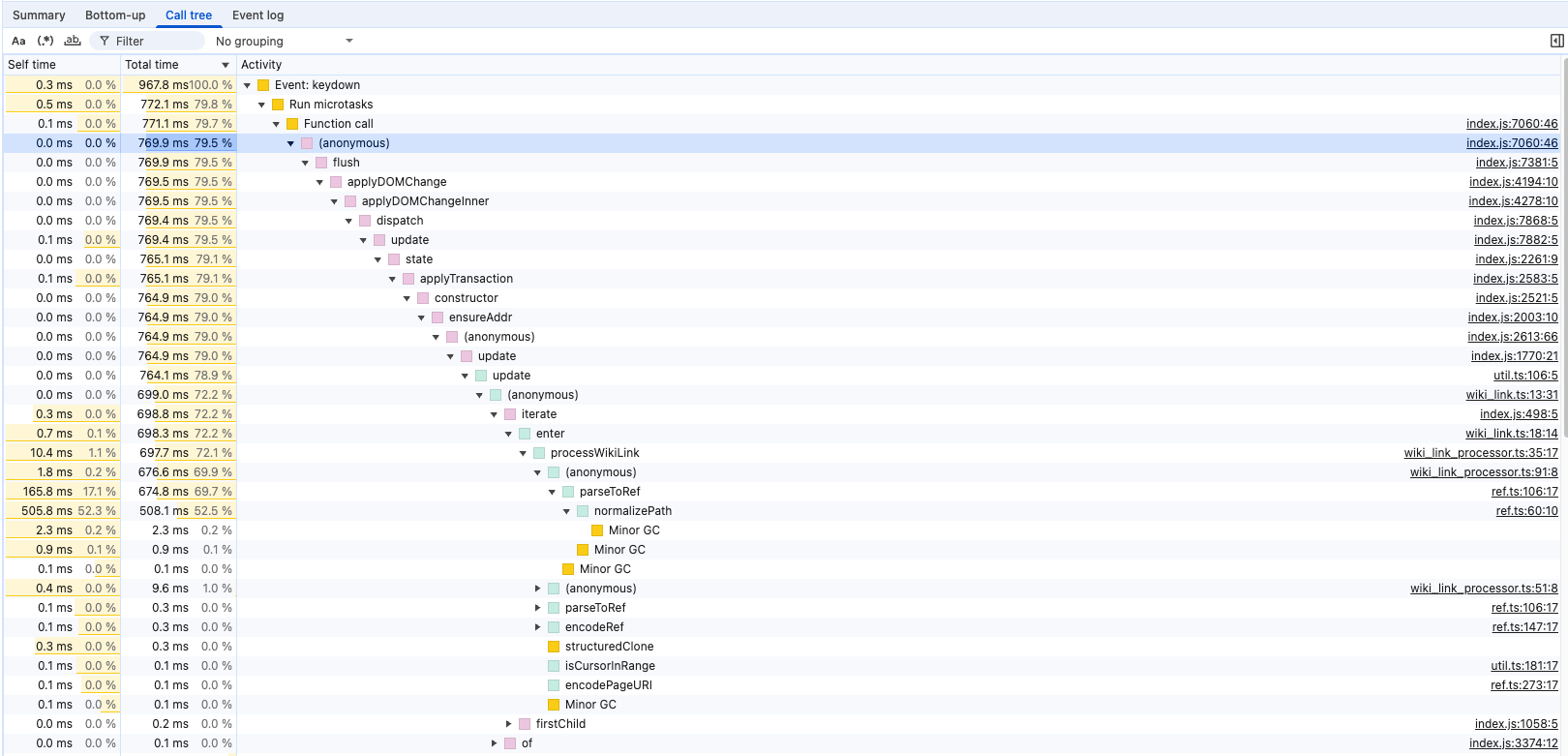
Following the javascript call stack triggered in response to a keydown event, I'm seeing this:
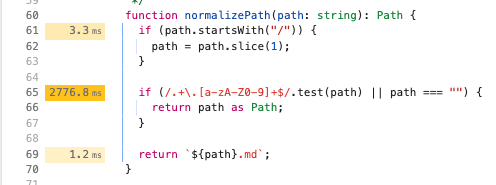
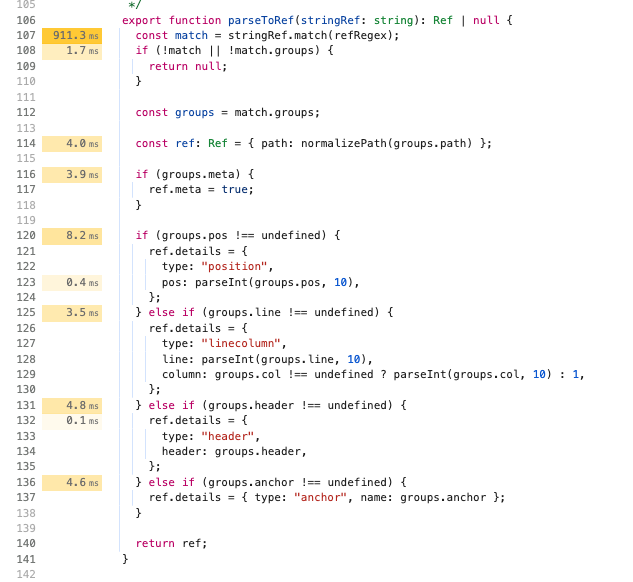
This might be significant because is shows a function called processWikiLink in the stack and points to ref.ts:106:17 and refs:60:10 as sources of most of the delay. And this seems to be part of the Silverbullet codebase: /plug-api/lib/ref.ts.
Also not a frontend expert, but it does seem like long index page would take a lot of time to parse out internal links.
So I've basically stripped down the Space to only markdown files, no config, no plugins/scripts. It's still having issues with index pages. So I don't think it's a configuration issue.
Obsidian also uses Codemirror underneath. I remember in the early days, it also had issues with displaying wikilinks and backlinks and slowdown. But it's not having any issues currently.
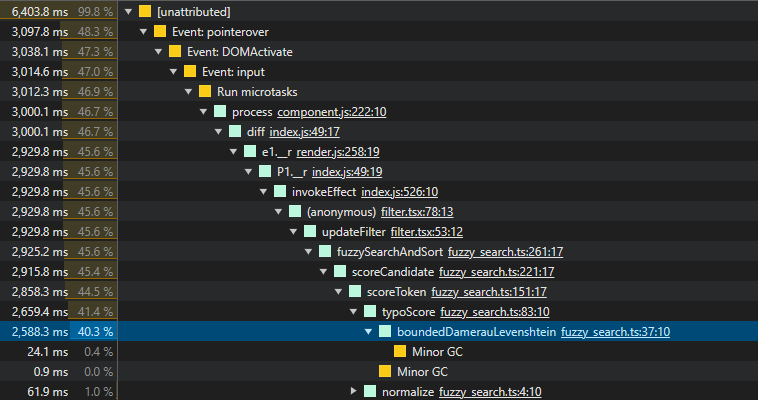
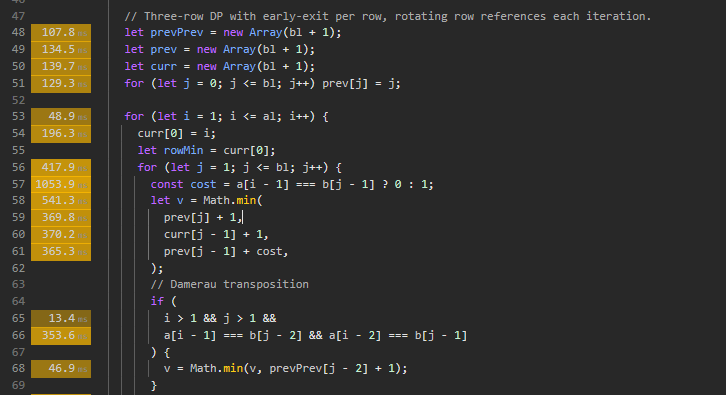
Hello I'm happy to report that with version 2.1, the navigation issue has been fixed. It's very fast and smooth now. However, when searching notes, it still comes to a crawl the more search terms you type.