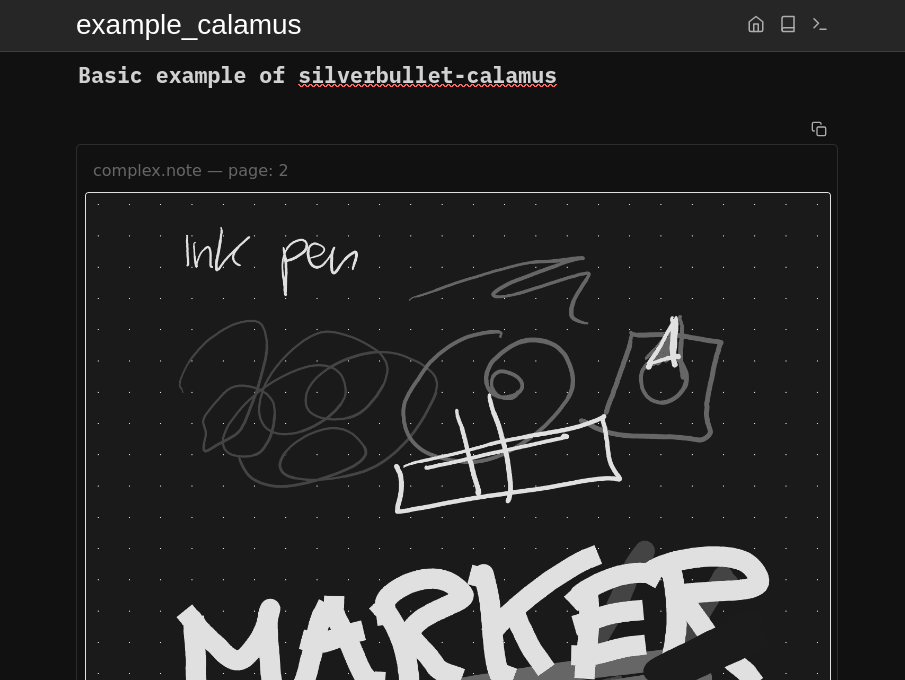
Since I have a SuperNote device to take notes on, I made a plug to allow viewing of those notebooks in SilverBullet. The audience of people for both SuperNote and SilverBullet is probably tiny, but I figured I'd share anyway.
Disclaimer: A lot of claude code was involved in making this. For the plug I did deviate somewhat from the standard template, as I am a bit confused what deno has to do with bundling javascript. And then I just told claude to fix everything until it worked, with some breaks when the pro subscription had run out of tokens.
Thanks for sharing the plugin. It led me down a rabbit hole of exploring Supernote Nomad and seeing if it would fit my workflow. With the recent additions of Private Cloud and WebDAV I can see this working even more.
Happen to know if the AI integration can read .note? It isn’t able to read .excalidraw
Out of curiosity, what is your workflow with both Silverbullet and Supernote?
I tried to let claude code read .note files, but that doesn't work. But you can convert .note to .png and then claude can convert those to markdown. That seems to work pretty okay, but I did not try too much there. I would expect that it works for other AI or OCR, but have not tried it.
I would expect that it would also work when taking a screenshot of excalidraw or saving it to png. Seems like it would be the same kind of problem.
At the moment my workflow with supernote and silverbullet is mostly separate. I use the supernote more to think things out and draw some boxes with arrows between them. Just like on paper it helps me to better learn/remember when I take notes by writing.
I use silverbullet more to write down actions, split up work into separate sections and keep content which I later want to find back. Less about concentration, but more adding all the different bits of information together and grouping them.
I am currently working on integrating the two worlds more. Being able to see my notes while in silverbullets seemed like a good first step. I do see some possibilities to do some more things on the supernote and then moving them over to markdown in silverbullet, but I'm not there yet.
Oh wow, that is a pretty useful insight, thank you!
I have noticed recently a limitation on using just digital products, I have an iPad and an Apple Pencil but it just doesn’t feel right and I never managed to integrate it into my workflow. But the device is not cheap I will try and use pen and paper or Excalidraw before I make the plunge to get something like the Nomad.
Supernote looks to have a similar ethos and approach to SilverBullet, I look forward to seeing those two worlds brought closer.
Are you using the AI SilverBullet integration or Claude directly? I can’t seem to get it to read a .png file out of SB using the chat pane.
It exposes an MCP endpoint. I’m thinking it might be possible to use it with the AI chat in SilverBullet (although it doesn’t support adding MCP endpoints from what I can see) to pull notes and actions based on your Supernote.
This would let me write and think in Supernote, without wasting too much time writing the same/similar things twice.
I literally bought SuperNote to replace my habit of printing everything (at work) so I could write on it. I'm pretty happy with it. It does feel the same as writing on paper. I simply print to PDF and write on it on the device. Haven't used paper since. I'd love a larger version now that they are available, but as you mention, they are not cheap.

 I will try and use pen and paper or Excalidraw before I make the plunge to get something like the Nomad.