I’ve always found the default side-panel width behavior in SilverBullet (relying on fixed fractions of viewport width) to be a bit restrictive. I believe our workspaces should be as flexible as our notes.
To address this, I’m developing a script that enables fluid, mouse-based resizing for the LHS, RHS, and BHS panels. No more configuration hacking. just grab the edge and pull.
Recognizing that a “one-size-fits-all” approach fails once you switch to mobile, I’ve integrated three layout modes:
auto (Default): It automatically toggles between docked and overlay based on your screen width.
dock: Best for desktops; it pushes the editor to the side to make room for your panels.
overlay: Ideal for mobile or focused work; the panels float over the editor to temporarily access the panel
A quick look at the current prototype:
I’m currently ironing out the final kinks, but I’ll be releasing this as a library in my repository shortly.
In the meantime, I’d love to hear your thoughts. Is there a specific resizing behavior or layout logic you’ve been craving?
Very cool and useful! I’m amazed at how many such features in general you release, and how well you leverage AI!
One UI behavior I’ve wanted is to open up a reference’s page on the RHS. For example, I have a query showing a list of tasks, and I want to be able to say, Ctrl-click on one and have the target page show up on the RHS bar. Would this be possible currently?
yes it’s possible but not exactly the way you want it, you need to combine the page:click event listener from my FloatingPage Library(Ctrl-Alt-Click) & following library from @janssen-io bellow.
Here is an example how to open a page in the sidebar using the anything picker & side panel, from @janssen-io 's library.
Option A - I made it a dependency file for the Document Explorer (if you already installed DocEx, just UPDATE it)
Option B - If you don’t want to install DocEx and still want to benefit of this feature I made it a separate Library so you can install it as standalone
Option C - using the Link and the Add from URI button / Library: Add Repository command in the Library Manager (this is for people who don’t want to add my awesome Silverbullet Library Repo to the Library Manager)
when SB window is wide (then should switch to lhs) while using conventional (dynamic lhs+bhs) tree-view configuration
```space-lua
config.set (
  "treeview", {
    -- Determines where the panel is displayed:
    -- - "lhs" - left hand side
    -- - "rhs" - right hand side
    -- - "bhs" - bottom
    -- - "modal" - in a modal
    position = "bhs",
    -- position = "lhs",
  }
)
IMPORTANT! For my script to work as intended you need to remove all your space-styles which you added to manipulate the panels, otherwise it will conflict with it!
That is not possible unless you change the source code of treeview. BHS and LHS/RHS are nested in different DOM hierarchy. Moving from one Panel to the other you need to change the redraw the panel using showPanel() in the source code. by changing just the dimentions and position of the .sb-bhs class won’t make it magically LHS. also maybe the source code of SB alltogether must be changed for what you want to support “real” responsive design. Current panel loigic is as rigid as the mountains.
To move from bhs to lhs as far as i know, the only way is to to change the config of treeview and refresh the page. also it wont change with width size. There is no current method (not that i know of) to do it on the fly.
what you’ve done in the your space-style is just readjusting the position and width of the BHS!!! it won’t magically make it LHS !
If you have any improvement solutions: please create a PR with the fix. Thank you.
Snarky remark: WhyTF would you use BHS, i see no point in it???
Why reinvent the wheel? There are so many elegant solutions out there for responsive mobile design.
For Example:
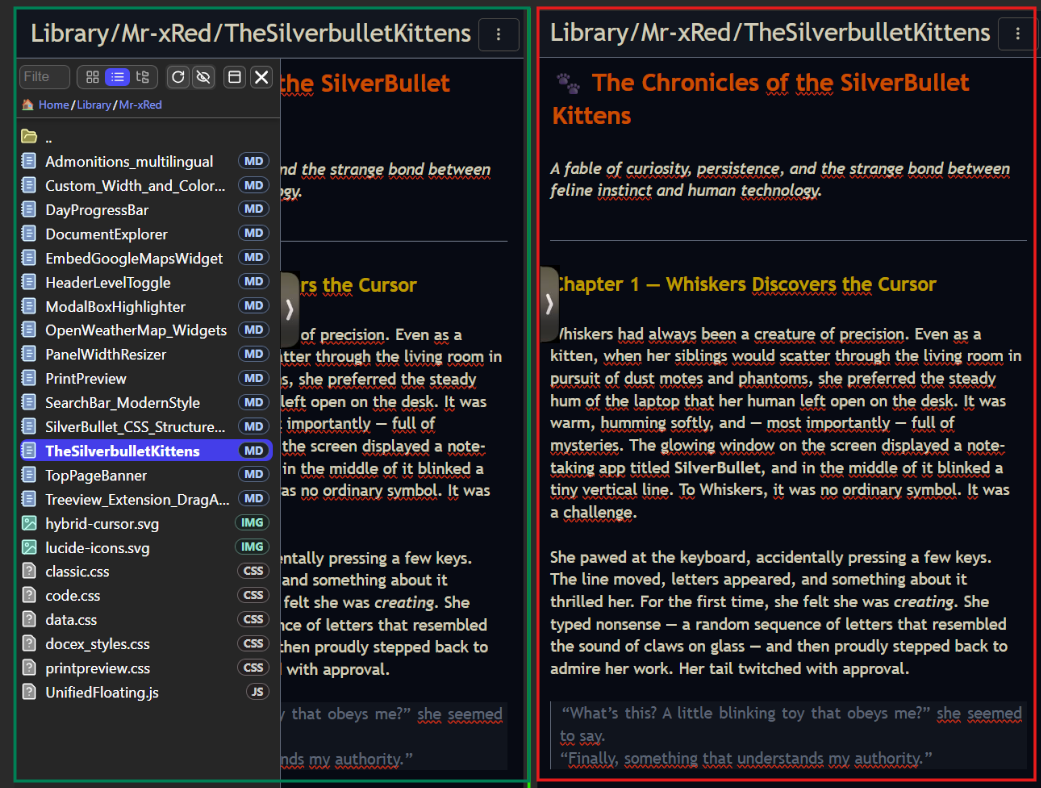
Instead of using BHS on mobile, we make the LHS and RHS more responsive like a drawer menu.
And instead of closin/toggling it off, we just “send it” to the side, out of sight, leaving just a simple drawer-handle. and when we actively need it, we can tap it and it just slides out. And when, you’re done using it, you just send it back to the side. Would that make you NOT use the BHS anymore? Or you’re too attached to that B(h)S, and will use it no matter what ? Would this solve your mobile issue?
Here is a concept mockup (green-open, red-closed):
Essentially, in terms of “floating above rather than competing equally for space,” a drawer menu is analogous to a floating page, albeit with a more fixed position (and potentially more user-firendly).
Reintroducing BHS does involve a degree of reinventing the wheel.
In fact, both the old and new document explorers of SB suit the LHS (vertical rectangle) better. A horizontal extension like BHS (flat rectangle) fits horizontal breadcrumbs plus a vertical subfolder list, as shown in the first GIF of ABC - Adaptive Bread Crumb - #2 by ChenZhu-Xie.
And this is exactly the reason why 2 current SB document explorers should be located LHS (combined with reading habits and expansion logic from left to right).
I merely identified some potential topics and posted them for reference, anticipating that others might raise similar points. I have no personal preference (I mostly don’t quite use “I”…); as you noted, the modern approach should be adopted, and the current solution is already sufficient.
In essence, our discussion pursues three goals:
To facilitate a peaceful transition between the old and new document explorers by objectively evaluating their differences, merits, and the technical debt implied by coexistence or substitution.
To assert that truth is revealed through abstract comparison of concrete instances—analogous to how engaging with diverse PKM tools uncovers the core philosophical principles underlying technical designs.
Mr. Red, your work was great… congratulations!
SB really needed multi-window options.
I’m going to propose an improvement that would make everything much more flexible.
Document Explorer has this functionality of going from the panel to the window, from the window to the panel.
The idea is to have the same functionality in “Open Floating Page”.
When in window mode, add 3 buttons: ‘lhs’, ‘rhs’, ‘bhs’.
When in panel mode, there would be a button for ‘window’.
I believe that with the entire structure already created, it shouldn’t be difficult.
Not you were the one saying: “NO MORE BUTTONS PLEASE!!” ?
I agree, and I already had a better idea in mind, while implementing the Collapse/Expandf handle… but i don’t want to spoil it, and also don’t know how easy is to implement it.
The constant problem, and challenge is to integrate something existing (the panel, other plugs already using the side panels) into workinig with each other, If i could have a clean slate it would be much easier, but that’s not the case, and we need to work with what we have, even if sometimes it just a workaround of a workaround of an already existing tweak…
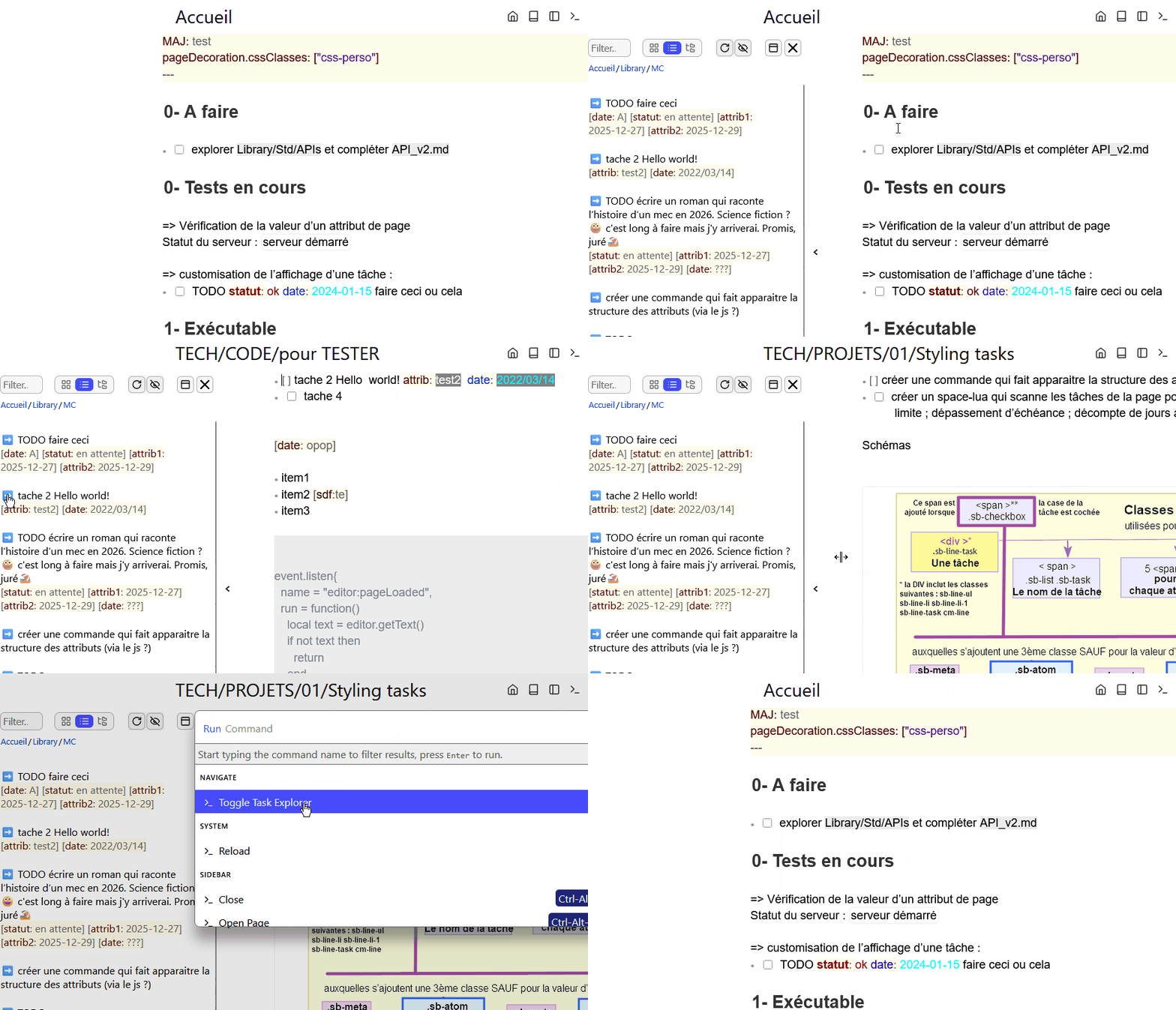
Here is a proof of concept that meets your expectations:
Naturally, this would not be possible without the HUGE work done by @Mr.Red And, there is a lot of work to do so that my DIY is up to the level of its realization.
For the moment, it’s just a “hack” of Document Explorer. I’m hesitant to continue in this direction (stay in Document Explorer - I have an idea on how to do it without adding an additional button, or just one …) or use the generic principle of the independent panel.
that we bring together our ideas to build an overview of the needs and opportunities brought by “multi-windowing”. I would happily suggest centralizing all navigation tools in a single interface (history, tags, tasks and documents). To discuss…
yes, @mjf@ChenZhu-Xie i mean you both … just added gesture control (left & right swipe) to collapse/expand your LHS & RHS Side Panels
no, BHS panels are not supported. Swiping Up and Down programatically can be easily confused with scrolling, so not up/down swiping
[BREAKING CHANGE]: the PanelWidthResize was renamed to “AdvancedPanelControls” - just to stay open for future addition, because why stop there, only controling the width? - if you had it installed before as a dependency and you Updated Document Explorer - please delete manually the PanelWidthResizer.md library
also added following config options:
config.set("sidePanel", {
  mode = "auto",  -- "auto" | "overlay" | "dock"
  gestures = true,  -- true (enabled), false (disabled)
  minWidth = "300", -- min Width Constraints for LHS and RHS
  maxWidth = "1000", -- max Width Constraints for LHS and RHS
  minHeight = "100", -- min Height Constraints for BHS
  maxHeight = "500", -- max Height Constraints for BHS
  lhsHandlePostion = "50%", -- Top To Bottom
  rhsHandlePostion = "50%"  -- Top To Bottom
})
very interesting. I was looking for a way to resize side panel on demand from full screen to partial part.
what do you thing to add 2 arrays left and right to increase to full screen or decrease to fold ?
it’s on my todo list to add more controls like “full screen” mode which will fill the horizontal space in either direction ,the right panel to the left, and the left panel to the right. i also want to add 3 more buttons like.
“Close” - Exit the Panel completely
“Collapse/Expand” - Current Mode Resizable by the Handle
“Maximize” - Full Screen Width
“Detach” - As a floating resizable Window
The semantics are not finalized yet, but these are the features i plan to implement in the near future.
 ,
,



 is pushed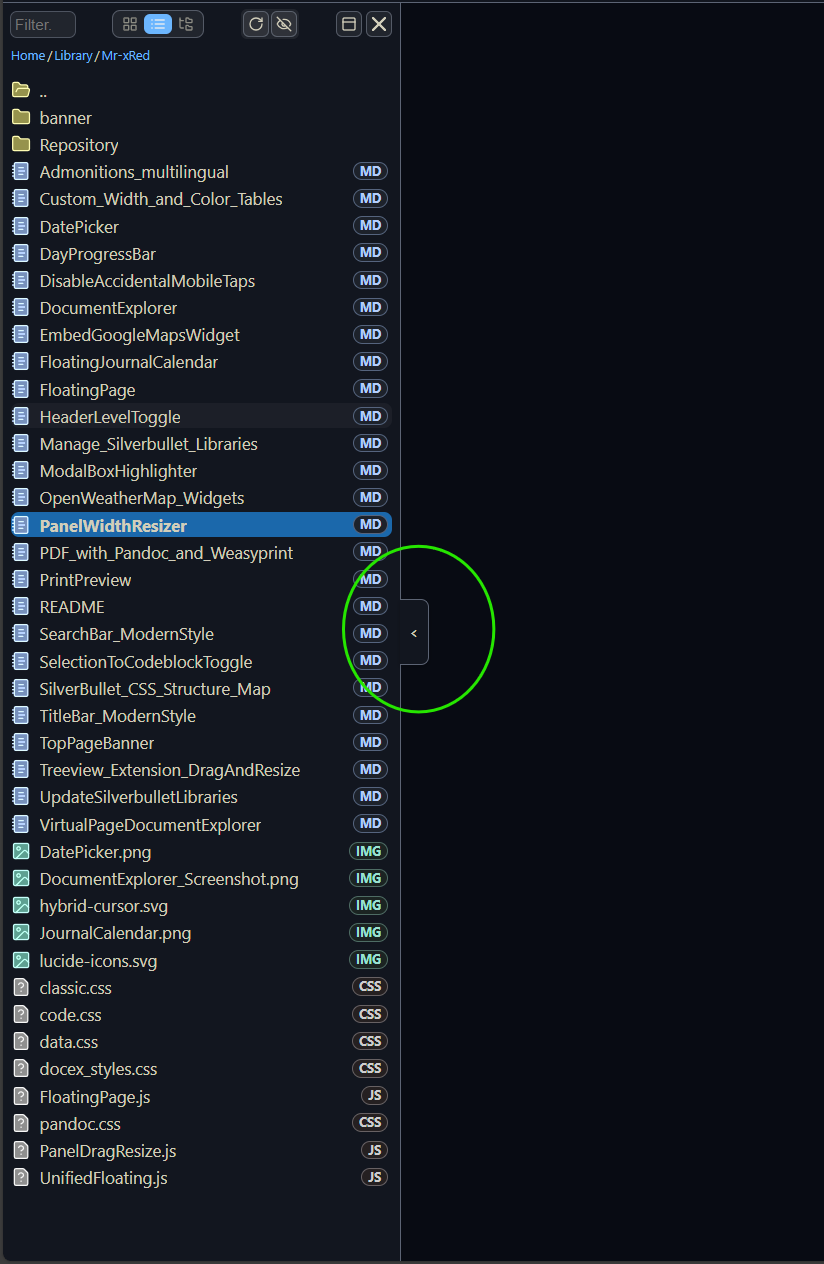

 - if you had it installed before as a dependency and you Updated Document Explorer - please delete manually the