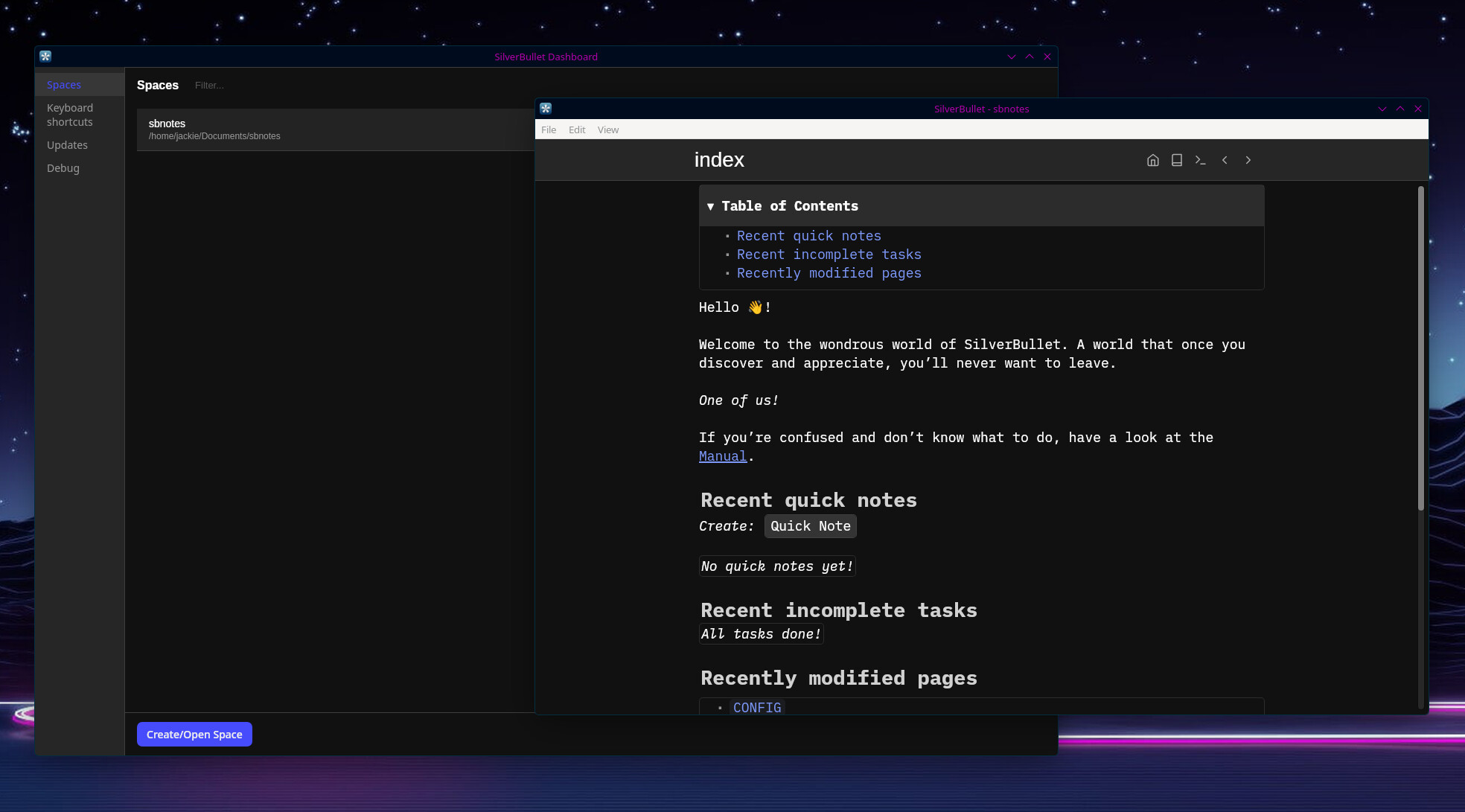
Announcing SilverBullet+ (beta): SilverBullet, Desktop Edition

I've been very happy with SilverBullet's growth over the last 4 years. Starting out as just a project for myself, it now has (I would estimate) a few thousand active users (although I cannot be sure, because... 0 tracking) and a great community of enthusiasts. To be honest, it's grown to become the proudest technical achievement of my career.

Nevertheless, I keep finding it hard to recommend SilverBullet to people around me, because I feel the barrier to actually install and run it is... high. Not everybody is a self hoster, nor could I realistically expect them to. Self hosting is not something for everybody and never will be, and I think this severely limits the potential target audience. Which is a shame, because... I think people are missing out.

In the past, I made attempts at desktop apps and mobile apps, but they were too messy and too hard to maintain. For desktop, back in the day I built them on Electron, which basically bundles half an operating system (often 500MB+) and uses tons of memory. As much as this is today's reality (check your application folder for 500MB+ apps, they're probably all Electron apps). This never felt great. It was also a pain to maintain and test, so ultimately I got rid of them and went all-in on the PWA and self hosting route.

In the mean time, Tauri came along, which is similar to Electron in concept (build desktop and mobile apps with web tech), but uses the operating system's "native" web renderer (often Webkit). Tauri apps are quite small, and basically just bundle your web assets. As it should be. And... Tauri apps can be retargeted for iOS and Android too!

So a few months ago I got to work, and today I think I have something that's ready for you to try.

Introducing SilverBullet+. For now, macOS only, other operating systems (including mobile) will follow later.

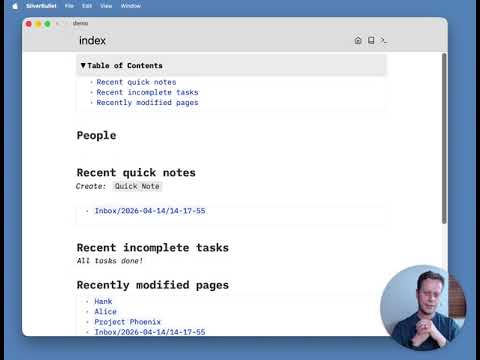
Here's the SilverBullet+ version of the intro tour:
Hang on... +?

For quite a while I've been experimenting and contemplating how to make SilverBullet a more financially sustainable project. Largely the project is still a hobby project for me, but I feel the project would really benefit from more of my attention, so I've been trying to figure out ways to do this while still, you know, earning a living.

So, about half a year ago, I decided to reduce my regular working days and spend more time on SilverBullet. This has been a lot of fun, but has been financially tricky. I have pushed donations a bit more, with some success — and I appreciate everybody who's been funding the project. But realistically, it's not nearly sufficient to really cover a significant amount of time.

This is not an uncommon problem for an open source project. But what to do?

Over the months, I toyed with various ways to somehow commercialize the project. Perhaps a SaaS version? Perhaps some auxiliary services? Perhaps a version for teams and companies?

Nothing felt quite right, or felt managable without hiring a full team.

But then this desktop app idea returned. What if I used this as an opportunity to deliver a more polished, integrated experience, wrapping silverbullet "open source", but launch it as a commercial product? It wouldn't be for everybody, it wouldn't threaten the OSS version (which I'll henceforrh refer to as silverbullet.md), but it would be a great option for two audiences:

  1. People who don't want to install a web server, setup the TLS certificate etc. They prefer to just download an app, and run it (imagine!).
  2. Power users, who actually want SilverBullet to do things that a PWA (web app) can't easily do: global keyboard shortcuts, having your files locally in a folder, CLI access (although I ended up figuring out how to do this with the Runtime API lately) and potentially other OS-level integrations as well.

While SilverBullet+ is technically a commercial product, I intend to make free for personal and educational use. Only if you use it for work, or simply want to be a financial supporter, I'll ask you pay a (probably) yearly fee (after the beta). This is a similar model to what Obsidian uses. I think this is a fair model, and there's a good chance you can get your company to pay for it. If enough people do this, there's a possible future where I spend more and more time on making (all of) SilverBullet even better, or — who knows — even get to hire more people to work on it one day.

Is this for you?

If you're already self hosting SilverBullet, you don't need this, but you may want to try. It's a pretty smooth experience, to be honest. You can sync it with your existing SilverBullet server.

But my secret hope is that this is not for you, but a whole slew of new people. It's perhaps a packaging of SilverBullet that you can recommend to your friends or colleagues. It brings all the power of SilverBullet to be a 100% local, desktop experience.

What's the current state?

It's a beta. I've been using it daily for a while and it works great for me, but your mileage may vary. Give it a try if you own a Mac and let me know what you think. I'll create a separate category here on community.silverbullet.md for support.

And tell your friends!

I also invested a fair amount into creating a "proper" website. It's always been hard to articulate what makes SilverBullet, SilverBullet, but I hope I'm making some progress.

Congratulations on this milestone!
I've been a daily user of Silverbullet and a fan of your work since the early days and I totally understand the reason for Silverbullet+.
I really really hope it works out.

From my side, I am extremely happy with silverbullet.md, it is just one more container from the 50+ that I host, so pretty easy to maintain.
And at work I run the binary directly.

I am a Linux user so I'll wait for a suitable version that i can test.
Once that happen, and i assess if it could be "sold" in my company, I'll try to see what the options are to offer it. Right now my company offers Obsidian and we have a pretty big PKMS community so... who knows... maybe it works out.
I'm crossing my fingers :crossed_fingers: :grinning_face:

I'm also a Linux user so can't test it out yet. I just watched your video about it though and it looks great!

I've actually been tweaking SilverBullet on my very first home server for the last few days. I'm very impressed. Definitely see the need to have an actual client, that will open the software up to a lot more people.

Thanks for your hard work, it's appreciated!

Congratulations for this achievement, and I hope it will bring new people to our space.

I installed it yesterday, but haven’t had much time to play around with it. I also connected one of my hosted test instances to it and the synchronization went well without any hiccups. I have one question though, why is there only M1+ support only? I can’t run it on my Intel-Mac. Will there be also a version for Intel in the near future, or maintaining another architecture would add to the complexity?

As for my honest feedback (like I said I haven’t had much time to test it) but as first impression I can’t get my head around, that it’s “just a website” wrapped into an App. And it feels that way too. I understand that Silverbullet isn’t for everyone, and that it’s for people with a hacker mindset, who want to teak and change things (I get that and I’m also one of them) but to be more user/beginner friendly I’d would love to see some basic settings panel. So that users don’t need to rely entirely on space-lua and space-style just to change the editor-width or font or to add custom action buttons to the menu.
Don’t get me wrong, it doesn’t bothers me personally, I love the flexibility of space-lua and space-style (you can also tell that by the many libraries I made) but for some users (which you obviously try to target with Silverbullet+ as a native app) that would be a big turndown, especially after installing Silverbullet+ for the first time, they are greeted with the welcome page and that’s it. Silverbullet has a steep learning curve, and just to start writing your first note you first need to understand how pages are managed, where is the Create New Note, what are the Keyboard Shortcuts, what is a “Command picker” what is the “Page Picker”. Not everyone wants to go through “the trouble” of Reading TFM first, or going to Silverbullet.md or watching a Video about how to use the app. They want a self explanatory, easy to understand UX, so they don’t get under-/overwhelmed the moment they start the App the first time.
Maybe a little introductory tutorial or an interactive walkthrough through the main functions, something like popups showing pointing to the main Actions, when you first run Silverbullet with informations like:

  • This is the Command Picker, Use this to Run and See all the available Commands and functions
  • This is the Page a picker: Use this to Create a new Note or open existing ones.
  • Here are the main Shortcut Keys to get you started
  • etc.
    This would make the new users feel a little bit more welcoming and not left alone with a static Welcome page.

These are little things but it might make the onboarding experience of new
Users/Customers more smoother in my opinion.

But altogether I think this is a big step toward the right direction.

Congratulations again for this beta Release and looking forward of great time ahead. :partying_face::hugs::clap:

This looks great, would love to use this and support the app. Just waiting for the windows release. Any idea on pricing?

Indeed!

I can add an intel build I think, just have to see how to do that. I'm going to take a bit of a demand driven approach here. Wasn't sure that many people even have Intel based macs anymore. Will add it to the list.

Interesting. I wonder what makes it feel like "just a website" to you, I thought silverbullet always had an "appy" feel to it, just squeezed into a browser tab. So "unleashing" like this wouldn't be that strange. Could it be that you've been operating in SB for such a long time that you're just used to it being a website?

Yes, absolutely. I also want to take this as an opportunity to make this easier to use. I'm thinking about more of a UI for making configuration changes. Perhaps some "starter spaces" to immediately get a bunch of features pre-set up. Very much open to ideas here. Some of these ideas will make more sense in SilverBullet+ specifically, others I would probably simply build into SB.md regular (like a UI for preferences).

Also lots to do in terms of onboarding, I agree.

How would you imagine this walkthroughs, indeed with giant arrows pointing at UI elements and explaining what they are? I suppose I could do that, personally I always try to click close those things, but I also don't immediately have better ideas.

I'm thinking of something similar to Obsidian.md, which would be ~$50/year for work use.

That seems really fair to me. Looking forward to the development of this new plus version.

I just made the build universal.

THANK YOU! It now also works on my 11 y.o. MacBook Pro running MacOS 15.7.4 :+1:
i will give tomorrow a thorough test, and answer your questions above in detail.

I just added Linux builds (ARM and Intel) as well, but with limited testing. I only have an ARM64 VM available for this at the moment. I'll create topics for reporting issues in a minute:

On the Linux front, please somebody confirm that this works for them on an Intel machine, if so I can announce this more broadly.

Looks interesting.
Are you also planning a Windows release during the beta?

Yeah I think I can handle that. The only problem on Windows is signing binaries. I already have to pay Apple $100/year for a developer account. I understand that signing windows binaries (so you don't get warnings) is much more expensive. Maybe I'll start with unsigned and see if it's acceptable for people.

I am not sure signing is required. I know the binaries I have created (although only shared in a small circle) have not required signing.

Give it a try with unsigned binary, and let's see how it shows up.

Unfortunately I'm on an AMD machine (CachyOS with KDE), but it seems to work fine! Haven't done much with it yet, but will have a proper tinker as soon as I can and let you know if I hit any problems.

Thanks, yes. I also managed to run an extremely slowly emulated amd64 VM and it works in that too (with Ubuntu).

Well, I just deleted my whole space at work when trying to open it :frowning:
I browse for the folder in the Add a space and it just deleted everything and created an empty space.

This was really bad for me :frowning:

UPDATE: I managed to recover everything but what i did today through a backup i had. at least not that bad. Will be more cautious from now on when testing the app

UPDATE2: I tried opening another existing space and this time it worked. Now i am confused why it didn't the 1st time. I can imagine one possible scenario. I am running silverbullet from a synced folder with gdrive. It could be possible that the sync daemon was down and the AppImage actually didn't delete anything but just created a new space becasue there was no other space before (due to the sync not working and the folder not having all my space data)

Yowza, it deleted stuff? Did you set up a new space with sync or just a plain folder?
Anyway, let’s move this off into a separate thread I’d like to (obviously) understand what happened here.

I can confirm the app works in my Intel based Debian instance.
I use Wayland and i noticed the warning with the shortcuts. One that doesn't work, for example is Ctrl+Shift+d for the daily journal.
Otherwise the app seems to work