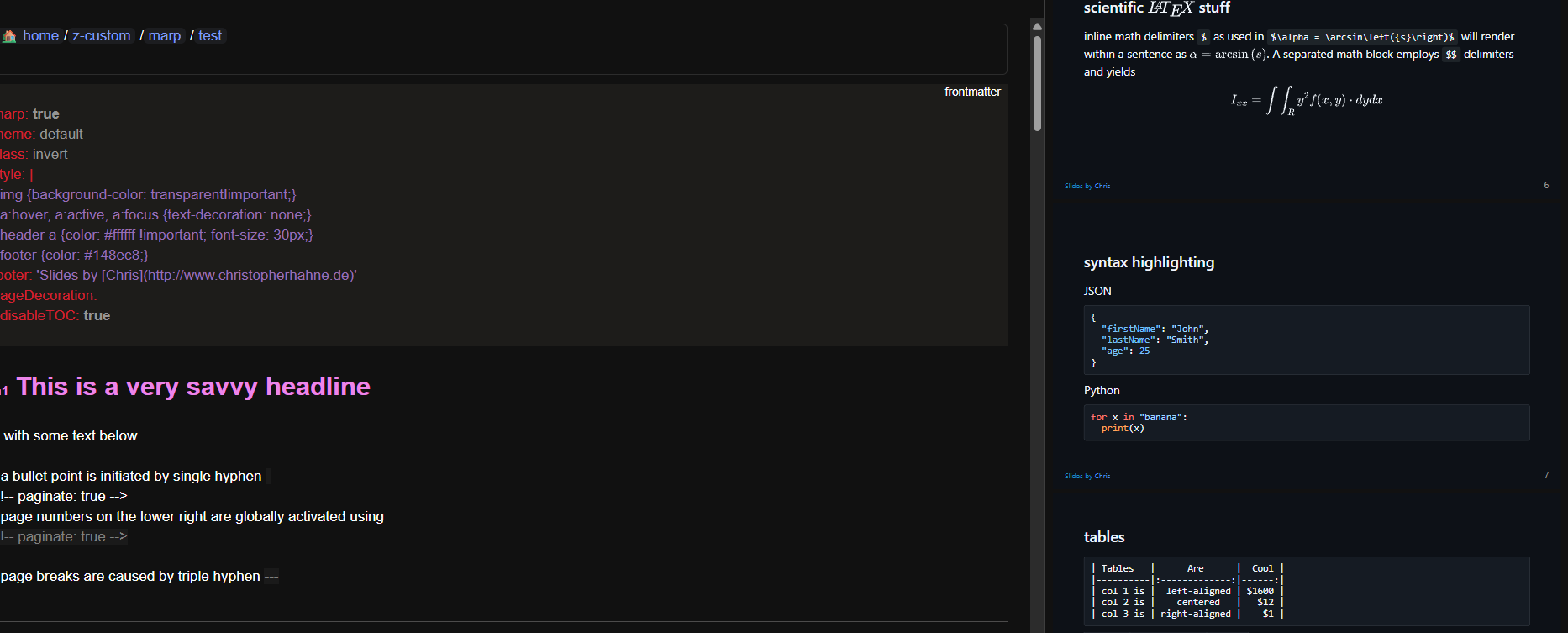
I have created a basic Marp lua plugin to render md to slides.
This plugin adds a command “Marp Preview: Toggle” for rendering slides on side.
local LOG_ENABLE = false

local function debug_log(message)
  if LOG_ENABLE then
    js.log("[DEBUG] " .. message)
  end
end

local is_panel_visible = false
local current_panel_id = "rhs"

-- Function to render Marp slides
local function render_marp_slides(mode)
    debug_log(mode)
    if (not is_panel_visible and mode) or (not mode and is_panel_visible) then
      -- Get the current page content
      local page_content = editor.getText()
      debug_log(page_content)
      local panel_html =  '<div id="render" style="flex: 1; overflow-y: auto"></div>'
      local contentBase64=encoding.base64Encode(page_content)
      local marp_js = [[
const script = document.createElement("script");
script.type = "module";
script.textContent = `

import { Marp } from 'https://esm.sh/@marp-team/marp-core?bundle'
function b64DecodeUnicode(str) {
// Going backwards: from bytestream, to percent-encoding, to original string.
return decodeURIComponent(atob(str).split('').map(function(c) {
    return '%' + ('00' + c.charCodeAt(0).toString(16)).slice(-2);
}).join(''));
}

const marp =  new Marp();
const { html, css } = marp.render(b64DecodeUnicode("]]..contentBase64..[["));
render.innerHTML = \`\${html}<style>\${css}</style>\`;
`
 document.documentElement.appendChild(script);
    ]]
       debug_log(marp_js)
       editor.showPanel(current_panel_id,1,  panel_html, marp_js)
       is_panel_visible = true
    else
        -- Hide the panel if it's visible
        editor.hidePanel(current_panel_id)
        is_panel_visible = false
    end
end

-- Define the command
command.define({
    name = "Marp Preview: Toggle",
    description = "Toggle Marp slides render in a panel",
    run = function(e)
      render_marp_slides(true)
    end
})

-- Listen for page modifications
event.listen({
    name = "editor:pageModified",
    run = function(e)
      render_marp_slides(false)
    end
})
Interesting !
I like the html export, however the content of the slides is truncated compared to the md pages. I don’t have time right now to explore Marp’s code. Also, if you had some advice, I would appreciate it!
Thanks !
Export part is not the easy one.
Html template must be improved to be full featured. (Theme, customization…)
If you want to contribute to improve it, I will be happy to integrate it.
I have created a dynamic code import mechanism to manage html, Js templates.
Known issue:
Custom Html tags are not well managed by exported file
ok. Sorry, i can’t contribute at that moment.
However, being able to generate “slides” seems like a nice feature. But, this may be beyond my skills (given the code already produced).
However, I am surprised by the size of the files generated. This probably comes from Marp. To be continued… Thanks for sharing !
The solution is to hook into the slide information of marp-core and maintain a live DOM state rather than rebuilding everything on each input if you want appropriate "presentation mode," such as full-screen slides with keyboard navigation. Your toggle is now functional, however it completely re-renders on pageModified, which eliminates fluid transitions but is OK for previews.
In order to provide users with a stand-alone HTML slide deck without requiring them to alter any editor internals, you may also put the html + css straight into a blob and initiate a download for export. All of the slide objects in marp.slides are really exposed by marp-core, allowing you to loop over them and add custom event listeners for a little "presentation controller" in JS.
Basically, divide your panel into preview and runtime modes. Runtime is the single-page DOM with keyboard/arrow handlers, and preview is your current toggle. Export + presentation mode will automatically be activated when you do that.