Tasks work differently when typed vs programmatically created

First, this new issue is as a result of not getting a workable answer for my previous issue, found here.

I didn’t get to spend much time on it, so I decided to throw in the towel, at least on the tags: #TODO and #DONE. I still have hundreds of other tags (stock symbols mostly) that I’ll deal with some other time separately.

Anyway, I used sed to change every instance of #TODO to “[ ]” and every instance of #DONE to “[x]”. So far, so good.

Then I copied the following block from the documentation:

${template.each(query[[
from index.tag “task”
where not _.done
limit 3
]], templates.taskItem)}

Sure enough, that worked and showed me my previous #TODOs.

But, clicking on one of them showed me a check mark, but didn’t strike through the text. Fine, but when I looked at the underlying file where the “[ ]” was originally, there was no “x” between the brackets (the template didn’t update the file when I clicked on it), so the next reload still showed the same item as not done. (I suspect I don’t know how the new templates are expected to work…)

When I type a brand new task using the “[ ]” syntax, it changes to the shaded box (correctly), and later clicking on it shows a check mark and strikes through all of the text (like I expect).

However, when visiting one of those to dos that was created programmatically (with the sed command), it’s not a shaded box and clicking on it puts an “x” in between the brackets (not a check mark), and only after I click away does it change to a check mark and strike through the text.

Long winded description of two separate (but possibly related) problems:

  1. The template query for tasks doesn’t seem to update the underlying file (at least not for tasks created by sed)
  2. Even in one of those files, it takes both a click, and clicking elsewhere to see the same behavior that I get in a manually created todo.

I suspect I’m missing something simple, but I don’t know what that is…

  1. What does “created by sed” mean? It has probably nothing to do with that, how should SB know it was created by sed and not a human anyways? I think you are trying to use this feature, which is really not documented. You need a Wikilink to that task in the rendered content.
  2. Example? I highly doubt this has to do with machine created files. This is probably some other issue.

I only mentioned sed to differentiate between me typing the brackets with the space between them. When I do that, the brackets turn to the shaded square, which when clicked, has the expected behavior.

When the brackets are created outside of individual keystrokes that SB is seeing a character at a time (in my case via sed, but it could be an external editor, python, whatever), even though the template recognizes it as a valid “task”, it doesn’t behave like a task that was typed manually.

Separately, thanks for the link you shared. I’ll look at that and see if there is some other magic I can use.

I understood what you meant, SB just can’t know if they are individually typed or not, SB doesn’t know if the markdown is machine created or not, a file is a file, bytes are bytes, so the error has to lie somewhere else, that’s why I asked for an example, as the machine creation can’t be the issue here.

Sorry, I totally didn’t understand what you meant by “Example?”.

I just tried to find a file to upload, but of course, I can’t make it fail the same way now. The template still only shows a check mark, without the strikethrough, but it now does correctly update the underlying file (I didn’t change a thing!).

A file edited externally by hand now shows the correct shaded box and works on the first click.

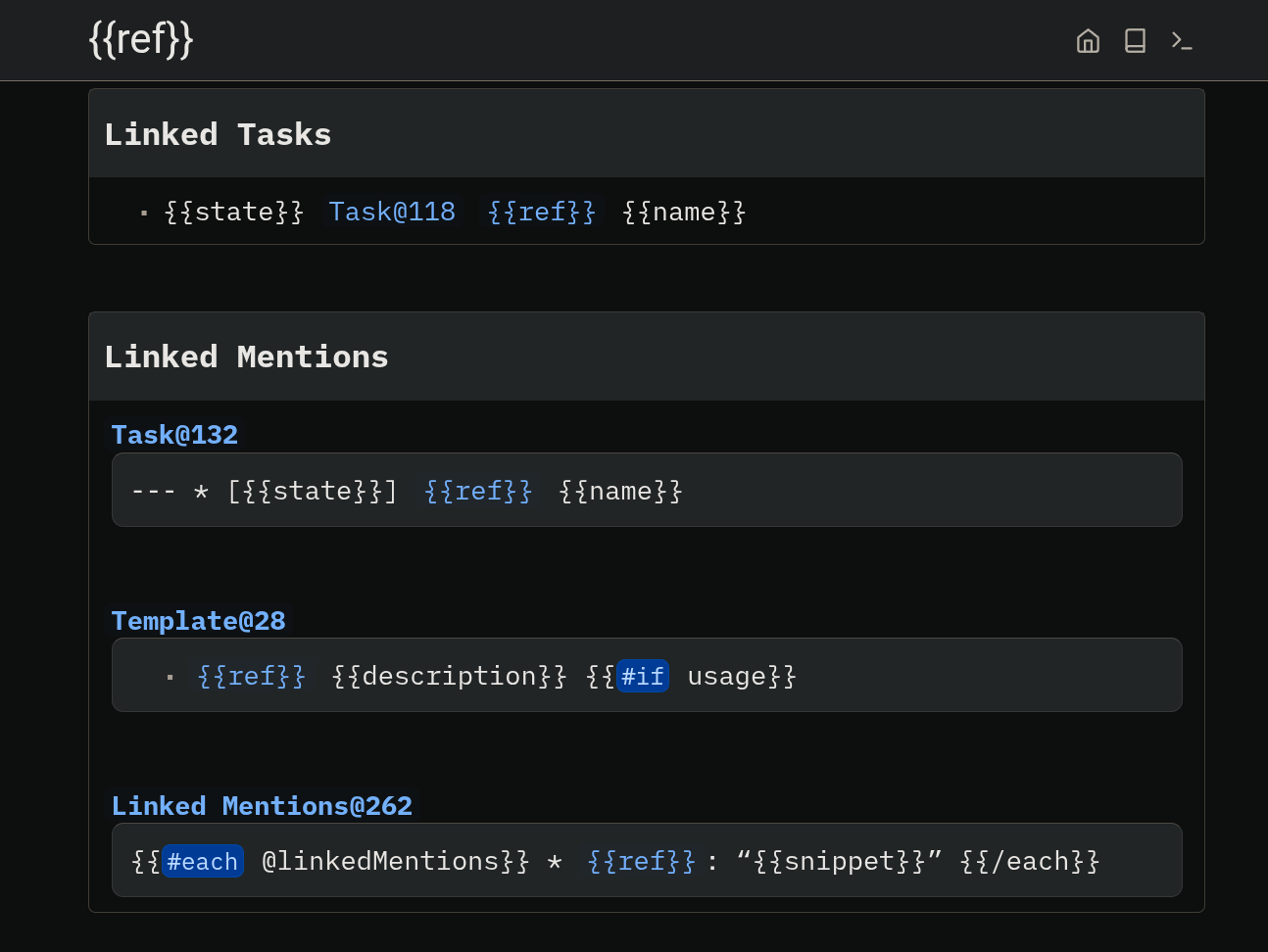
But, in the template output, I just noticed this line, where the blue links are indeed clickable were the “Task@118” takes me to “Library/Core/Query/Task” and the “ref” link takes me to a link page, which I screenshotted (second image).

I’m even more confused than I was before, but there is progress, even though I changed nothing. That said, yesterday I was running v2 in /tmp/ on a different port while v1 was still my production copy. Today I’m running the exact same v2 binary (I didn’t perform an update), but I’m running it on port 3000 and I never launched v1.


image
This is a relic from the old v1 library. Specifically it’s in Library/Core/Query/Task.

Unsure about the other bug, could just be some weird browser issues, code mirror issues, something else entirely, idk.

Oh. I copied the entire directory structure from v1 to v2, and deleted the “.db” files only. I guess I need to clean more up. Are there specific suggestions for a relatively clean start for v2 without redoing all my old files?

I really appreciate all of your help!