Hi there, first post here in the community.
@zef, thanks for this amazing tool and keep up the good work!
I've been wandering in the PKM systems rabbit hole for the last 4-5 years trying several tools but none stick as much to be used daily. So far silverbullet feels to hit the right spot. I've been using it daily in the last month.
Although I followed the community since V1 time of silverbullet, but was never ready enough to do the switch and use it.
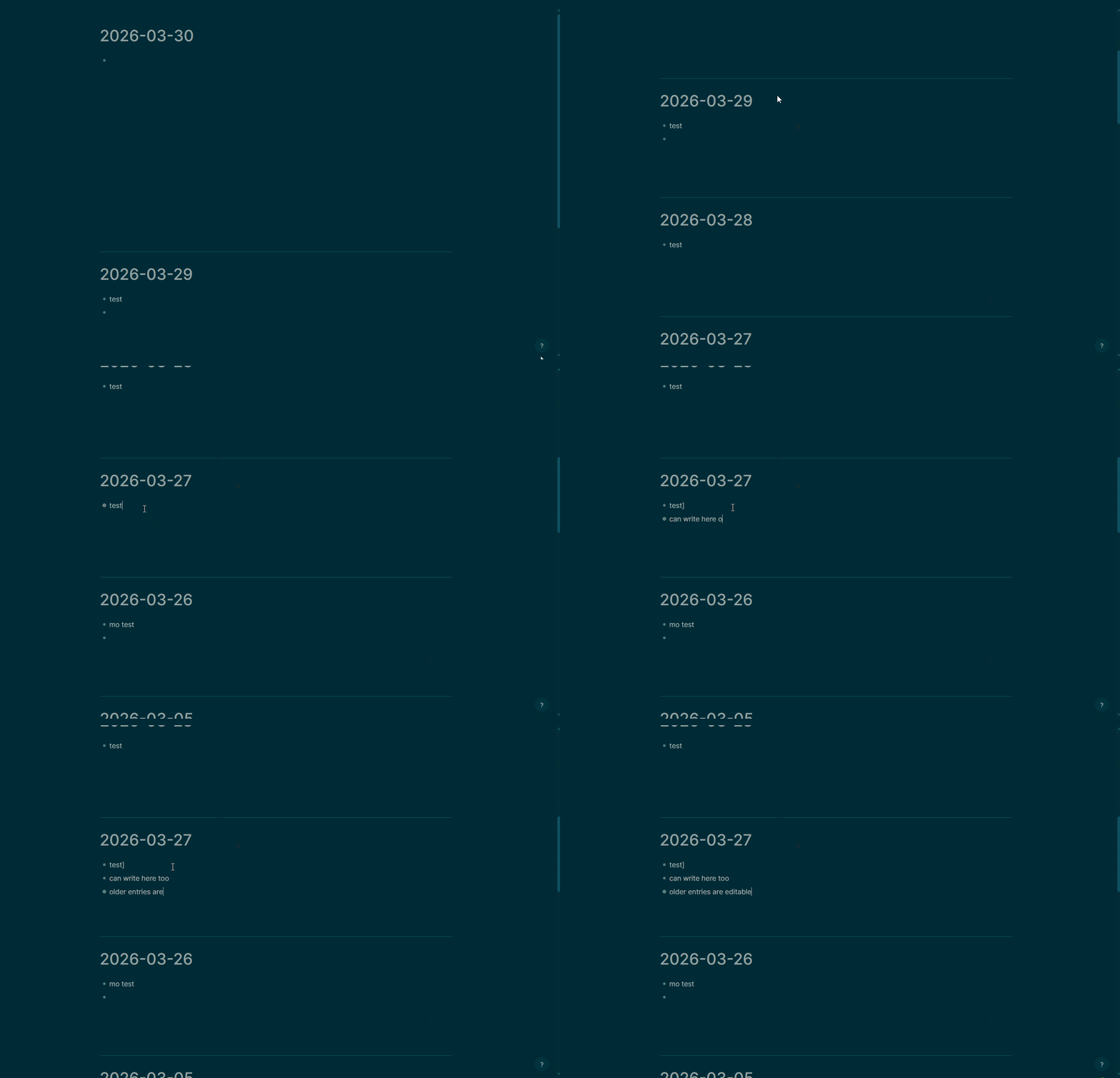
Since I'm a former Logseq user, for the amount of time I used it, I really liked the journal first approach and the "automagic" linking of everything related to dates with the journal. So referencing a date would mean its linked to the journal of that day.
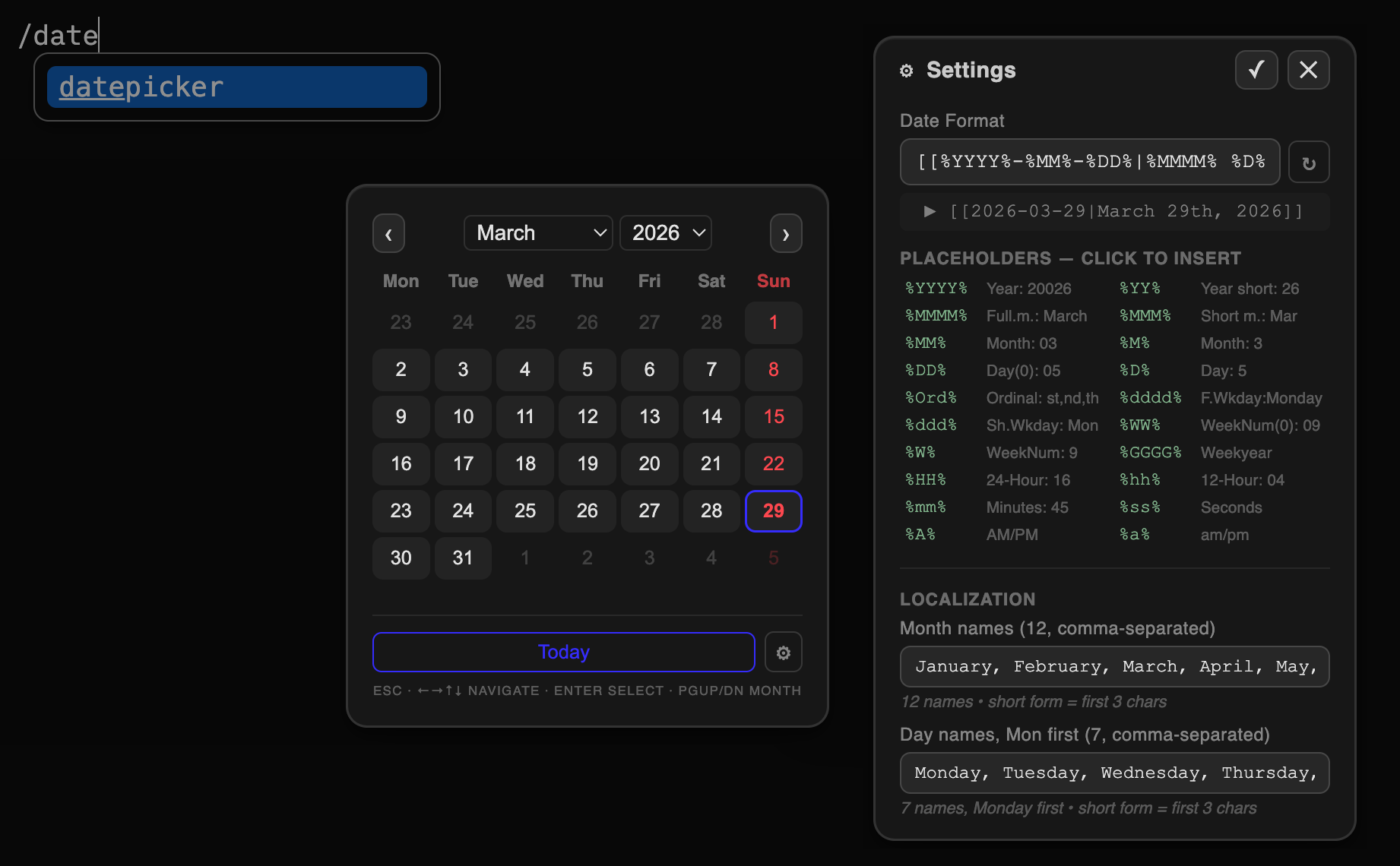
I know about the journal guide and that is where I started from. For my case though it doesn't work to have Journals\[YYYY-MM-DD] because it would look unnatural . Another point is having the dates shown as what I call beautified, so I like to see in my text March 28th, 2026 instead of 2026-03-28. For my workflow I tend to plan the day ahead in the journal of the current day so I need /tomorrow to reference the journal of tomorrow. Or for that matter whatever day's journal and thanks to @Mr.Red date picker I can pick a date in advance. Last but not least for my use case I don't like creating from template , so I don't create the journal page with content already. I tend to just create the page empty first , then use my custom slash command to generate some structure on my journal page.
So for anyone who feels the same, this post might be helpful.
I assume that you already have changed what is the default page opened when you open silverbullet. This is what I do as per the guide:
-- customize first loading page
local function redirectToCustomIndex()
  local currentPage = editor.getCurrentPage()
  if currentPage == "index" then
    -- Change this to whatever page you want your index page to be
    editor.navigate(date.today())
    return
  end
end

-- Trigger the above function when the editor is first loaded
event.listen {
  name = "editor:init",
  run = redirectToCustomIndex
}

-- And also when any page is loaded (because it may be the index page)
event.listen {
  name = "editor:pageLoaded",
  run = redirectToCustomIndex
}
I have use the power of aliases see: Frontmatter, in order to display the pretty date. I have created a global function on my CONFIG.md for that:
--global function for getting pretty date logseq journal style
function getPrettyDate(pageName)
 -- Ensure name is a string to avoid .slice/match errors
  local name = pageName or ""
  local dateStr = string.match(name, "%d%d%d%d%-%d%d%-%d%d")

  local year, month, day
  if dateStr then
    year, month, day = string.match(dateStr, "(%d%d%d%d)%-(%d%d)%-(%d%d)")
  else
    -- Fallback to system date if page name has no date
    year, month, day = os.date("%Y"), os.date("%m"), os.date("%d")
  end

  day = tonumber(day)
  local suffix = "th"
  if day % 10 == 1 and day ~= 11 then suffix = "st"
  elseif day % 10 == 2 and day ~= 12 then suffix = "nd"
  elseif day % 10 == 3 and day ~= 13 then suffix = "rd"
  end

  local months = {"January", "February", "March", "April", "May", "June", "July", "August", "September", "October", "November", "December"}

  return months[tonumber(month)] .. " " .. day .. suffix .. ", " .. year
end
I have also overriden slightly the /tomorrow and /yesterday slash commands to achieve the referencing of the journal pages:
-- overriding base slash commands to render link with alias and pretty date
-- potentially useful when planning agenda for tomorrow
slashCommand.define {
  name = "yesterday",
  run = function()
    editor.insertAtCursor("[[" .. date.yesterday() .. "|" .. getPrettyDate(date.yesterday()) .. "]]")
  end
}

slashCommand.define {
  name = "tomorrow",
  run = function()
    editor.insertAtCursor("[[" .. date.tomorrow() .. "|" ..  getPrettyDate(date.tomorrow()) .. "]]")
  end
}
Also I've done a minor override to the local function insertDate() of @Mr.Red date picker. NOTE: I've just copied his space lua in my CONFIG.md and added my change as needed, here is just the override:
local function insertDate(args)
  if args and args.date then
    editor.insertAtCursor("[[" .. args.date .. "|" .. getPrettyDate(args.date) .. "]]")
    editor.moveCursor(editor.getCursor())
  end
end
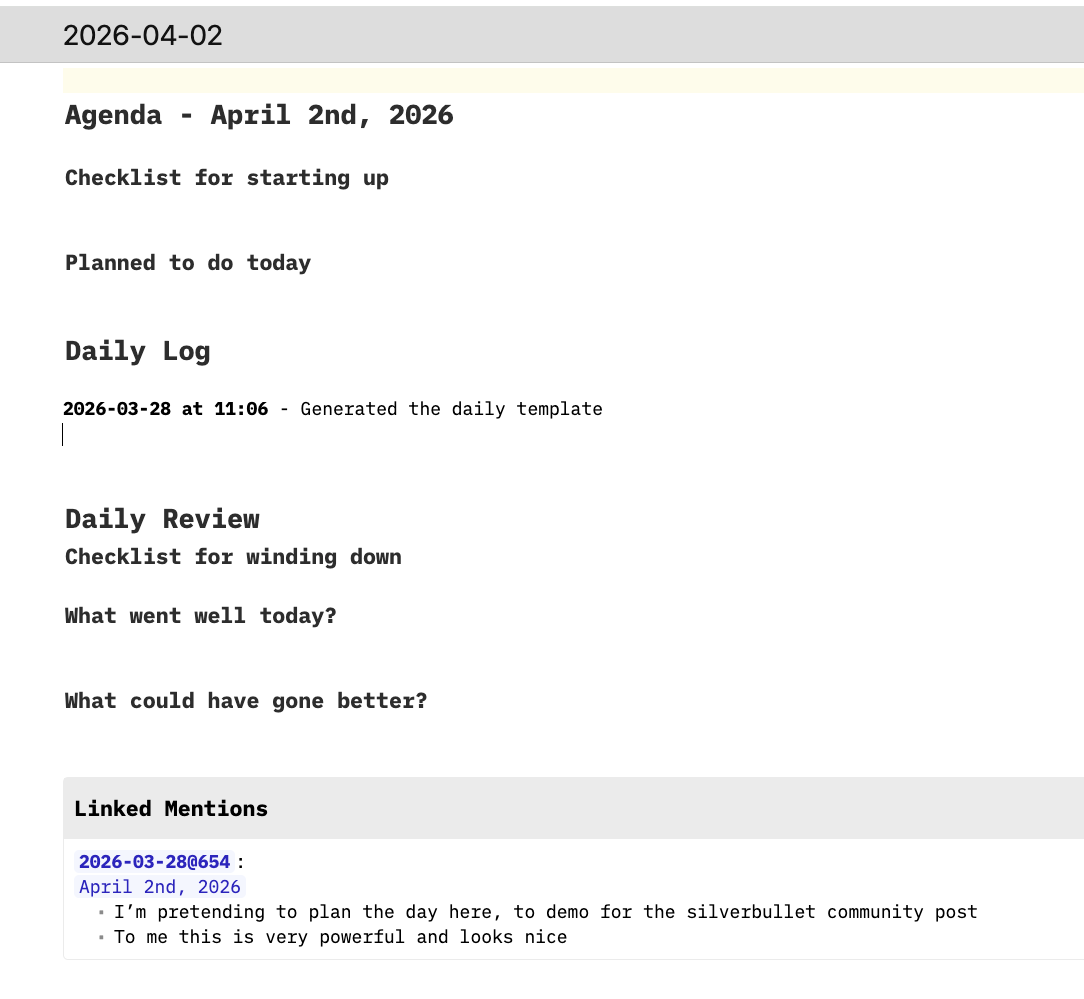
this is my template of the journal, not really needed but just in case anyone gets inspired by it. It is implemented as a slash command. It is just a normal page which i've defined to have this path Libaray/Custom/SlashCommands/daily-journal-template
---
description: Inserts the structure I like for the daily journal
tags: meta/template/slash
exceptContexts:
- FencedCode
---
---
aliases:
- ${getPrettyDate(editor.getCurrentPage())}
tags: journal
---
# Agenda - ${getPrettyDate(editor.getCurrentPage())}

## Checklist for starting up


## Planned to do today


# Daily Log

**${string.match(editor.getCurrentPage(), "%d%d%d%d%-%d%d%-%d%d") ~= os.date('%Y-%m-%d') and os.date('%Y-%m-%d at %H:%M') or os.date('%H:%M')}** - Generated the daily template

|^|

# Daily Review
## Checklist for winding down


## What went well today?


## What could have gone better?
Long story short. If i'm writing stuff on my journal, and I need to remind myself to do something on a specific date, or I'm planning the day for tomorrow I can:
- type
/tomorrowor pick up the date from the calendar. - Shift + CMD + Enter to create the page without navigating to it ( on windows i guess the shortcut is different)
- New line indented (Logseq style
 ) write stuff which will show up on that journals page.
this is how it looks like:
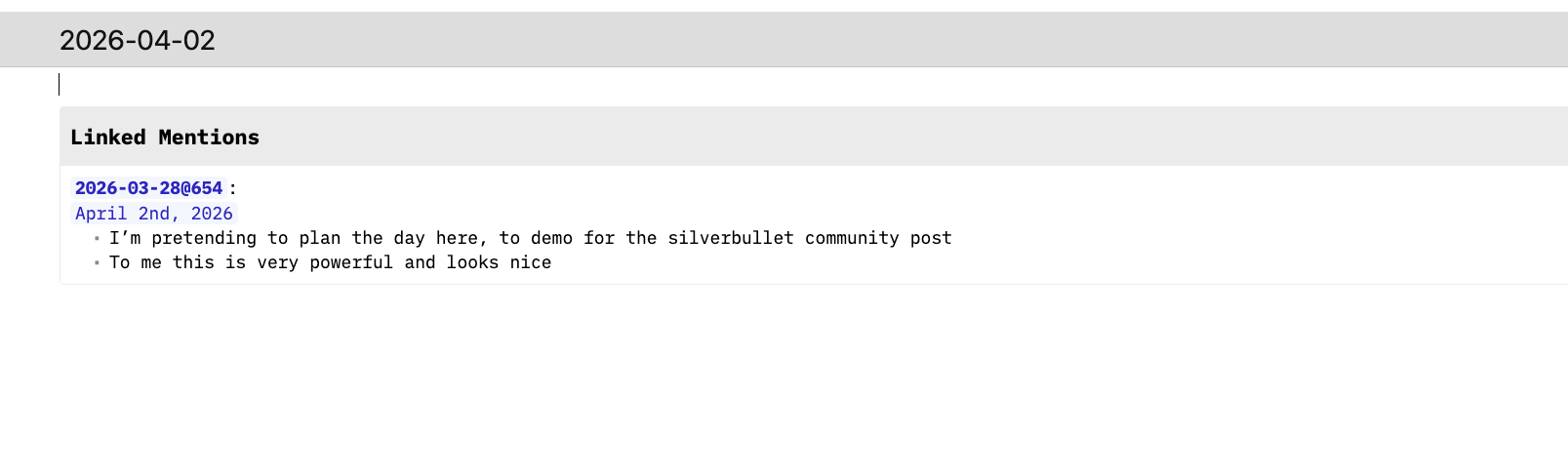
This is how it loos like with the daily template structure added:
Looking forward to hear from the community for suggestions or ways to improve this.
Thanks!
 icon.
icon.
 , which is good for the community.
 .
.