 no pb I’m not picky, thanks for sharing your work.
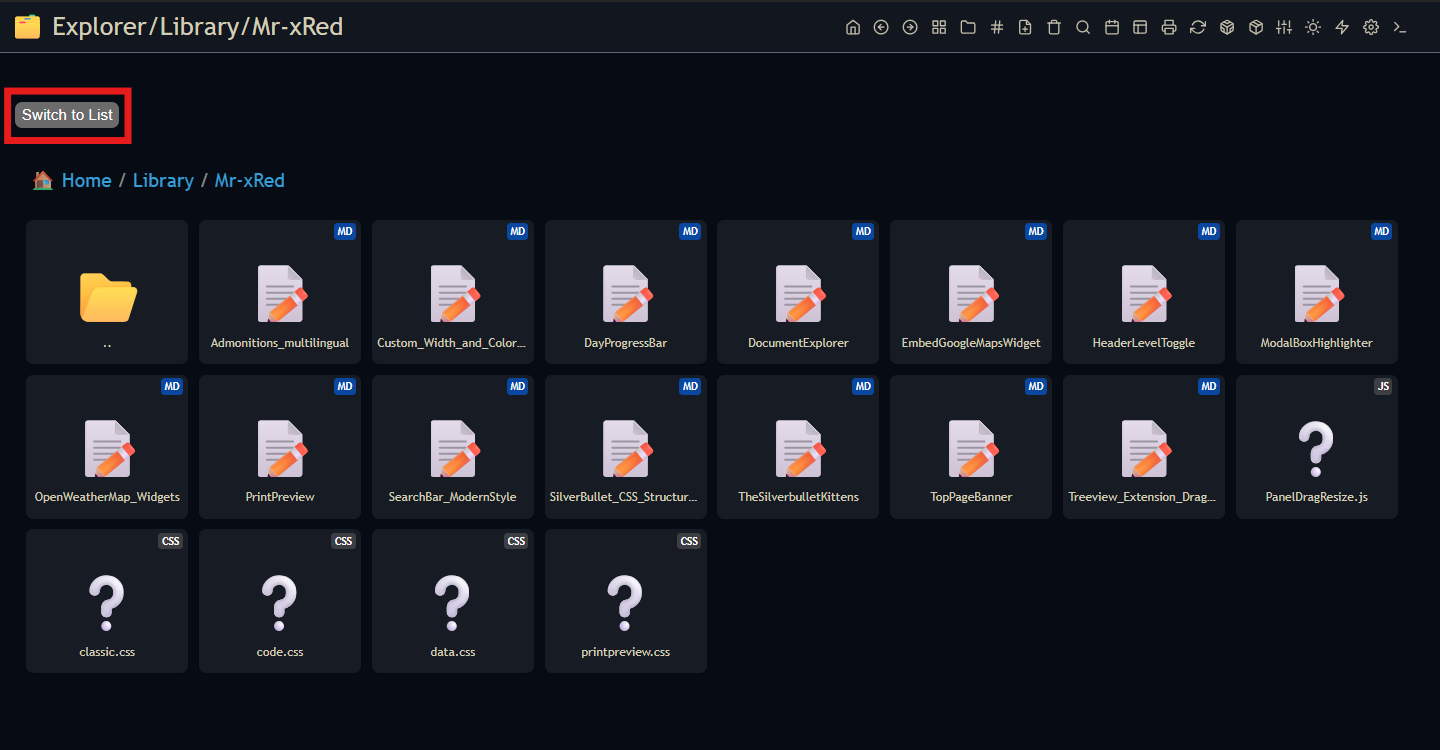
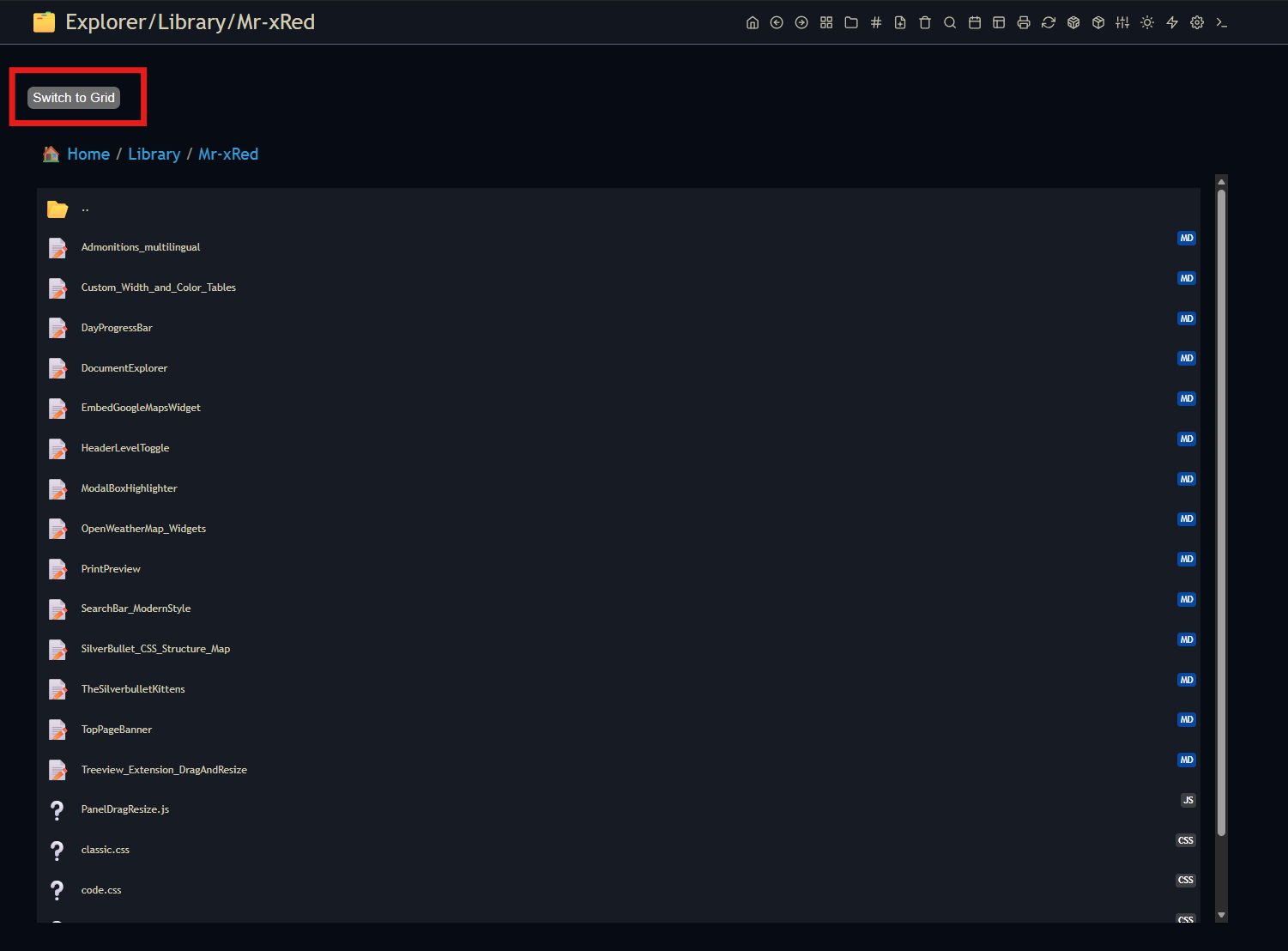
Works like charm!  And now something completely different…
 viewMode = 'tree'! 
Hmmm 
 (maybe)
[EDIT]
it’s not that simple tho…need to rethink the whole working architecture.
TreeView is different than List/Grid View I think the best way is to create separate VirtualPage Patterns for each viewMode: VirtualPagePattern +_t for treeview, _g for grid and _l for list view. Separating it like this it is more manageable and also the code maintenance is simpler.
Great, thank you for the tool !
Do you think it would be possible to view only the files with some choosen extensions, and to view all the files in the choosen folder and all subfolders ?
“Anything is possible!”
…which is true.
But the real question is how many features we actually want to add.
This library started out as a simple image grid that displayed files from a folder. Then, inevitably:
- other document types joined the party
- folder navigation was added
- configurability became a requirement
- list view showed up as well
- …
With every new feature, the codebase gets a little heavier and a little harder to manage.
It is entirely possible to build a full-featured file management tool inside SilverBullet. Drag & drop, rename, delete, copy files, the whole lot, either as a library or as a plug.
Don’t get me wrong, I’d love to keep adding features. But I don’t want to inflate the library with complexity just for the sake of it, especially for features that only 5% of users would ever touch and that cover maybe 5% of real-world use cases.
So the real challenge isn’t what we can build, but where we draw the line between a lightweight file visualisation tool and a full-blown file manager.
Is this something you had in your mind? What do you think?
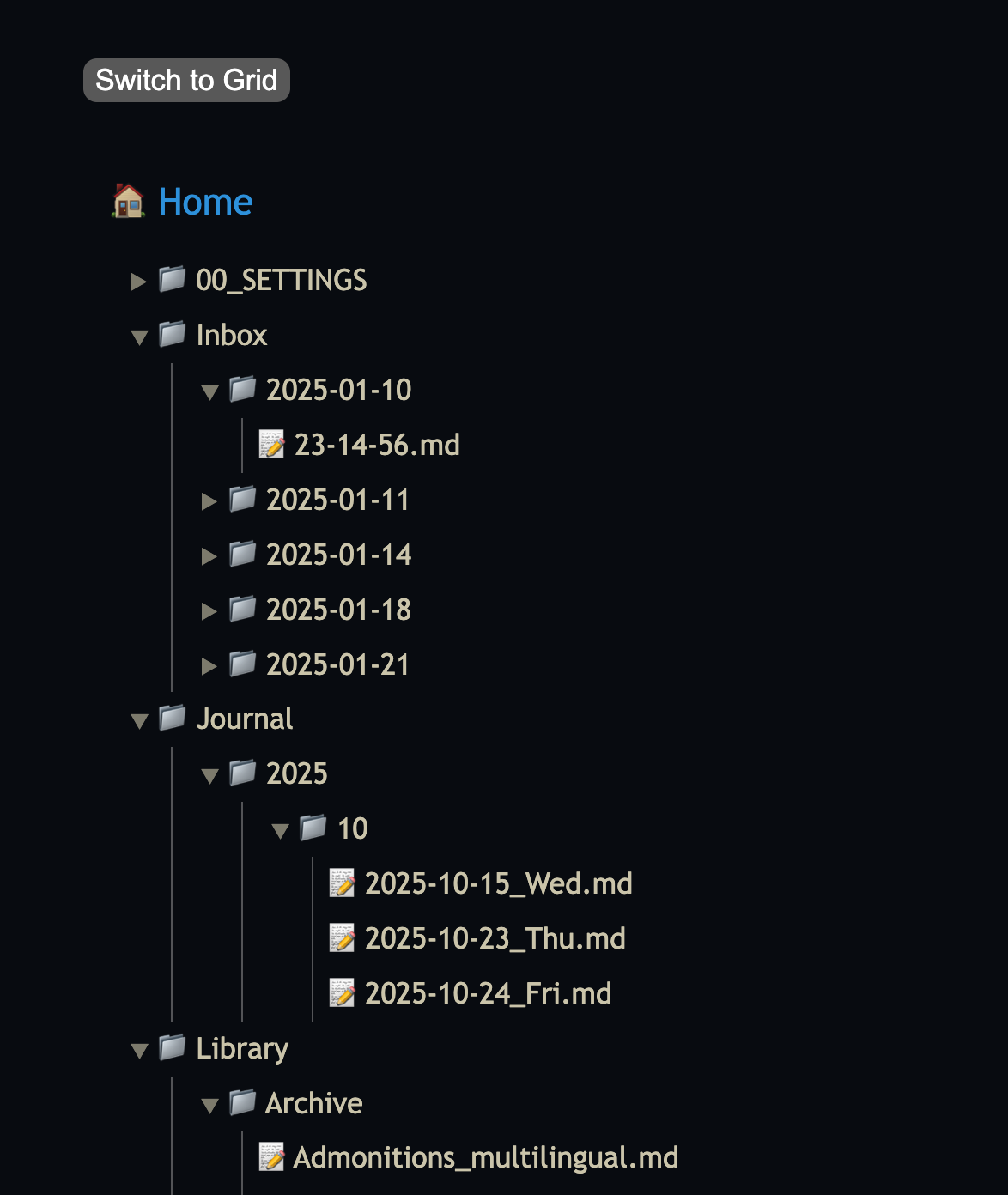
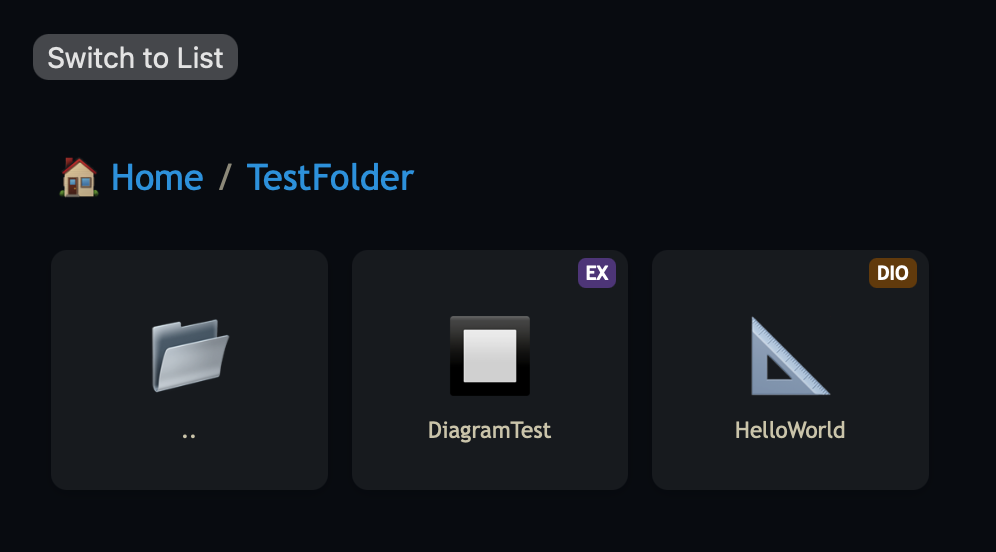
it’s nowhere finished yet, but this is how a treeview mode would look like.
But i ran into issues with the treeview, that all folder return to the default collapsed state when refreshing the page. So i need to add some kind of cache to remember it which of the folders were open and which were closed, which adds a lot of complexity to the mix…
need to find a simple solution to this.

@Mr.Red Awesome, exactly like this. And with current page where I opened the Explorer from highlighted somehow (different background color? whatever…) 
And what about the switching button when there are 2+ view modes? I suggest for the sake of simplicity to rotate the view modes (as there is no select box in SB yet), ordering can be implemented as changing viewMode to viewOrdering: viewOrdering: ['list', 'tree', 'grid'] with the first in the list as the default one.
allready ahead of you:
Apply for Fusion👬!
Need your Vertical Connecting Line -_-|| ← this one, exactly (XD)
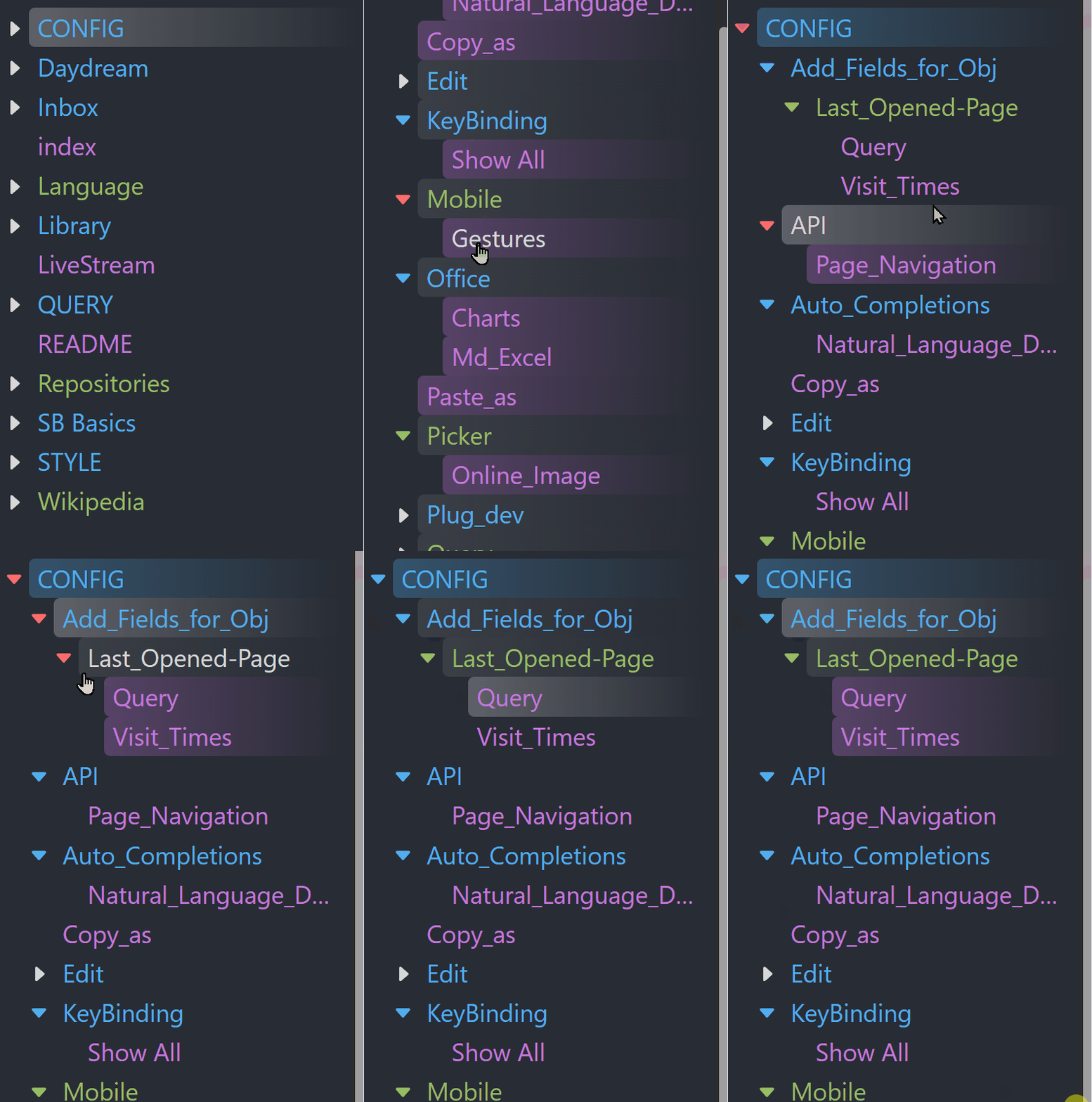
TreeView.css in Doom-Two theme,
based on the Doom-One theme!
The Future of the “DocumentExplorer”: Transitioning to the Sidebar
Hello everyone!
I am currently working on a significant update for DocumentExplorer. Based on my experience with the current version, I am moving the explorer from a VirtualPage into the Sidebar.
While this involves a complete rewrite, it allows for a much more fluid user experience. By living in the sidebar, you can browse your file grid while keeping your active document open, making navigation feel like a native part of the SilverBullet UI.
 Pros & Cons of the Sidebar Shift
Pros:
- Persistent Access: Browse your library without navigating away from your current note.
- Modern Feel: Utilizes the sidebar real estate for a more “IDE-like” experience.
- Dynamic Filtering: Faster search and filtering that doesn’t refresh the whole page.
Cons:
- No “Widget” Mode: Unlike the VirtualPage version, it cannot be embedded as a widget inside a page.
- Space Constraints: Designed for a vertical/side-panel layout rather than a full-width page.
 Sneak Peek: Sidebar Version
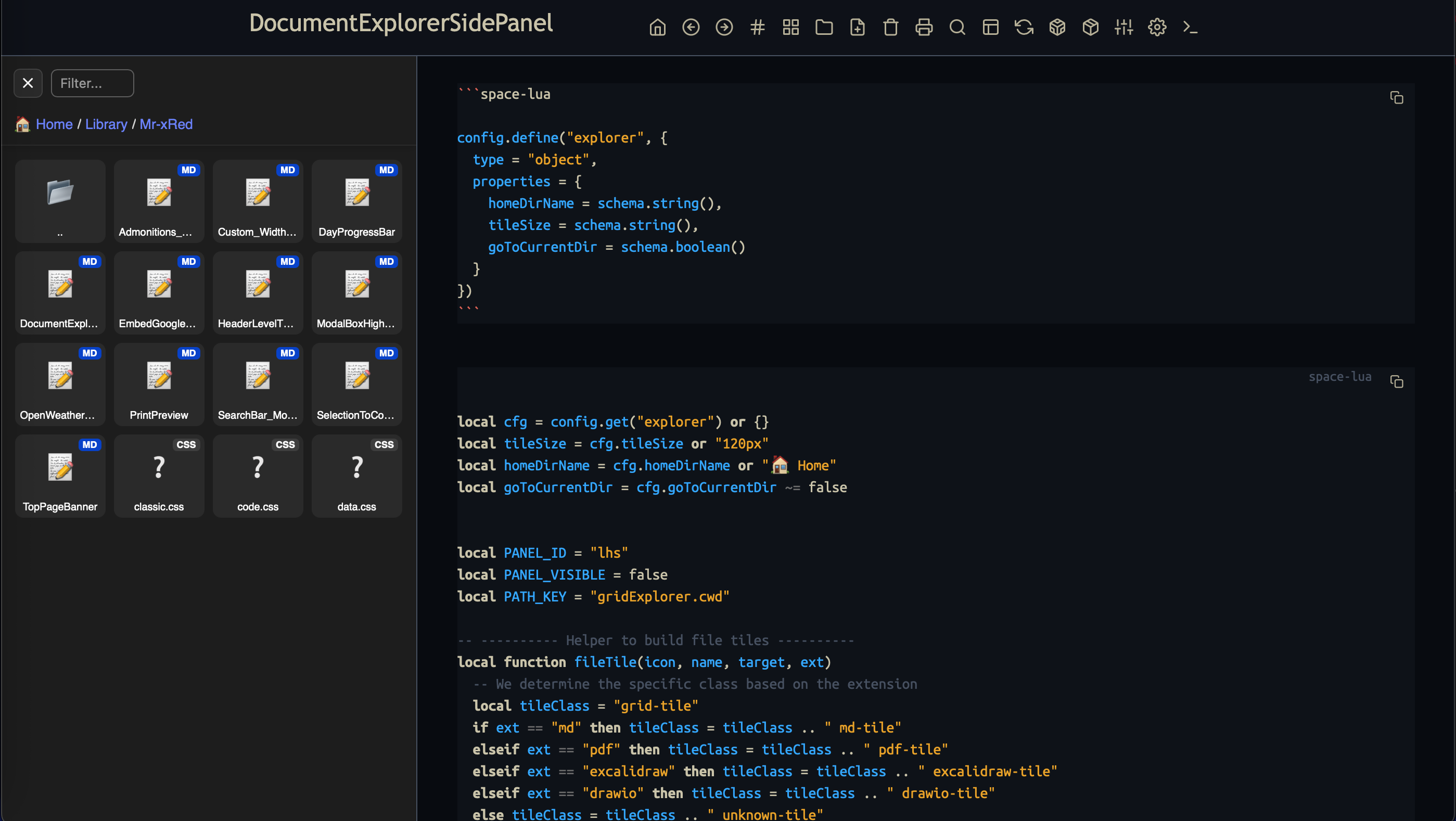
(Note: Working search/filter, breadcrumbs, grid view, and all the file support from the earlier version are already implemented!)
 Community Poll
I want to ensure this transition is as smooth as possible for current users. How should we handle the library update?
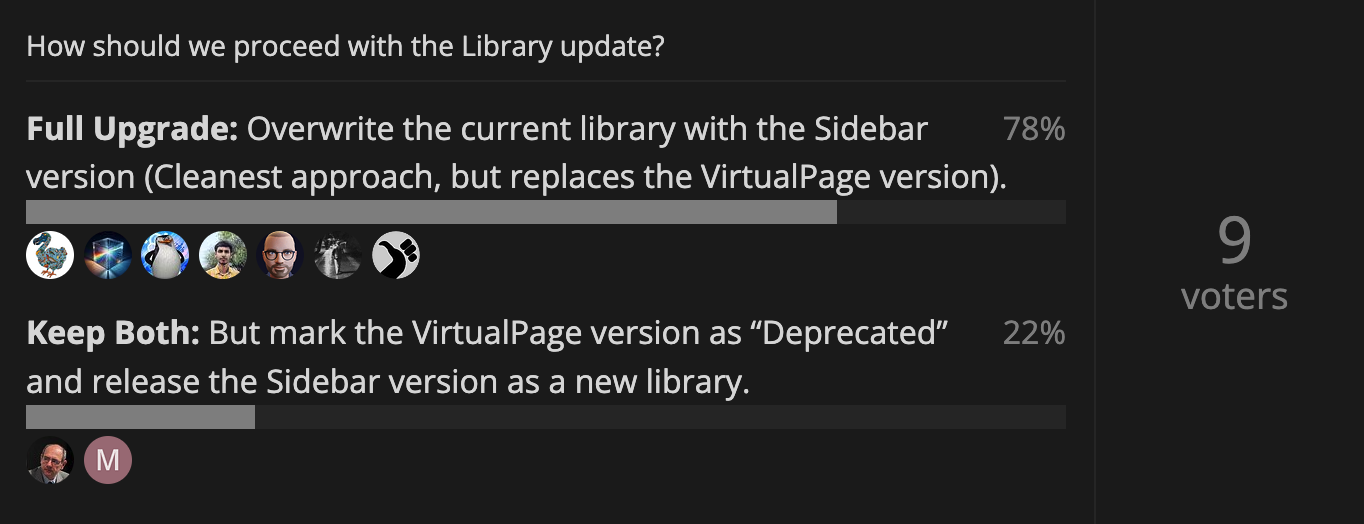
How should we proceed with the Library update?
- Keep Both: But mark the VirtualPage version as “Deprecated” and release the Sidebar version as a new library.
- Full Upgrade: Overwrite the current library with the Sidebar version (Cleanest approach, but replaces the VirtualPage version).
0
voters
Great feature !
A suggestion (I dream !): have a single interface to navigate either in the tree or via tags.
It seems to me that the proliferation of tools (sidebar, filterbox, breadcrumb or fastnav type widgets, etc.) complicates navigation (keyboard shortcuts, etc.) without offering a clear vision of the underlying structures.
Thank you for your development !
I’m kind of seeing where the POLL is going:
I found a third option where i can satisfy (kinda) both camps.
The solution I found and also pushed to Github is:
Moved the “old”- Virtual Page version to it’s own Library marked as:
☠️ Virtual Page Document Explorer (Deprecated) (Mr-xRed)
and the new SidePanel version pushed as an Update for people who already installed the “old” version.
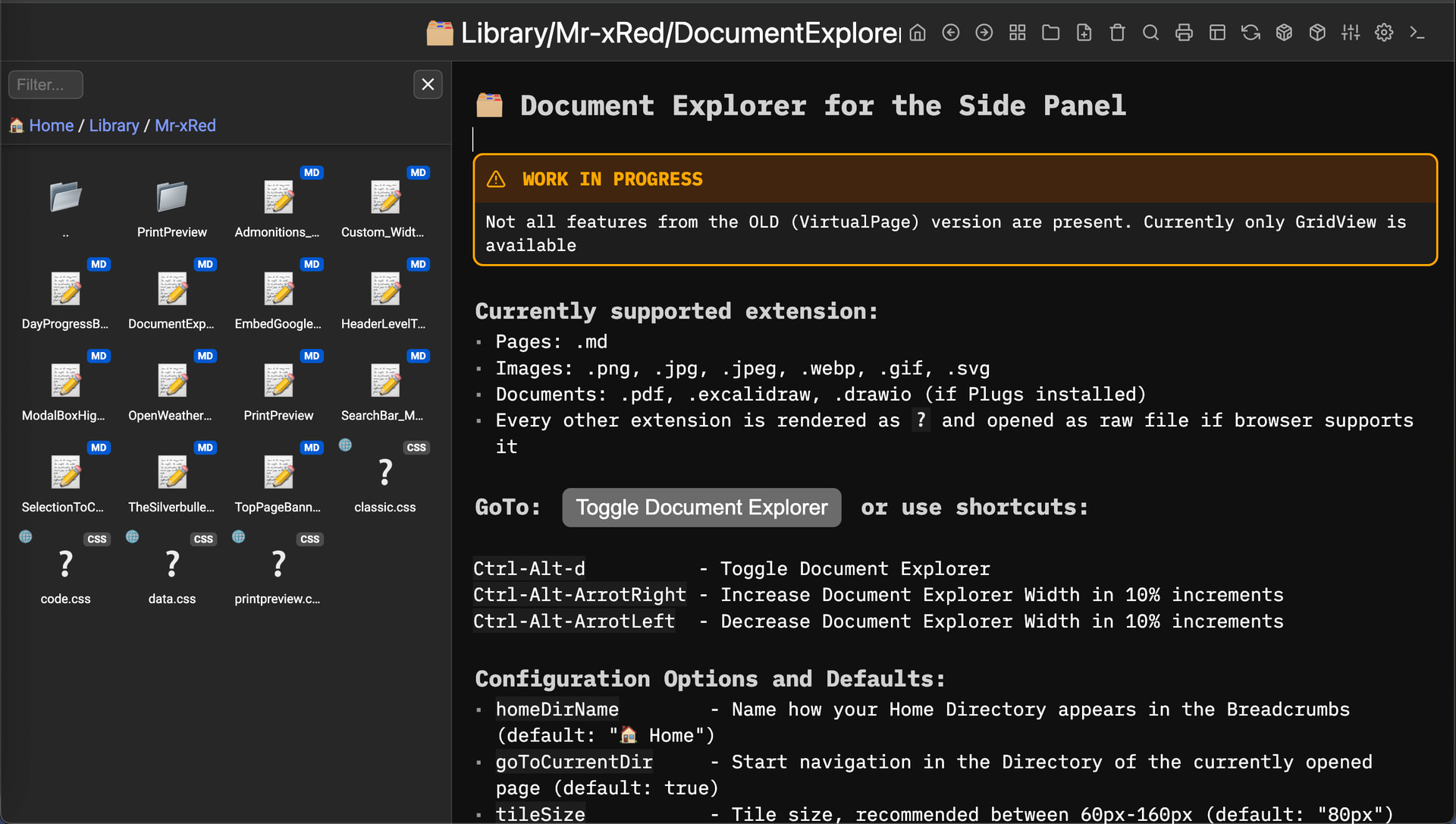
Here are two tlatest Screenshots with different widths and tileSizes:
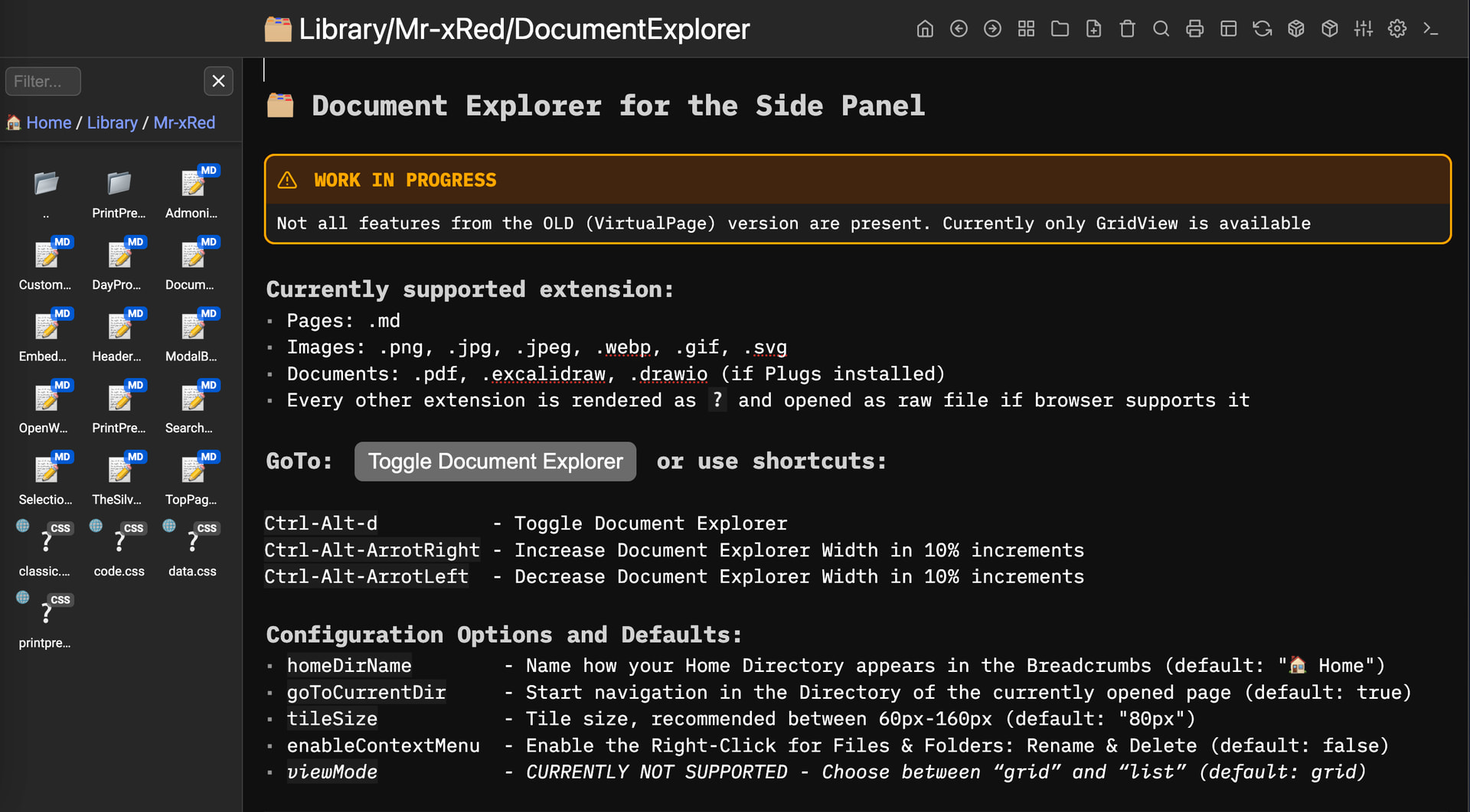
ChangeLog
-
 WORK IN PROGRESS - Migrated the Document Explorer to Side Panel
 -
Not all features from the OLD (VirtualPage) version are present.
-
Currently only GridView is available
-
Added Filter option where you can filter the view for names & extensions for the current folder.
-
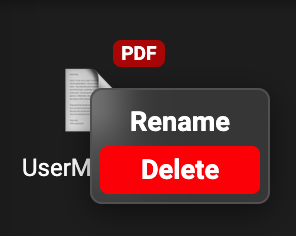
Added Right-Click Context Menu to Rename & Delete files
Because it’s still work in progress and not fully tested: CAUTION is advised
This feature needs to be enabled manualy using:"enableContextMenu" = truein the config
-
Added New Shortcut Keys to change the width of the Document Explorer Side Panel:
- Increase:
Ctrl-Alt-ArrowRight - Decrease:
Ctrl-Alt-ArrowLeft
- Increase:
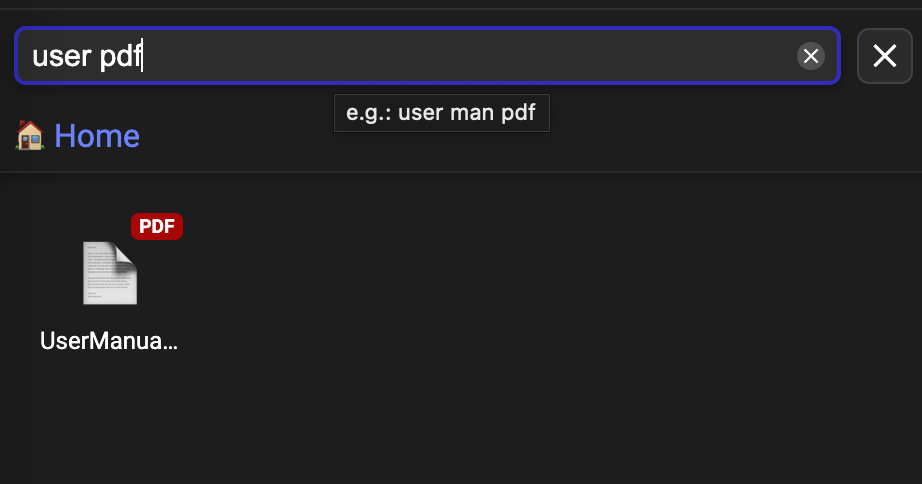
The UPDATE is LIVE !!!
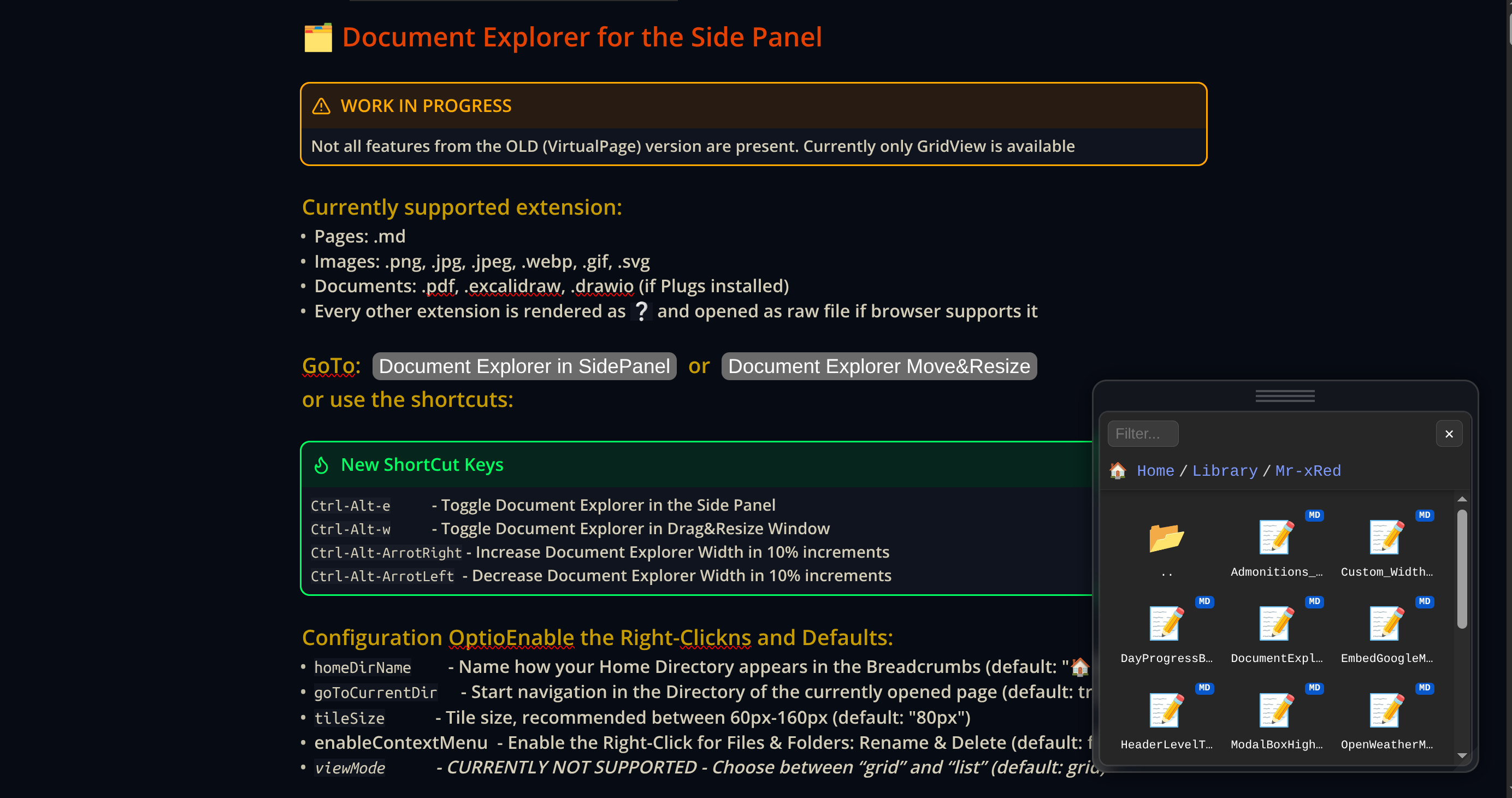
[UPDATE] Document Explorer: Floating Window  (Ctrl-Alt-w)
I’ve updated the Document Explorer to support the OPTION for a floating, draggable, and resizable layout. This frees up your sidebar and lets you position your file navigation exactly where you want it.
Key Highlights:
- Draggable: Grab the top bar to move the explorer anywhere.
- Resizable: Use the bottom-right handle to adjust the window size & remembers your custom size and position across sessions.
- Smart Snapping: Windows snap to screen edges and stay within your browser bounds (no more “lost” windows).
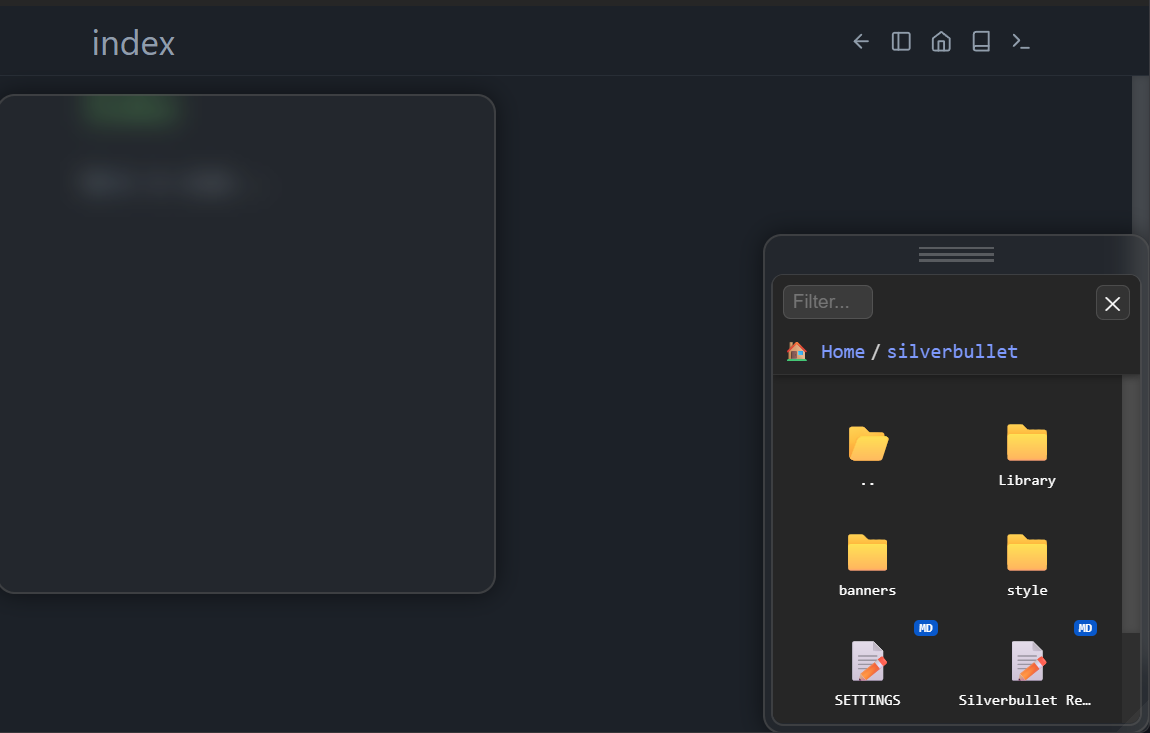

I see an additional box in chrome, which I do not see in your screenshot.
That definitely should not be there. This could be either a remnant of the old Tree View Extensions space-style, you need to Update that Library too, if you have it. This will delete the sb-top panel and sb-main panel related space-styles from the library . And don’t forget to force Refresh the Page (Shift-F5). If this doesn’t fix it, can you please provide more information about that box? What CSS selector/class does it have?
I see the drag handler also in file picker and the cursor changes to grab
This was a bug, which I pushed the fix now. I named the panel-header mistakenly as sb-header which appears also in the Modal Boxes.
But I renamed it now to sb-panel-header so this should be fixed now.
Thanks for the feedback!
Excellent achievement !
The standardization and modularity of the concept could make it possible to integrate different contexts: navigation of the documentary space, filter of documents (and why not via tags or history?), … Another example here with the Markmap plugin.
Two observations:
- after Ctrl+Alt+W: the document is (very briefly) moved to the right to make room for the “classic” panel (anchored to the left) then the floating panel appears and the document is refocused, which produces a flash.
- the succession of panel calls (Ctrl+Alt+d | a | w | m for the Markmap plugin) does not always produce the same result depending on the type of panel: There may be overlay, substitution or nothing.
Thank you very much for this excellent work!
Thank you for the excellent work.
I prefer the explorer in list view mode. Will this be implemented?
I suggest implementing the “copy path” function in the menu or a button to write the file’s wikilink/path on the page.
Thanks!
 already implemented (Drag&Drop from document explorer into your page as WikiLink for all know filetypes ) pages/images/pdf’s/excalidraw/drawio