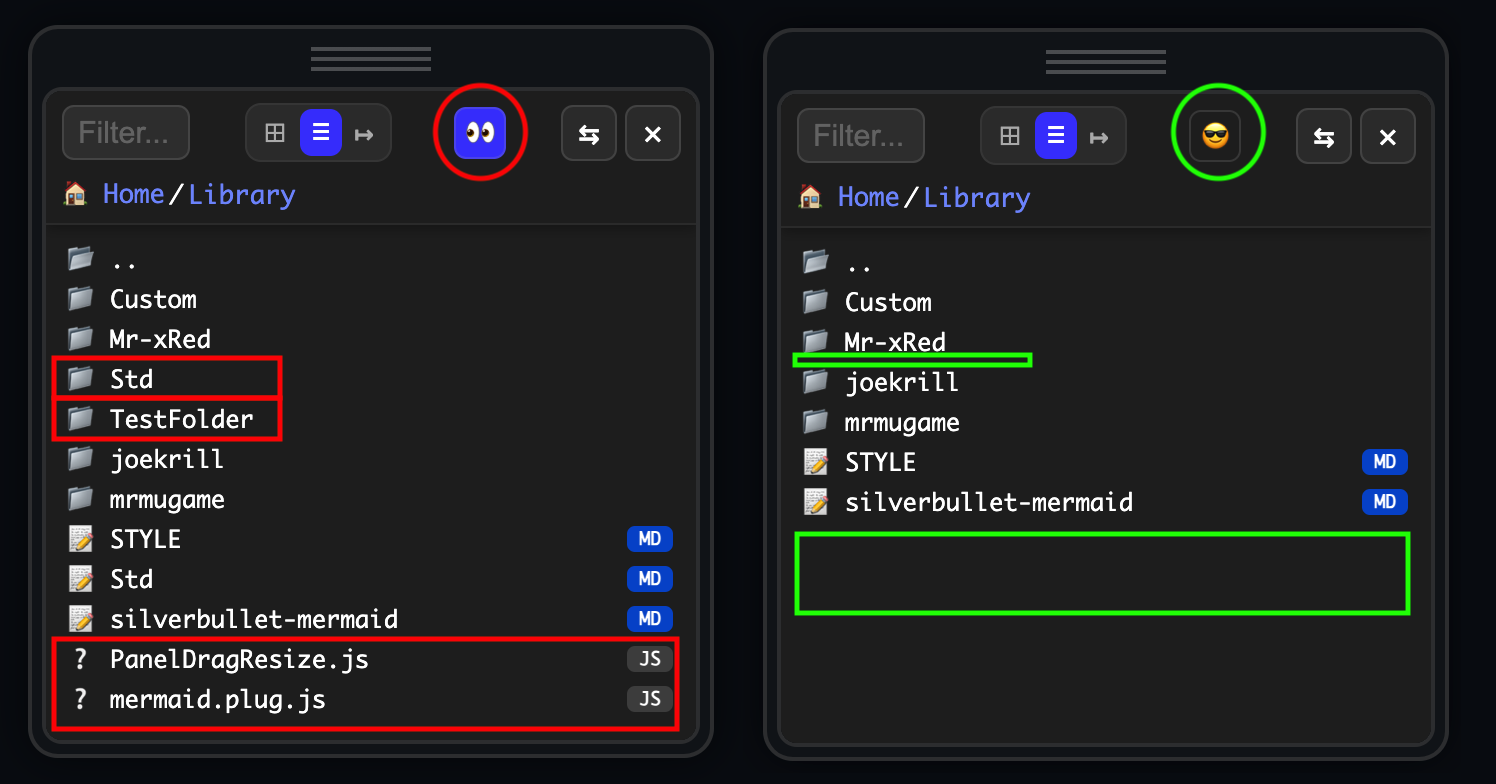
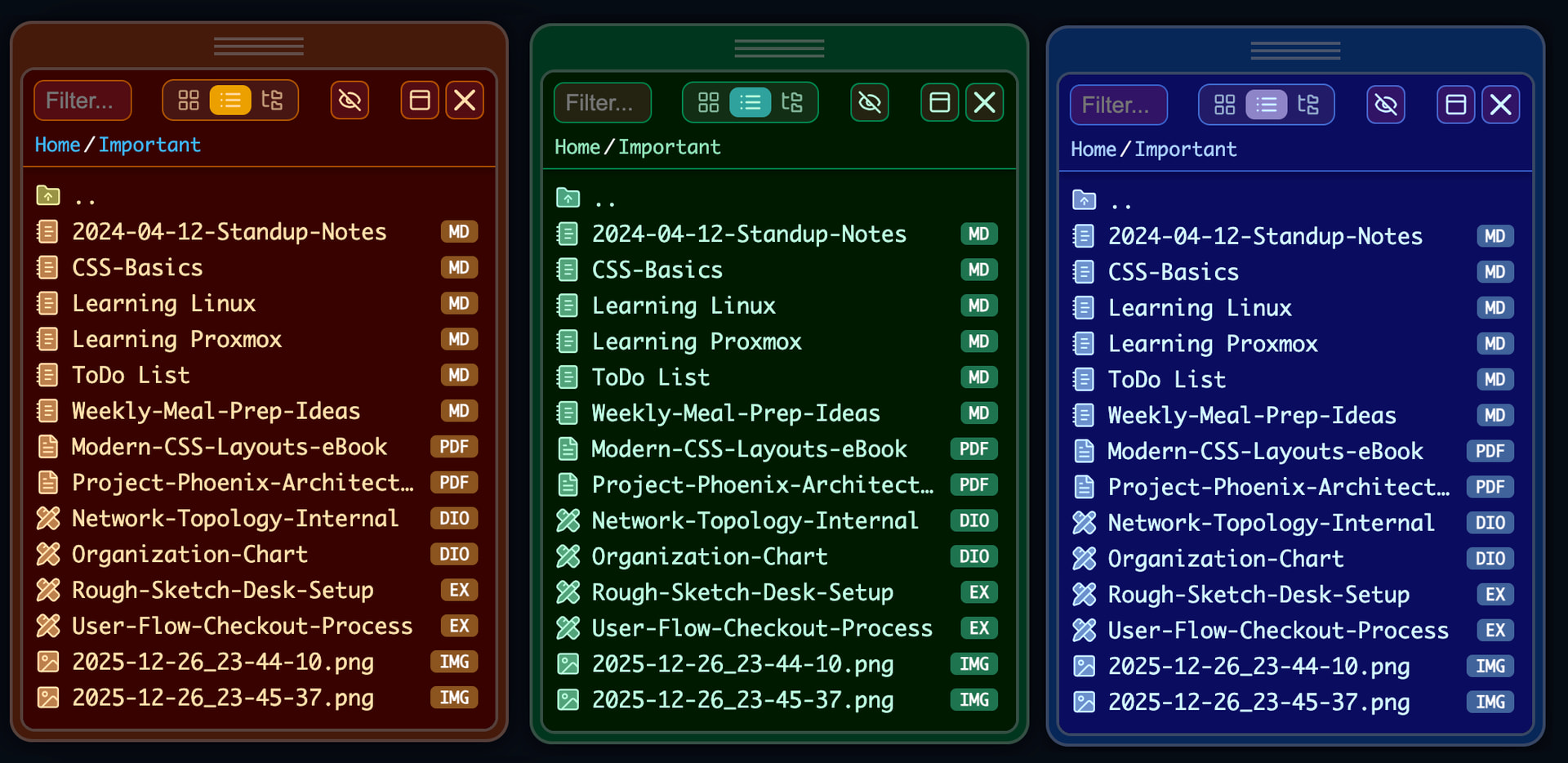
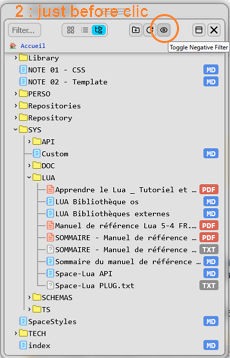
added new negative filter in the config to hide certain Files/Folders throughout the explorer
by: path, extensions or wildcard. It’s just a basic text filter, not regex or any fancy filter.
Hello…
A suggestion to optimize space in the filter line…
Use 1 button instead of 3 to change the display mode…
Pressing it changes to the next view and the icon.
I don’t like that approach at all. because when I want to jump from grid view to tree view, i need to press the button two times to toggle through to the correct one.
in my pinion the three button design doesn’t takes up so much space. and also the filter expands when you click it. And BTW what kind of SuperLooooongfiltersDoYouUse that you don’t have enough space?
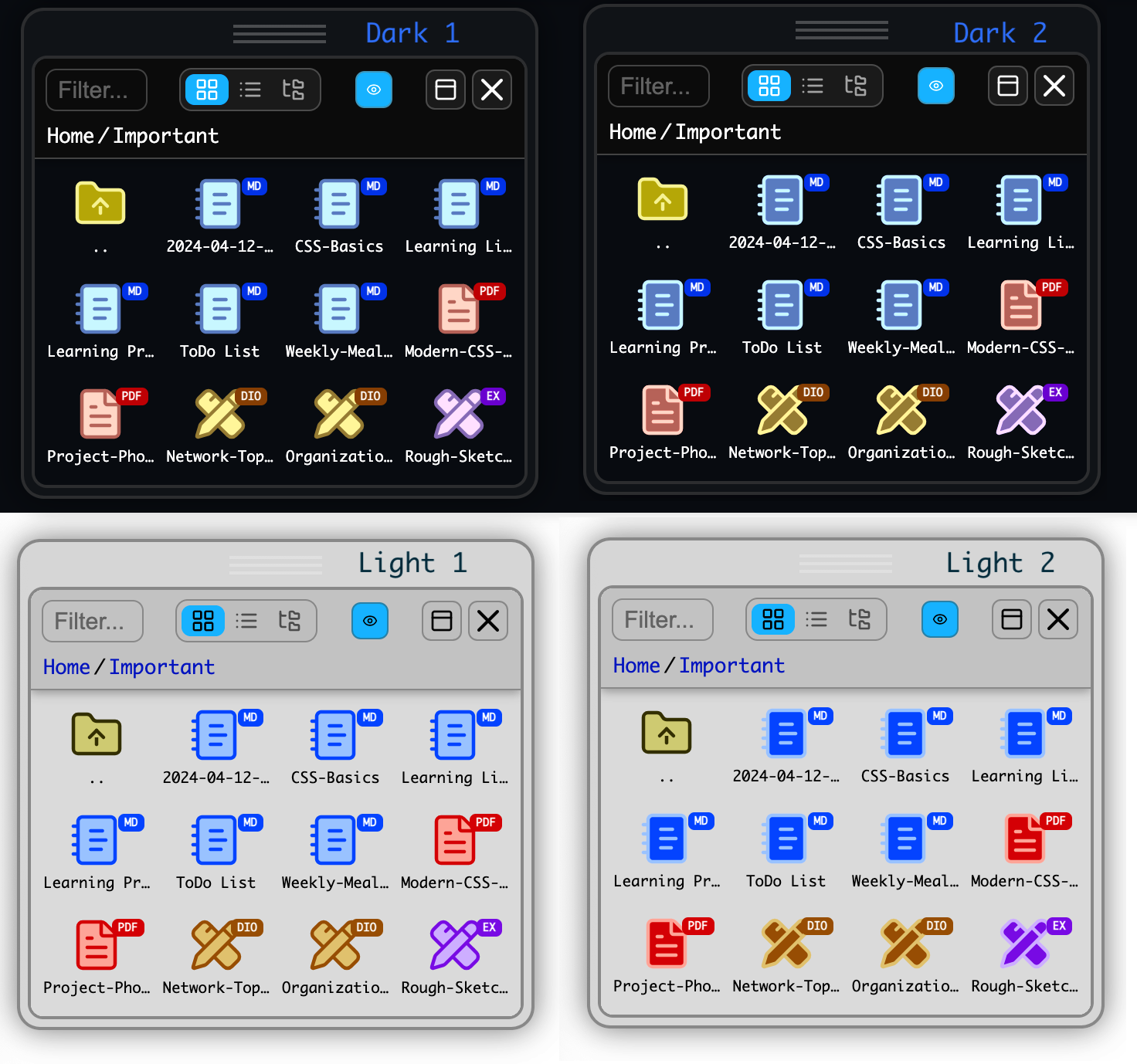
Thank you! I had people in mind who like to configure colors to make it in their own style. it’s not 100% configurable, but the main colors are customizable
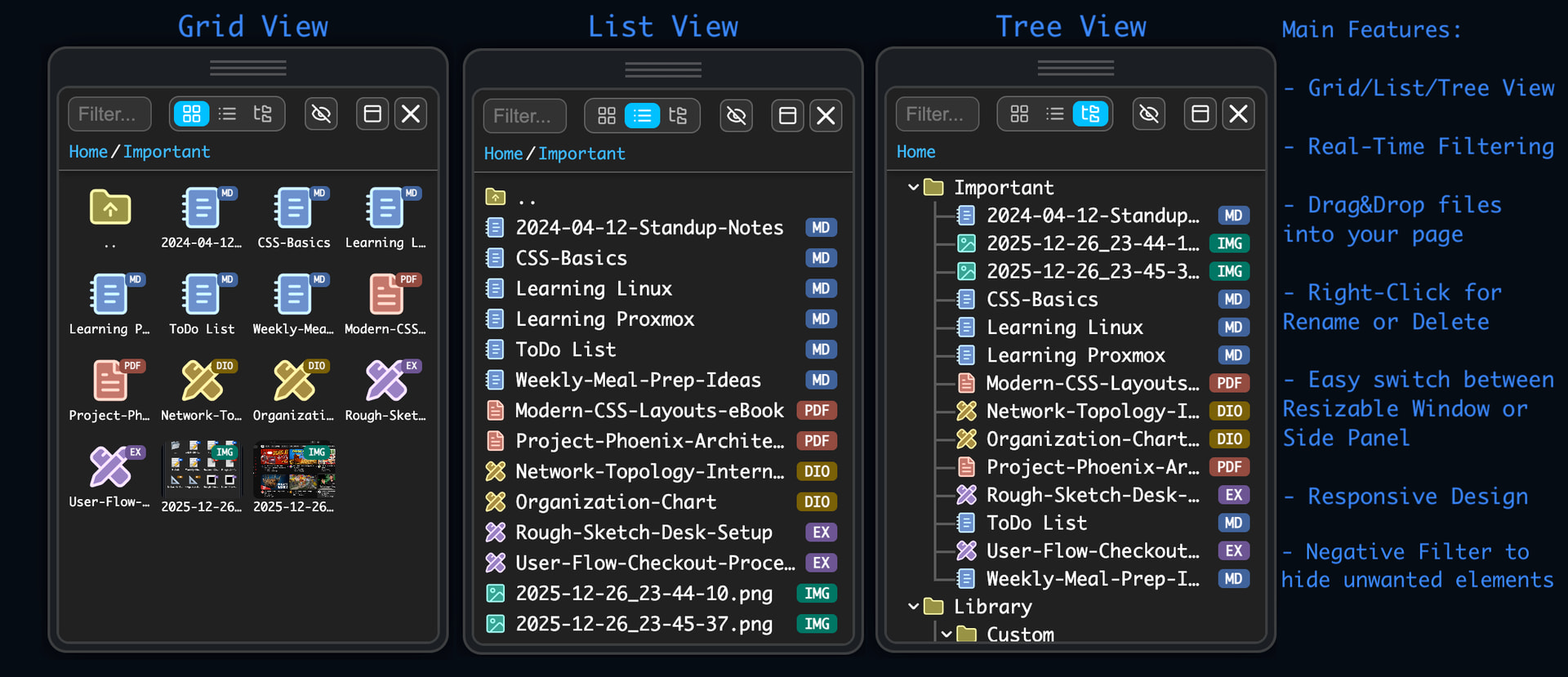
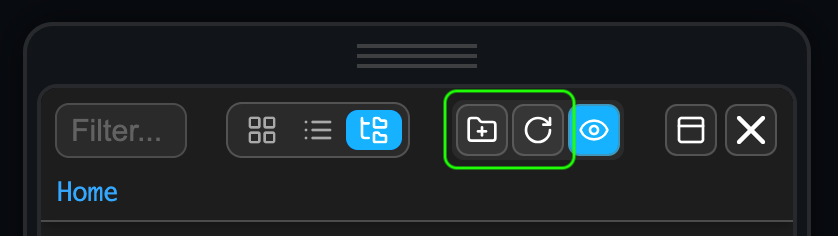
Tree-view is currently the one i least spent time with, still need to add collapse/expand-all buttons
Request (negative filter) : to neutralize .md that I don’t want to use at the moment, I add a character to the extension (eg: xxx.md-).
To filter them, could you replace the case 2 with the following lines:
-- Case 2: *.ext or *.* (Suffix Wildcard)
elseif lowPattern:sub(1, 2) == "*." then
  local ext = lowPattern:sub(3)
  if ext:sub(1, 1) == "*" then
    ext = "[^%.]+%" .. ext:sub(2)
  end
  if lowPath:match("%." .. ext .. "$") then return true end
This extends the previous filter without distorting it.
Very good!
The menu is getting large…
One suggestion:
In list and tree view, you could display a menu button (like on smartphones) and have it extend the menu (like in the filter field).
Leaving visible only the most important buttons.
The update button wouldn’t be necessary for me. I would update it by clicking the path link below the menu.
It still looks strange…
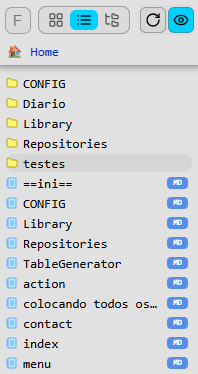
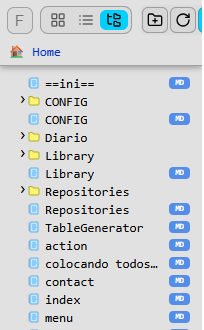
The best option, when the folder has a page with the same name, might be to make the folder blue. (it’s done that way in the treeview plugin). It makes the interface much cleaner.
IMHO we’re not there yet that we should add a dropdown/hamburger menu…yet… but i will consider it once we crossed a certain point (maybe two more buttons, and then i will start thinking about it). I’m not a big fan of extra clicks, when it’s not necessary.
i don’t understand what you mean by the page with the same name as the folder? they have different icons, they, files have labels, folder don’t. why should i make the folder blue?
i don’t quiet get what you are here after? i cant even rename files with any special character in their extension. Was it .md_ or .md- ? i have no idea how to reproduce this issue. can you please mak a video about it, or give exact steps to reproduce?
yes…soon…currently having more important infrastructural fixes to make…
In SB, the concept that ‘zef’ put (including in the video) is that there was no difference between page and folder. Just put a new page inside the page. And the treeview plugin used this concept.
When I create a page X. Then I create a page X/y in SB. The system automatically creates folder X. So X is a folder, but X is also an md file.
Almost all my folders have this format.
In Obsidian, there was a plugin to emulate writing and placing notes in the folder.
But SB (zef) eliminated this concern. You simply don’t need to think about folders.
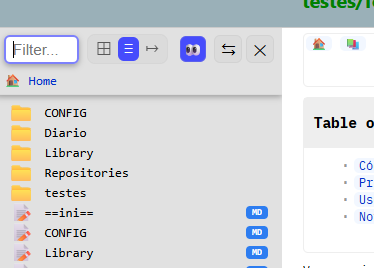
Maybe you don’t use this, that’s why you didn’t understand. I’ll attach 2 images. List and Tree.
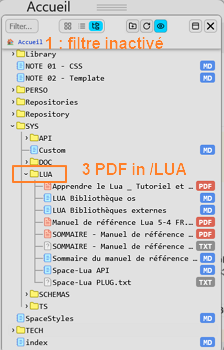
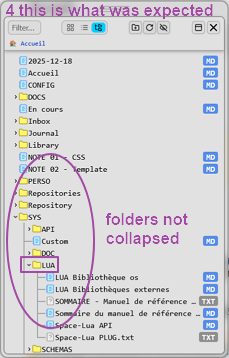
In summary: when you apply a filter inside a folder, the treeview closes the folder. You end up at the root of the space.
Its not a pb of filter but a pb of position after filtre applied.
(this, whatever the content of the filter - sorry for the mistake : yes, it was “-" et not "_”).
Here are the steps with negativeFilter = {"*.pdf"} :