I love your implementation of files explorer, I find it elegant in a way.
One question - is there an option to keep side panel open between reloads, just like in classic TreeView?
Currently no, but I can add it. I left it out for now for debugging purposes, while coding it as a safe measure, if it isn’t behaves like I intended I just refresh the window, and I can open it again. I will add this as a configurable option it probably in the next release…
Just pushed the Update in following commit: added config option and the abbility to reopen to last known state after Wepage refresh
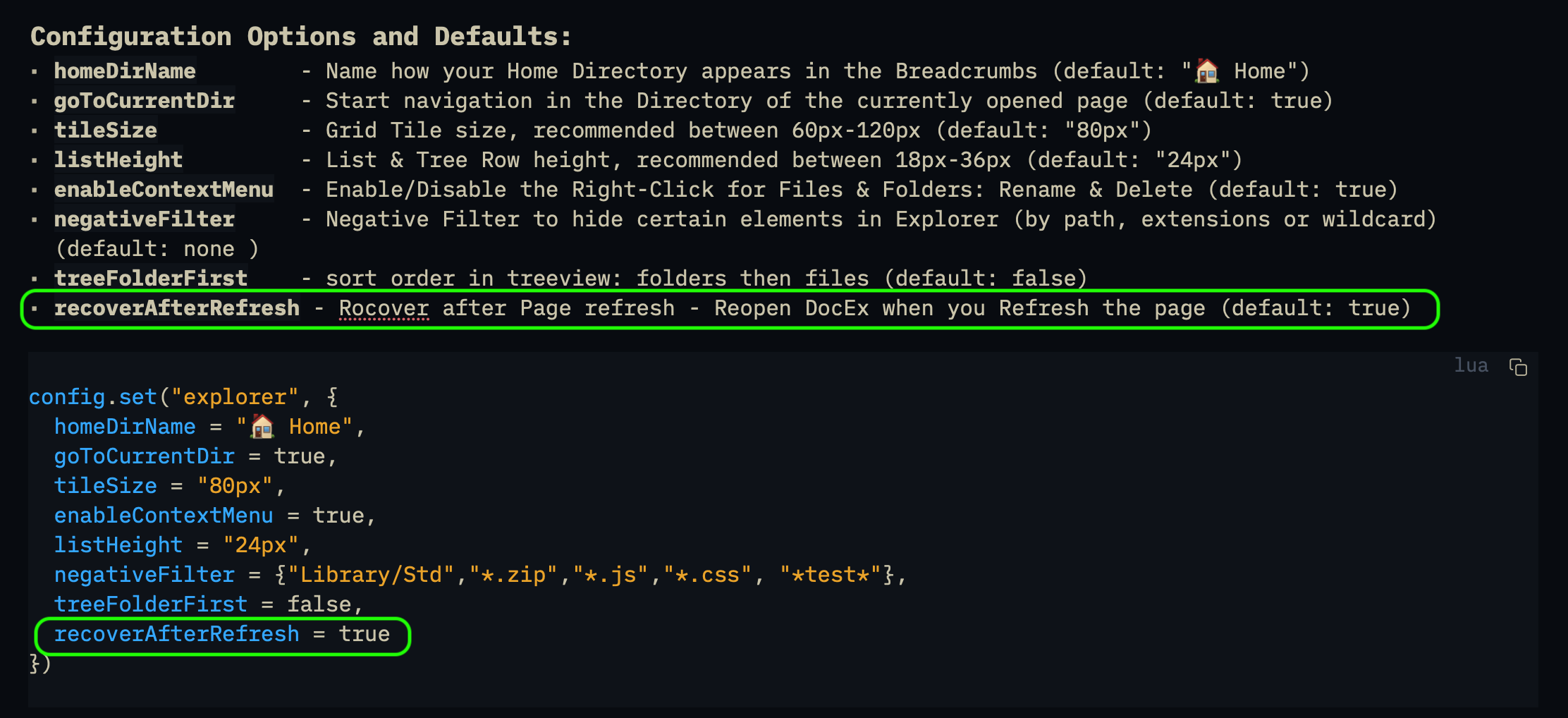
The explorer.recoverAfterRefresh defaults to truefor now (this might change in the future if people doesn’t want this change)
That was faaaaast - thank you!
The implementation is not the smartest. It might still be buggy maybe..that’s why any feedback is welcome.
More and more beautiful! Where will we stop … !? 
Two observations:
- in the treeview, activating/deactivating the filter systematically repositions the view on the current document. Embarrassing.
- the separation bar between the breadcrumb and the view seems unnecessary to me, especially when the explorer is docked (in the latter case, the separation would be rather useful above the toolbar - cf image).
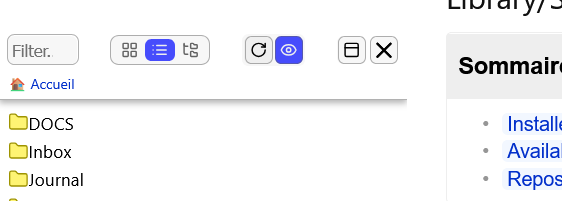
That I can’t change because it needs to redraw the whole document list for the filter to take effect. Sorry. unless you know a solution for this you are welcome to contribute with a PR. I tried and tried, but I couldn’t come up with any better solution.
You mean like this?
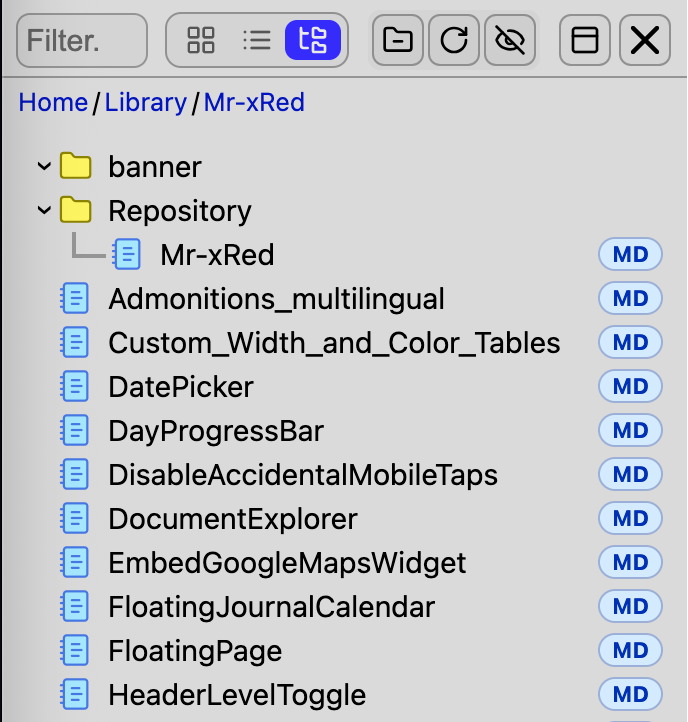
I don’t like it this way!
But if you want you can add following space-style to set yours like in the picture:
.explorer-header {
    border-bottom: none;
    box-shadow: none;
}

.explorer-toolbar {
    border-bottom: 1px solid var(--explorer-border-color);
}
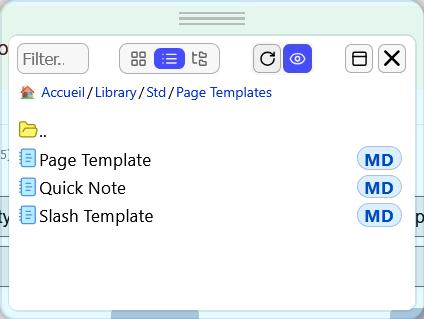
me neither 
[EDIT] But Gemini figured it out. It was not necessarily due to the redrawing but the scroll behavior. now adjusted it: from smooth to instant and it feels better but still not perfect.
@bau give it a try and tell me if it’s solved like you wanted? It’s not 100% perfect but it feels more instant than with the smooth scrolling animation.
Much better. I would also love if the inner container got rid of the borders and margin and gain full panel/window width. 
You can use the space-style exemple I put in the theming example, but bear in mind, this will change all your Pop-Out floating windows too.
Here you go, i also removed all the border-radius because i know you like Boxy
:root{
  --header-height: 20px;                         /* Header height, drag-area */
  --frame-width: 0px;                            /* frame thickness */
  --window-border: 0px;                          /* solid border width (aesthetic) */
  --window-border-radius: 0px;                  /* inner iframe border radius */
  --window-border-color: transparent;  /* solid border color (aesthetic) */
}
here is the result:
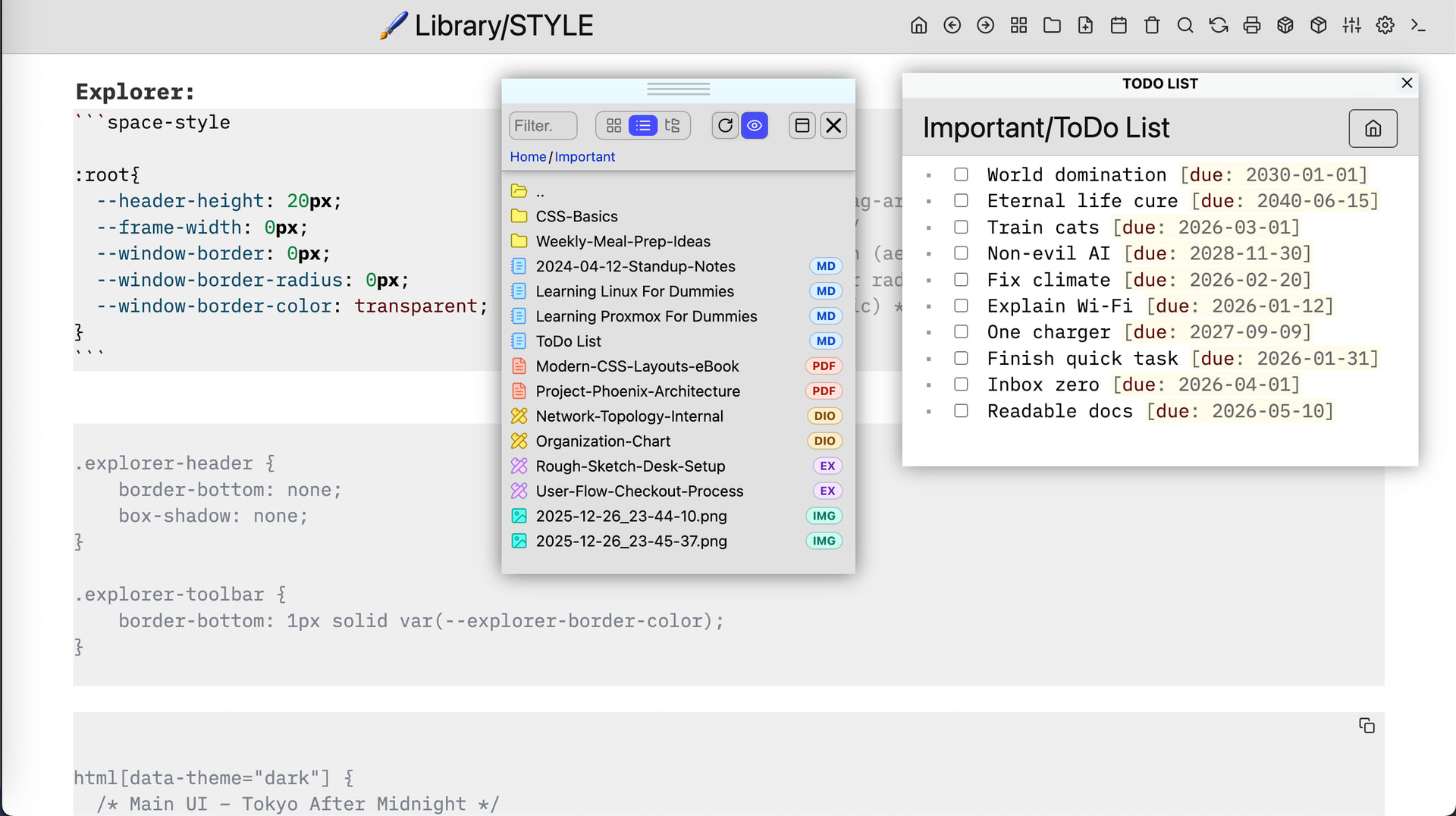
fine tune for your liking…
[EDIT] like i said in on of my previous posts, i tried to make theming and customizing the Explorer as straightforward and effortless as possible.
I don’t see a big difference. But, for me, the discomfort does not come from the way we reposition ourselves but from the fact that we reposition ourselves! (we talked about it before, … yes, actually…I remember it now…).
When you click on the filter, it is not to move the view (to the current page) but to expand or narrow the current view.
We should be able to achieve this by recording continuously the central point of the current view (i.e., which file/folder is positioned approximately on the median of the tree portion visible in the view, according to the current frame dimensions). So, it doesn’t matter whether the current page folder is opened or not.
The content of the view will probably change (since we expect the filter to produce an effect) but we will have a fixed point for the gaze.
In principle, we are trying to refresh the current view, with or without a filter, but without moving it.
Then i missunderstood you. and still don’t know what you mean.
can you please give me visual help? what exactly is moving around? you mean the file list? the negative filter button? the LiveFilter Input field? what exactly are you reffering to? sorry but i don’t understand if you don’t provide some visual aid.
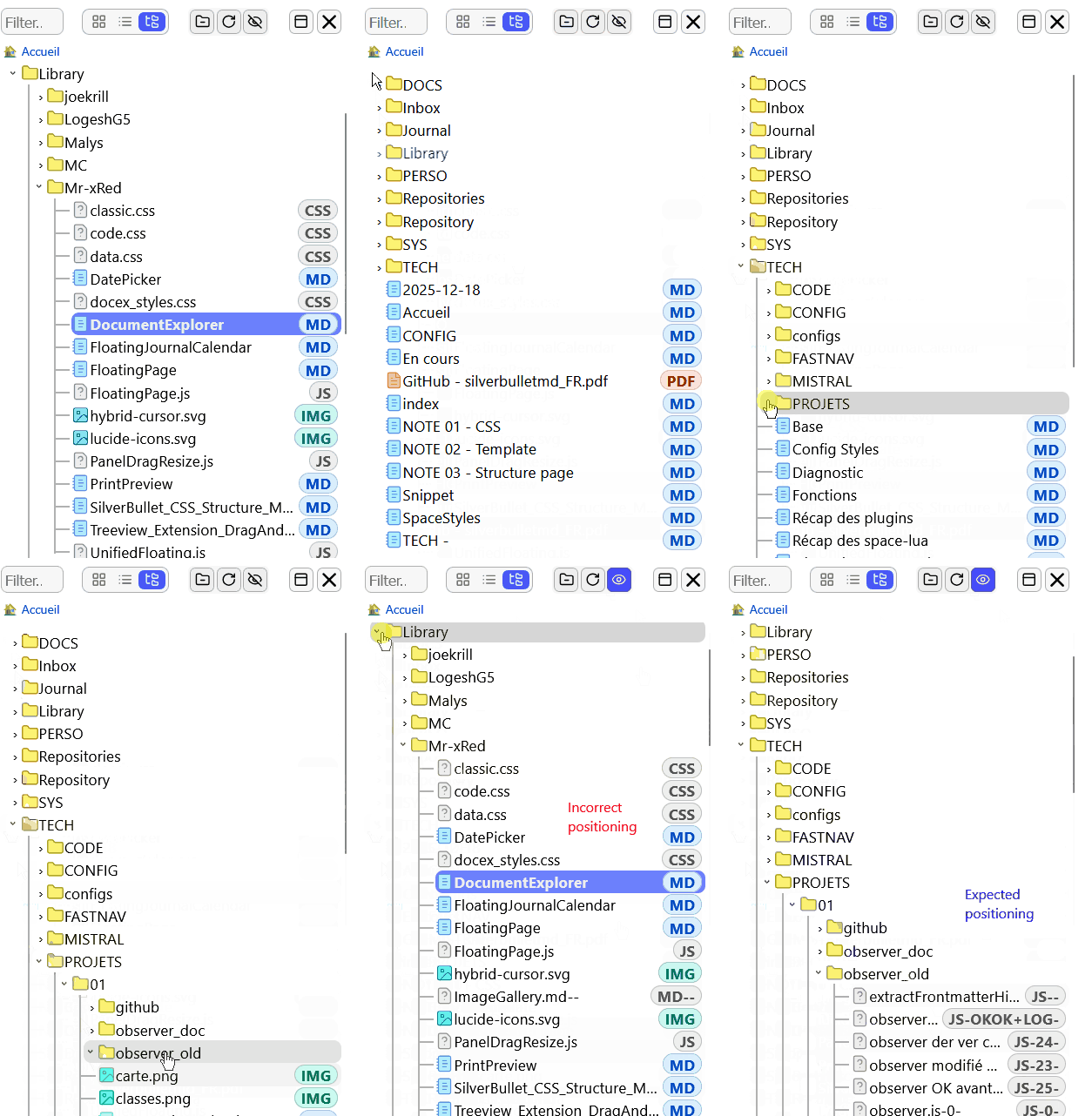
Observation:
If you close the frame with the “Toggle…” button, Document Explorer closes but it reopens automatically when you open a new document or if you refresh the current one. This is not the expected behavior (even when explorer.recoverAfterRefresh option is true).
Conversely, if you close the frame with the cross, Document Explorer does not reopen. This is the expected behavior.
an interesting feature from Treeview is drag and drop to move file. It could be fantastic to integrate it.
Thanks for your work @Mr.Red
- Drag&Drop is already integrated → Drag&Drop Pages&Documents into the Page - IMHO much more useful than Rename/Move
- For Move/Rename → use the Right-Click Context Menu → Rename option, it will also move the File if you change the Path where you want to move it.
I am not considering therefor to integrate Drag&Drop for Move/Rename file, sorry.
[UPDATE]
Document Explorer Final Form (more or less)
I’m back to work from my vacation and ready to share what is likely the final major iteration of the Document Explorer. Due to returning to work and the increasing complexity of the codebase, I won’t be adding new features moving forward. However, my focus for future update will be on stability and a more polished user experience.
[ChangeLog]
-
Integrated Panel Resizing - I have bundled the PanelWidthResizer directly into this update as a core dependency. Natural Interaction: You can now simply click and drag the panel edges to resize them. Because of this, I have removed the Keyboard Resize shortcuts. They served as a good workaround, but the new mouse/touch interaction is far more intuitive.
Zero Setup: You do not need to install the resizer separately; it is handled automatically during the update. -
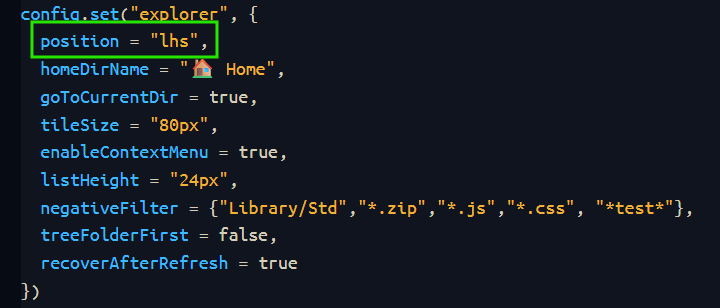
New Configuration Option
You can now explicitly set your preferred panel position in your configuration:- lhs (Left-Hand Side)
- rhs (Right-Hand Side)
- bhs (Bottom-Hand Side) While supported, I personally don’t recommend this layout for the best experience.
The Road Ahead
This release represents the “Final Form” of DocEx. While I will continue to iron out known bugs as time permits, no further features are planned. I hope these refinements significantly boost your productivity and overall experience.
Thank you all for the feedback and support during development and espoecially to whom helped me shape this into its final form today  !
!
Thank you for this very, very hard work and this great achievement. 
We have definitely entered another dimension with Document Explorer!
Good recovery (at work) and good start to 2026! 
Here, a proof of concept to extend the possibilities offered by the IMMENSE work carried out by Mr.Red.
I dream of centralizing all navigation functions in the EXPLORER: document, tags, history, tasks, etc. What do you think?