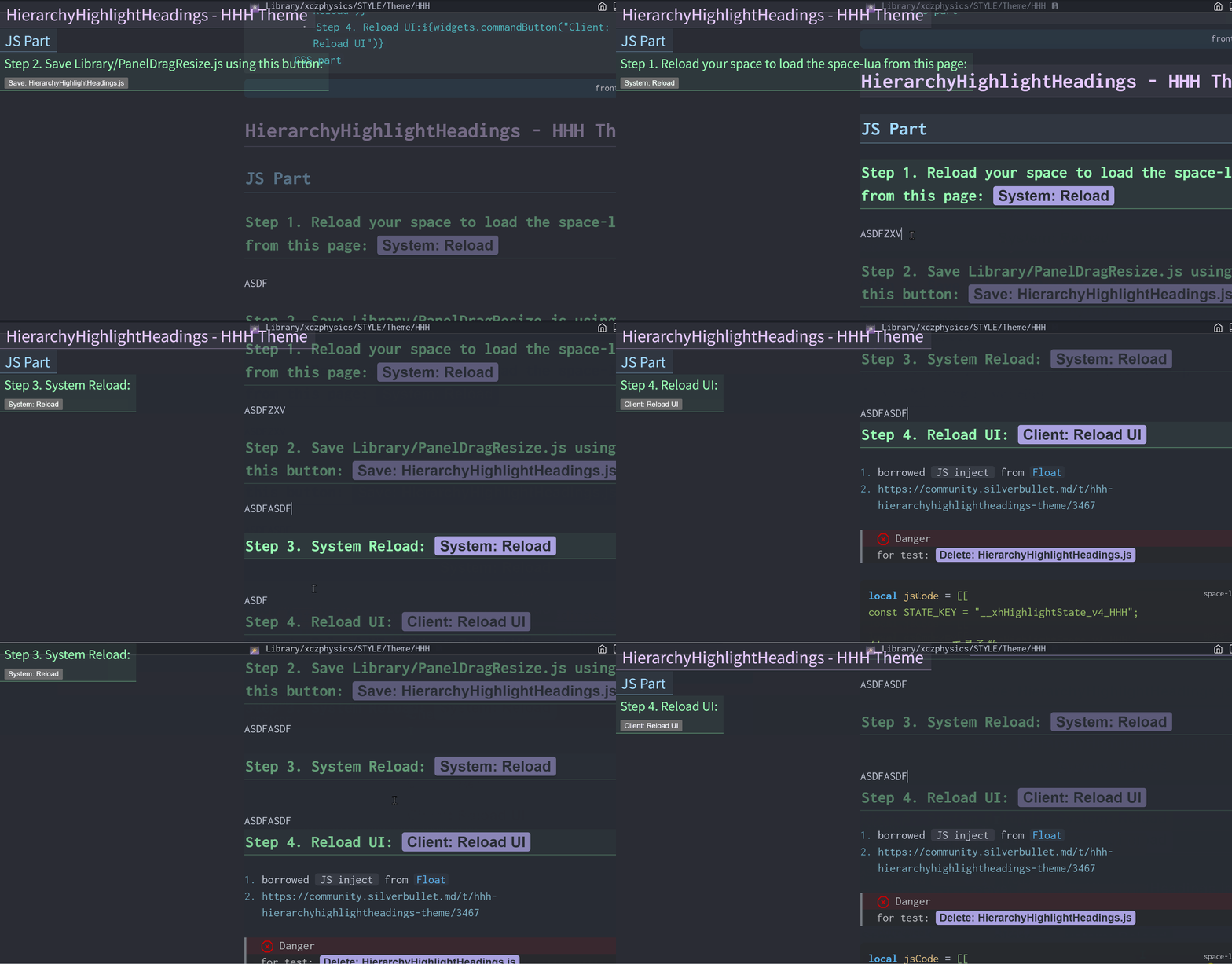
Having delved into tree-basedfile systems and tree-UIheading picker, wouldn’t it be intriguing to experiment with a tree-likehierarchically highlighted heading theme as well?
The title (that cursor’s @) and its subtitles are highlighted
There is also a pure CSS-version that requires no installation; however, its highlighting affects the child headings of other sibling headings — a limitation intrinsic to CSS that can be addressed with JavaScript.
This plug works in light theme (and mobile), too, but less attractive.
I hope you don’t mind, but I took the liberty and tweaked the colors and hover effect a little bit to be more pronounced. here is the result:
i would also recommend (was recommended me too by @mjf ) to use oklch() colors instead of rgb(), or #RGB colore. they’re more predictible and easier manipulable.
Never mind, let’s blend: Just as in《Annihilation》and《Prometheus》, where all forms of life fuse through the blending of DNA, so too do human and AI interweave within the code.
event.listen {
  name = 'system:ready',
  run = function(e)
    editor.invokeCommand "Tree View: Toggle"
    js.import("/.fs/Library/PanelDragResize.js").enableDrag()
  end
}
Additionally, I find that 2 plugs will be affected by your css hack:)
another In-Page breadcrumb that shows which branch of the page contains the content you’re editing or viewing. Like Excel’s freeze panes, the script traces the heading chain from the cursor’s text block (parent, grandparent, and so on) up to the top-level heading, and mirrors those headings into the editor’s upper-left corner.
Those mirror headings sit visually on top but permit mouse passthrough so the underlying text remains editable. However, this make the In-Page breadcrumb not-navigatable, so one still need some In-Page or Across-Pages Heading Picker to navigate among headers.
Because it’s an entire front-end logic, it inherits CodeMirror’s limitations and cannot reach headings that are too distant from the active focus.